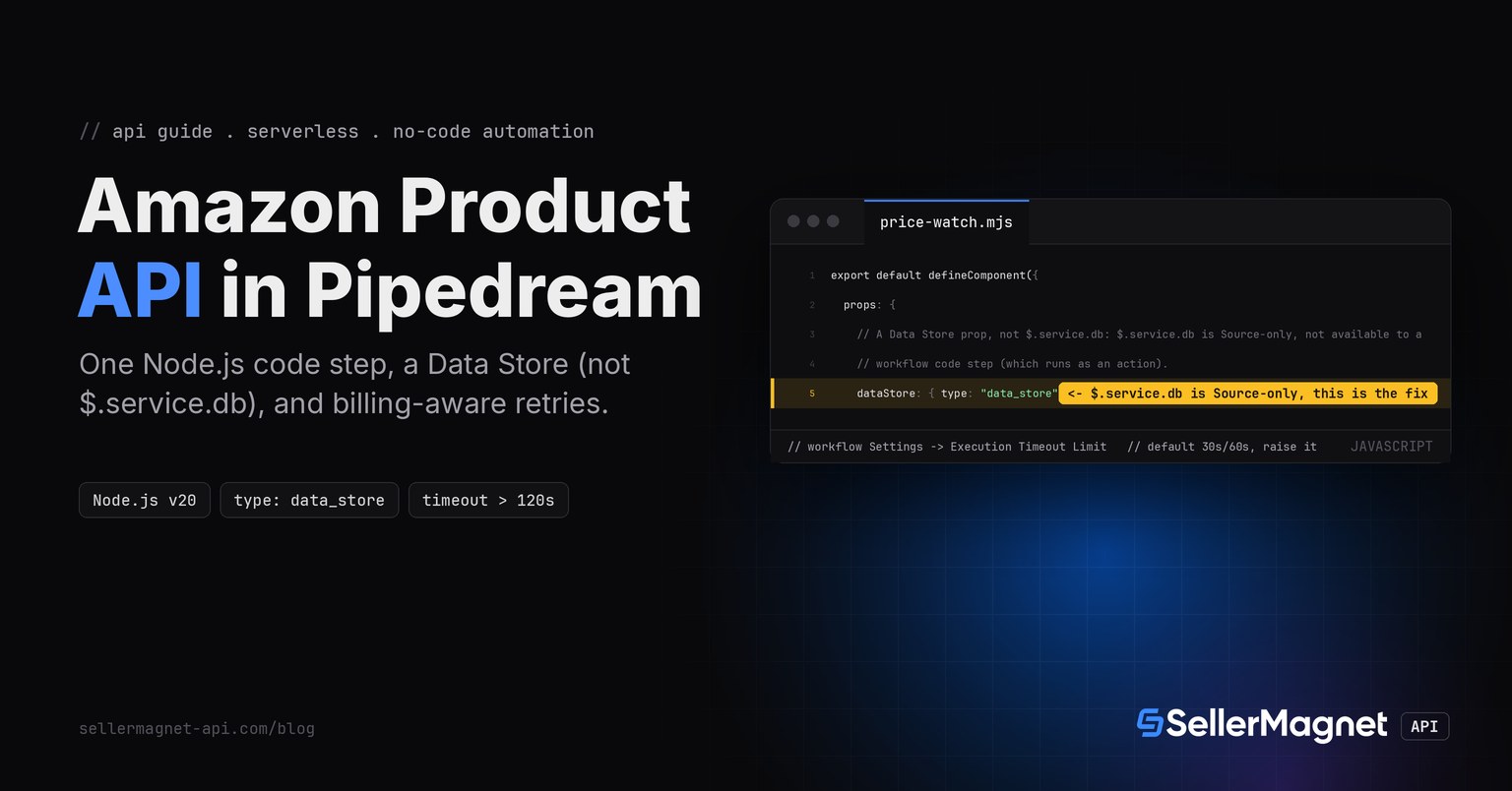
To call the Amazon product API from Pipedream, add a Node.js (v20) code step that fetches /amazon-product-lookup with the key in the X-Api-Key header, inlined in one file since a code step cannot import another step's file. To remember the last price between runs, do not reach for $.service.db - it is a Source-only service prop, missing from Pipedream's own Component API Reference under the 'Supported in Actions' column - add a Data Store prop instead, and await every call on it.
Key Takeaways
- $.service.db, the mechanism shown in Pipedream's OWN sources quickstart, does not work in a workflow code step: Pipedream's Component API Reference lists it as Source-only, blank under 'Supported in Actions'.
- A Data Store prop (dataStore: { type: 'data_store' }) is what actually persists data between runs of a code step, and every operation on it (get, set, delete) must be awaited.
- A Pipedream code step cannot import another step's file, only npm packages or code in the same file, so this guide's client and retry logic are inlined into one file, unlike the multi-file versions built for the other serverless platforms covered in this series.
- The workflow's own execution timeout defaults to 30 seconds (HTTP/email trigger) or 60 seconds (cron trigger), both shorter than SellerMagnet's own up to ~120-second scrape allowance; raise it in Settings before trusting this in production.
- Pipedream's Advanced-Plan whole-step auto-retry is not a substitute for billing-aware retry logic: it reruns the entire step rather than one HTTP call, skips Timeout/OOM errors, and does not know which SellerMagnet status codes are actually billed.
What do I need before I start?
- A Pipedream workflow with an HTTP, cron or any other trigger, and a Node.js code step added below it.
- An API key - a free account includes 150 credits, one per request.
- The key stored as a Pipedream environment variable (SELLERMAGNET_API_KEY), referenced in code as process.env.SELLERMAGNET_API_KEY, never hard-coded in the step.
Why doesn't $.service.db remember my last price?
Pipedream's own sources quickstart shows this.db.get('count') and this.db.set('count', n) to keep state across a source's executions, and that example is correct for a source - it is tempting to copy it straight into a workflow code step, which is a different kind of component. Pipedream's Component API Reference settles it: the $.service.db row has a checkmark under 'Supported in Sources?' and nothing under 'Supported in Actions?'. A workflow code step runs as an action, so $.service.db is simply not wired up there - the step runs without an error, but the stored value never comes back on the next execution.
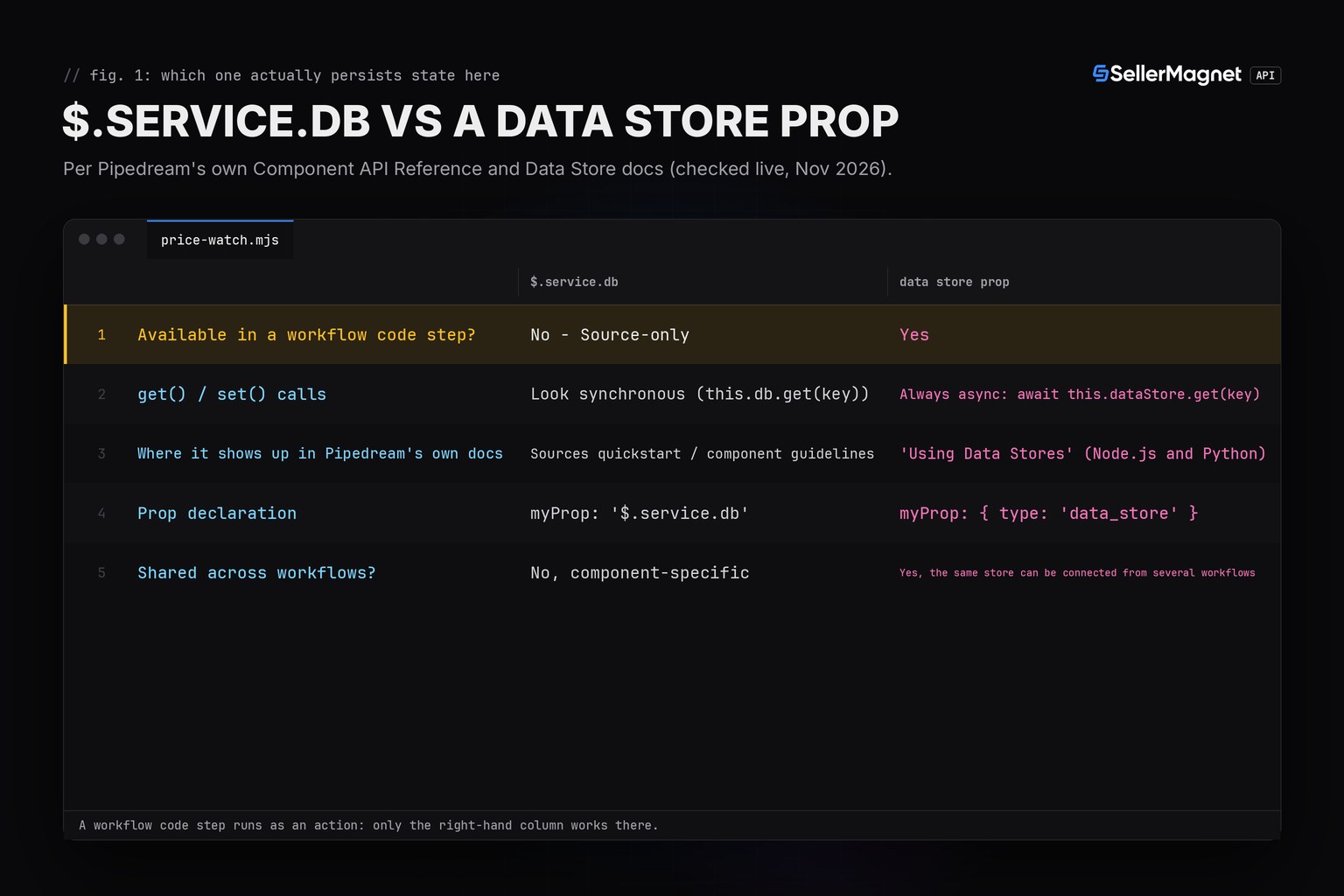
| $.service.db | Data Store (type: data_store) | |
|---|---|---|
| Available in a workflow code step? | No - Source-only | Yes |
| get() / set() calls | Look synchronous (this.db.get(key)) | Always async: await this.dataStore.get(key) |
| Where it shows up in Pipedream's own docs | Sources quickstart / component guidelines | 'Using Data Stores' (Node.js and Python) |
| Prop declaration | myProp: '$.service.db' | myProp: { type: 'data_store' } |
| Shared across workflows? | No, component-specific | Yes, the same store can be connected from several workflows |
price-watch.mjs - the whole code step, paste-ready
// price-watch.mjs - Pipedream Node.js (v20) code step. Paste into "Run custom code" as-is.
// Reuses the Node.js quickstart's GET wrapper (client.js) inlined: a Pipedream workflow code
// step cannot `import` another step's file, only npm packages or inline code (Pipedream docs,
// "Running Node.js in Workflows").
//
// Persistence: $.service.db is a SOURCE-only service prop - Pipedream's own Component API
// Reference lists it as supported in Sources but NOT in Actions, and a workflow code step runs
// as an action, not a deployed source. The prop that actually persists data between runs of a
// workflow code step is a DATA STORE (`type: "data_store"`), and every operation on it is
// asynchronous - get/set both need `await`.

const API_BASE = process.env.SELLERMAGNET_API_BASE ?? "https://sellermagnet-api.com/api/";
const RETRYABLE = new Set([429, 500, 502, 503]);
const DROP_THRESHOLD = 0.03; // report a Buy Box drop of 3% or more

class ApiError extends Error {
  constructor({ status, message, retryAfter }) {
    super(`${status}: ${message}`);
    this.name = "ApiError";
    this.status = status;
    this.retryAfter = retryAfter;
  }
}

async function apiGet(endpoint, params) {
  const url = new URL(API_BASE + endpoint);
  for (const [key, value] of Object.entries(params)) url.searchParams.set(key, value);
  const controller = new AbortController();
  const timeout = setTimeout(() => controller.abort(), 120_000); // server allows a scrape up to ~120 s
  let response;
  try {
    response = await fetch(url, {
      headers: { "X-Api-Key": process.env.SELLERMAGNET_API_KEY ?? "" },
      signal: controller.signal,
    });
  } finally {
    clearTimeout(timeout);
  }
  const retryAfter = Number.parseInt(response.headers.get("retry-after") ?? "0", 10) || 0;
  let body;
  try {
    body = await response.json(); // a proxy's error page is HTML, not JSON
  } catch {
    throw new ApiError({ status: response.status, message: response.statusText, retryAfter });
  }
  if (response.ok && body.success) return body.data;
  throw new ApiError({ status: response.status, message: body.message ?? response.statusText, retryAfter });
}

async function getWithRetry(endpoint, params, attempts = 4) {
  let seen500 = false;
  for (let attempt = 1; ; attempt++) {
    try {
      return await apiGet(endpoint, params);
    } catch (err) {
      if (!(err instanceof ApiError)) throw err;
      const secondFiveHundred = err.status === 500 && seen500;
      if (!RETRYABLE.has(err.status) || secondFiveHundred || attempt === attempts) throw err; // 404 etc: real answer
      seen500 = seen500 || err.status === 500;
      const backoff = 2 ** attempt * 50; // ms, small so the harness runs fast
      await new Promise((resolve) => setTimeout(resolve, Math.max(backoff, err.retryAfter * 1000)));
    }
  }
}

function decodePrice(raw) {
  return typeof raw === "number" ? raw : null; // "N/A" (string) or missing -> null, never 0
}

export default defineComponent({
  props: {
    // A Data Store prop, not $.service.db: $.service.db is Source-only, not available to a
    // workflow code step (which runs as an action).
    dataStore: { type: "data_store" },
    asin: { type: "string", label: "ASIN", default: "B0CL61F39H" },
    marketplaceId: { type: "string", label: "Marketplace ID", default: "ATVPDKIKX0DER" },
  },
  async run({ $ }) {
    let info;
    try {
      info = (await getWithRetry("amazon-product-lookup", { asin: this.asin, marketplaceId: this.marketplaceId }))
        .productInfo;
    } catch (err) {
      $.export("alert", null);
      $.export("error", err instanceof ApiError ? err.message : String(err)); // ApiError.message already has "status: text"
      return null;
    }
    const price = decodePrice(info.buyBoxInfo.price);
    const key = `${this.asin}:${this.marketplaceId}`;
    const last = await this.dataStore.get(key); // undefined on the very first run for this key
    await this.dataStore.set(key, price); // store AFTER reading: a failed run keeps the last good baseline

    // Nothing to compare: no featured offer right now, first run for this key, or a corrupt/
    // non-numeric stored value. A missing last price is NOT a 100% drop.
    if (price === null || typeof last !== "number" || last <= 0) {
      $.export("alert", null);
      return null;
    }
    const dropPct = Math.round(((last - price) / last) * 1000) / 10;
    if (dropPct >= DROP_THRESHOLD * 100) {
      const alert = { asin: this.asin, title: info.title, from: last, to: price, dropPct };
      $.export("alert", alert);
      return alert;
    }
    $.export("alert", null);
    return null;
  },
});
Trimmed lookup response (example values)
{
  "success": true,
  "data": {
    "productInfo": {
      "asin": "B0CL61F39H",
      "title": "PlayStation 5 console (slim)",
      "buyBoxInfo": { "price": 444.99, "currencyCode": "USD" }
    }
  }
}
How does the alert decide what counts as a real price drop?
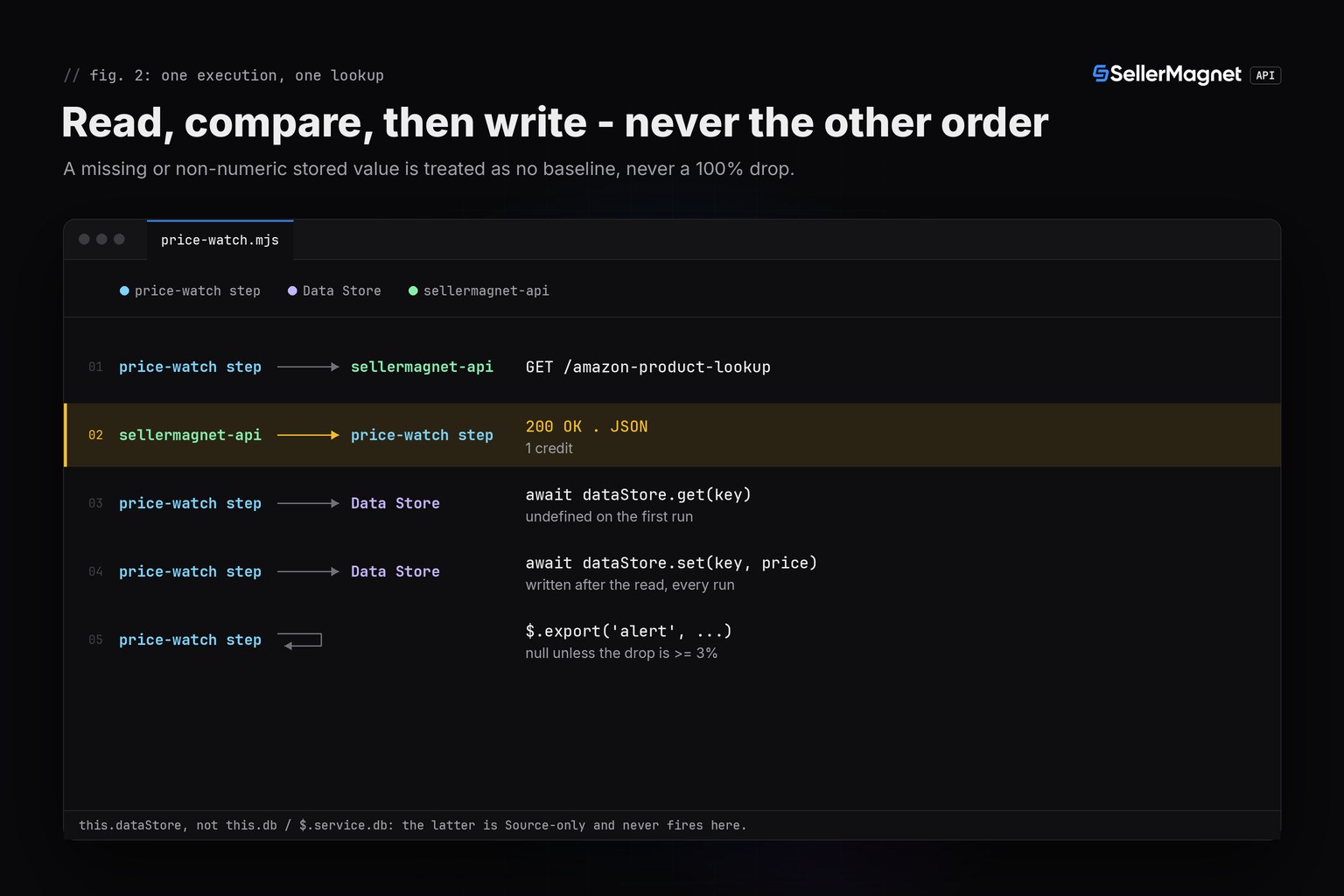
The step reads the Buy Box price, reads the previously stored price for that ASIN/marketplace key from the Data Store, then writes the new price back - in that order, so a run that fails before writing still keeps the last good baseline for the next attempt. A missing baseline (the very first run for a key), a non-numeric or non-positive stored value, and a price of N/A (no featured offer) all skip the comparison instead of being read as a drop; only a Buy Box price at least 3% below the stored one exports an alert, which a downstream filter or Slack/Discord step can act on by checking steps.price_watch.alert !== null.
How long can this workflow run before Pipedream times it out?
Pipedream's own limits page states a default execution limit of 30 seconds for HTTP- and email-triggered workflows and 60 seconds for cron-triggered ones, both shorter than SellerMagnet's own up to ~120-second scrape allowance (already documented across this series). The ceiling that can be raised in the workflow's own Settings is plan-gated: 300 seconds on free tiers, 750 seconds on paid tiers. A first run of this workflow on a cron trigger can already time out before SellerMagnet answers a slow lookup; the fix is raising the limit in Settings, not changing the code.
| Setting | Value | Why it matters here |
|---|---|---|
| Default (HTTP/email trigger) | 30 s | Below SellerMagnet's own up to ~120 s scrape allowance |
| Default (cron trigger) | 60 s | Still below a slow lookup's worst case |
| Max on free tiers | 300 s (5 min) | Raise it in the workflow's own Settings before relying on this |
| Max on paid tiers | 750 s (12.5 min) | Same setting, higher ceiling |
Which errors should this step retry, and does Pipedream's own auto-retry cover it?
Retry only what can succeed on a second try: 429 (free, honour Retry-After), 500 (refunded, retry once), 502 and 503 (billed every attempt, capped at 4). A 404 means the ASIN is not on that marketplace and a 401/403 means the key or credits are the problem - retrying either just buys the same answer or the same failure again, so the step surfaces them through $.export('error', ...) instead of looping. Pipedream's own workflow-level auto-retry (Advanced Plan only) reruns the WHOLE failed step up to 8 times over 10 hours, never retries Timeout or Out-of-Memory errors, and has no concept of which SellerMagnet status codes are billed - it is a coarser safety net, not a replacement for this logic.
| Status | Meaning | Billed | Step action |
|---|---|---|---|
| 200 | success | Yes | use data |
| 401 / 403 | key invalid or zero credits | No | stop, surfaced via $.export('error', ...) |
| 404 | ASIN not on this marketplace | Yes | real answer, not retried, surfaced as an error |
| 429 | per-key concurrency cap | No | wait Retry-After, retried |
| 500 | internal error | No - refunded | retry once |
| 502 / 503 | upstream / circuit breaker | Yes | wait, then retry, capped at 4 attempts |
Real output from the tested harness (fakefetch.mjs faking globalThis.fetch only, illustrative data)
first-run-no-baseline: calls=1 result=null alert=null error=none storedPrice=444.99
unchanged-no-alert: calls=1 result=null alert=null error=none storedPrice=444.99
real-drop-fires-alert: calls=1 result={"asin":"B0CL61F39H","title":"PS5 console","from":444.99,"to":399,"dropPct":10.3} alert={"asin":"B0CL61F39H","title":"PS5 console","from":444.99,"to":399,"dropPct":10.3} error=none storedPrice=399
small-drop-under-threshold: calls=1 result=null alert=null error=none storedPrice=98
price-rose-no-alert: calls=1 result=null alert=null error=none storedPrice=120
no-buybox-offer-na: calls=1 result=null alert=null error=none storedPrice=null
corrupt-stored-value: calls=1 result=null alert=null error=none storedPrice=399
not-found-404: calls=1 result=null alert=null error=404: Product not found storedPrice=444.99
rate-limited-429-then-ok: calls=2 result={"asin":"B0CL61F39H","title":"Widget","from":50,"to":40,"dropPct":20} alert={"asin":"B0CL61F39H","title":"Widget","from":50,"to":40,"dropPct":20} error=none storedPrice=40
internal-error-500-retried-once: calls=2 result=null alert=null error=none storedPrice=29.99
gateway-errors-capped-at-4: calls=4 result=null alert=null error=503: breaker open storedPrice=undefined
unauthorized-401-no-retry: calls=1 result=null alert=null error=401: Invalid or inactive API key. storedPrice=undefined
---
ALL 12 SCENARIOS RAN (see calls= per scenario above for credit math)
Set the environment variable before the first real run
process.env.SELLERMAGNET_API_KEY returns undefined for a variable that was never defined in the workflow's Settings, not a thrown error, so a client built against an unset key sends an empty X-Api-Key header and gets back a plain 401, not an obvious configuration error.
Frequently Asked Questions
Can I use $.service.db to remember the last price in a Pipedream workflow?
No. Pipedream's own Component API Reference lists $.service.db as supported in Sources but not in Actions, and a workflow code step runs as an action. Use a Data Store prop (type: 'data_store') instead.
Why are this step's Data Store calls all awaited?
Every Data Store operation (get, set, delete) is asynchronous per Pipedream's own Node.js Data Store docs, unlike the synchronous-looking this.db.get()/set() shown in $.service.db source examples. Forgetting await silently returns a pending Promise instead of the stored value.
Can this step import client.js and retry.js from the other quickstarts as separate files?
No. A Pipedream workflow code step runs as a single file; it can import npm packages but not another step's file, so the client and retry logic are inlined into one file here.
Does Pipedream's own auto-retry setting replace this code's getWithRetry?
No. Workflow auto-retry is gated to the Advanced Plan, reruns the whole failed step rather than one HTTP call, never retries Timeout or Out-of-Memory errors, and has no idea which SellerMagnet status codes are billed.
Why does a fresh workflow run never report a price drop on its very first execution?
There is no stored baseline yet for that ASIN/marketplace key, so last is undefined. The code treats a missing baseline as nothing to compare against, not a 100% drop to the current price.
Bottom line: a Pipedream workflow can call the Amazon product API with one inlined Node.js code step, but two platform specifics decide whether it actually works - persistence needs a Data Store, not $.service.db, and the execution timeout needs raising above its 30/60-second default before SellerMagnet's own up to ~120-second scrape allowance can be trusted. The same client shape, adapted for each platform's own constraints, runs on the other serverless platforms covered in this series, and the plain Node.js quickstart covers the client and retry logic without any platform wrapper. Retry caps and billing per status code are covered in full in the error-handling guide, every endpoint is on the API documentation page, and a free account includes 150 credits to try this workflow.