
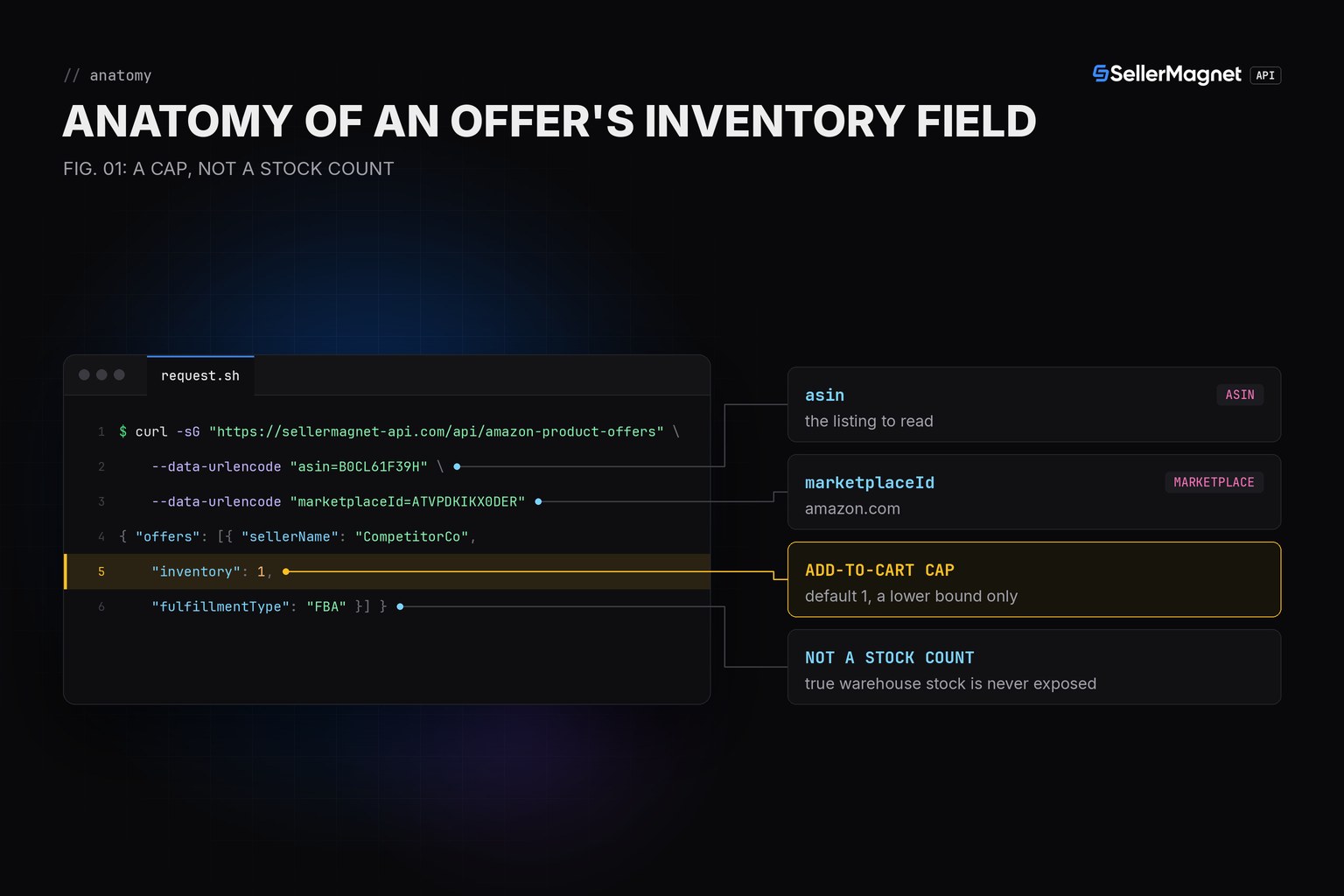
To check a competitor's Amazon stock level via API honestly, start from what the fields actually measure: offers[].inventory is the add-to-cart maximum a buyer sees right now, capped low by default, not a real stock count, and /amazon-product-statistics tracks each New-condition seller's history of that same capped number over time. Neither one hands you a true warehouse count, and treating either as one will make you call false stock-outs.
Key Takeaways
- offers[].inventory is the live add-to-cart cap (default 1) - a lower bound, never the real stock.
- /amazon-product-statistics' per-seller stockHistory tracks that same capped number over time, for condition New sellers only.
- A used/renewed-only seller never appears in stockHistory, by design.
- Confirm a suspected stock-out with a second check; checks are irregular, so a gap is not proof.
- An unknown/delisted ASIN is a billed 404, distinct from a genuinely empty offers list.
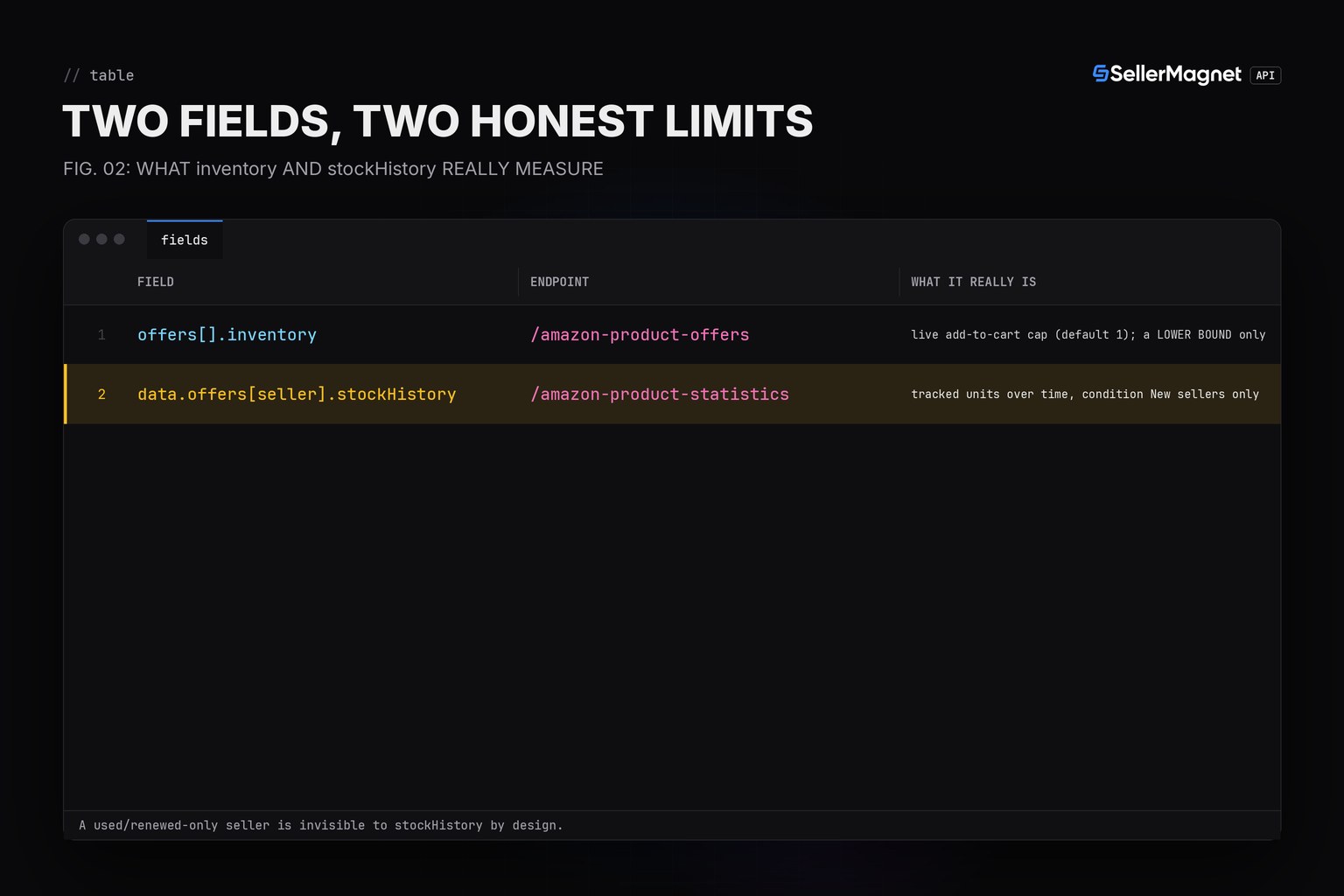
Where does each stock signal actually come from?
| Field | Endpoint | What it really is |
|---|---|---|
| offers[].inventory | /amazon-product-offers | live add-to-cart cap (default 1); a LOWER BOUND only |
| data.offers[seller].stockHistory | /amazon-product-statistics | tracked units over time, condition New sellers only |
How do I read a live cap and a seller's stock history without overclaiming?
offer_inventory_caps() labels the field for what it is - an add-to-cart cap, not stock - so nothing downstream mislabels it. seller_stock_history() returns an empty list for a seller with no tracked entry instead of raising, since that is a normal case (a used/renewed-only seller, or one simply not yet tracked). get() and new_session() come from the Python quickstart; live offer fields are covered in the Offer Listing API guide.
stock_level.py - an honest read of inventory and stock history
from sellermagnet import get, new_session


def offer_inventory_caps(session, asin: str, marketplace_id: str) -> list[dict]:
    """Live offers with their add-to-cart cap. inventory is NOT the seller's real
    stock - it is the maximum quantity Amazon lets a buyer add to the cart right
    now (default 1), a lower bound only. Never read it as 'units in stock'."""
    data = get(session, "amazon-product-offers", asin=asin, marketplaceId=marketplace_id)
    return [
        {"seller": o["sellerName"], "fulfillment": o["fulfillmentType"], "add_to_cart_cap": o["inventory"]}
        for o in data["offers"]
    ]


def seller_stock_history(session, asin: str, marketplace_id: str, seller_id: str) -> list[list]:
    """Per-seller stockHistory from /amazon-product-statistics: [[timestamp, units], ...].
    Covers condition New sellers only (the endpoint filters to New before tracking),
    so a used/renewed-only seller never shows up here."""
    data = get(session, "amazon-product-statistics", asin=asin, marketplaceId=marketplace_id)
    seller = data["offers"].get(seller_id)
    if seller is None:
        return []
    return seller["stockHistory"]


if __name__ == "__main__":
    session = new_session()
    print(offer_inventory_caps(session, "B0CL61F39H", "ATVPDKIKX0DER"))
    print(seller_stock_history(session, "B0CL61F39H", "ATVPDKIKX0DER", "A1COMPETITOR"))
    print(seller_stock_history(session, "B0CL61F39H", "ATVPDKIKX0DER", "A1NOTTRACKED"))
Example output (illustrative ASIN and sellers)
[{'seller': 'CompetitorCo', 'fulfillment': 'FBA', 'add_to_cart_cap': 1}, {'seller': 'SmallStore', 'fulfillment': 'FBM', 'add_to_cart_cap': 3}]
[['2026-10-01 00:00:00', 42], ['2026-10-10 00:00:00', 0], ['2026-10-13 00:00:00', 18]]
[]
Trimmed stockHistory entry (example values)
{
  "A1COMPETITOR": {
    "isFBA": true,
    "stockHistory": [
      ["2026-10-01 00:00:00", 42],
      ["2026-10-10 00:00:00", 0]
    ]
  }
}
Why does my stock-out alert fire on a seller that still has stock?
Because a capped inventory reading of a low number, or even 0, reflects the add-to-cart maximum at that moment, not a confirmed stock-out; Amazon can cap the number for reasons unrelated to true stock. Confirm with a second check before alerting, the same pattern the Out-of-Stock History guide uses for the repricer's own confirm cycle.
Frequently Asked Questions
Can I know a competitor's real warehouse stock via this API?
No. inventory is the add-to-cart maximum Amazon shows a buyer right now, capped low by default (often 1), not the true stock count; treat it as a lower bound, never a measurement.
Why would stockHistory have gaps or stop updating for a seller?
The history is condition New only, so a seller who switches to Used/Renewed-only stops appearing, and a seller with no tracked entry simply returns an empty history, not an error.
Does a 0 in stockHistory always mean a stock-out?
A recorded 0 means the tracked add-to-cart cap read 0 at that check, consistent with a stock-out, but confirm with a second check before calling it one since checks are irregular.
Is inventory comparable between an FBA and an FBM offer?
Both report the same add-to-cart cap concept; the API does not document a verified difference in true stock between FBA and FBM, so read either as a lower bound, not stock.
What is the honest way to monitor a competitor's stock-outs?
Poll offers[].inventory and the Buy Box presence on your own schedule, confirm a suspected stock-out on a second check, and use statistics stockHistory only as a New-condition-only cross-check, never as the sole signal.
Bottom line: read inventory as a capped lower bound and stockHistory as a New-condition-only trend, confirm anything that looks like a stock-out with a second check, and never report either field to a reader as a real stock count.


