
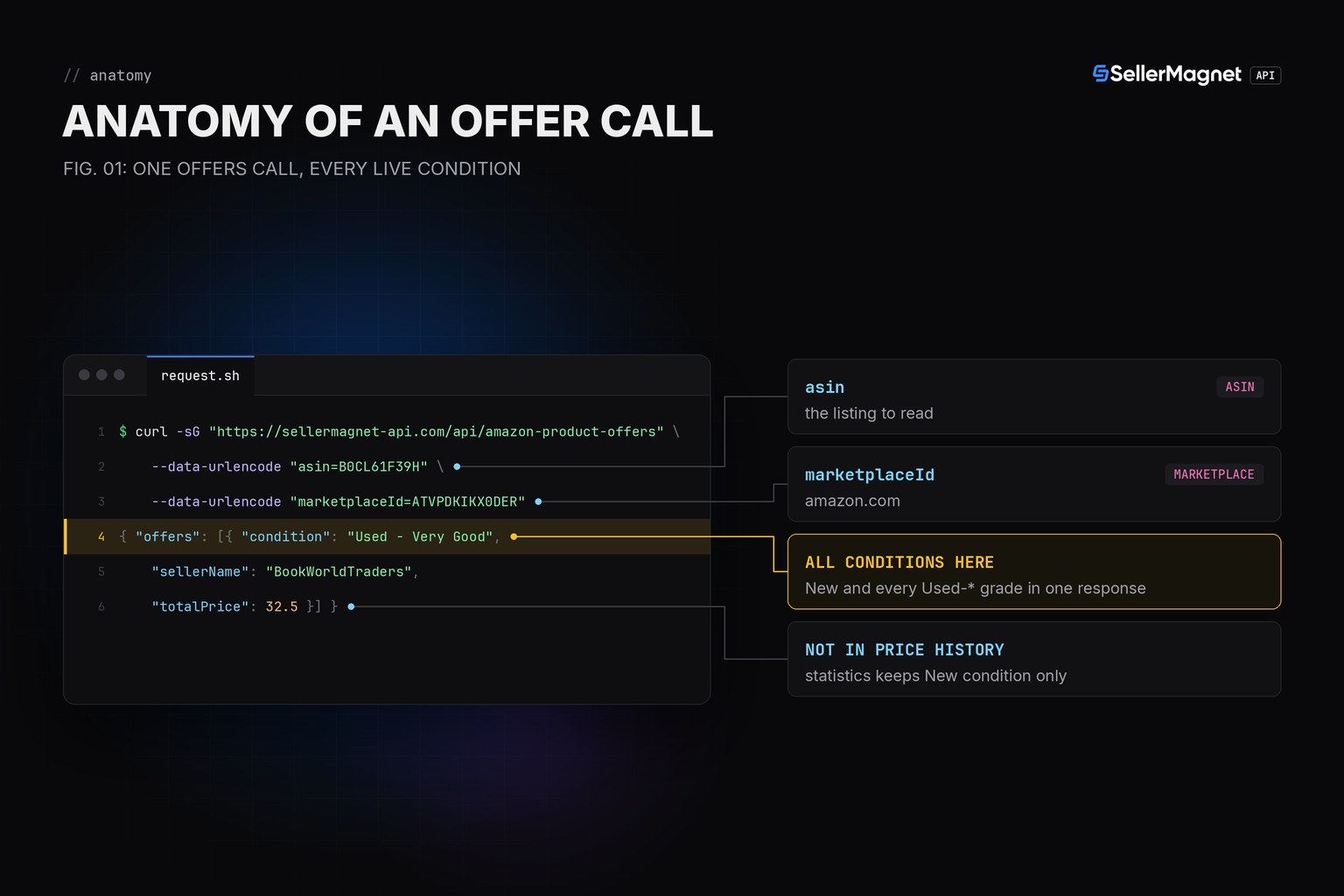
Amazon's own price-history data covers condition New only, so a used price has to come from the live offer listing instead. /amazon-product-offers returns every condition on that listing in one call - filter offers[] by condition to get the used subset, then take the cheapest one if that's what you need.
Key Takeaways
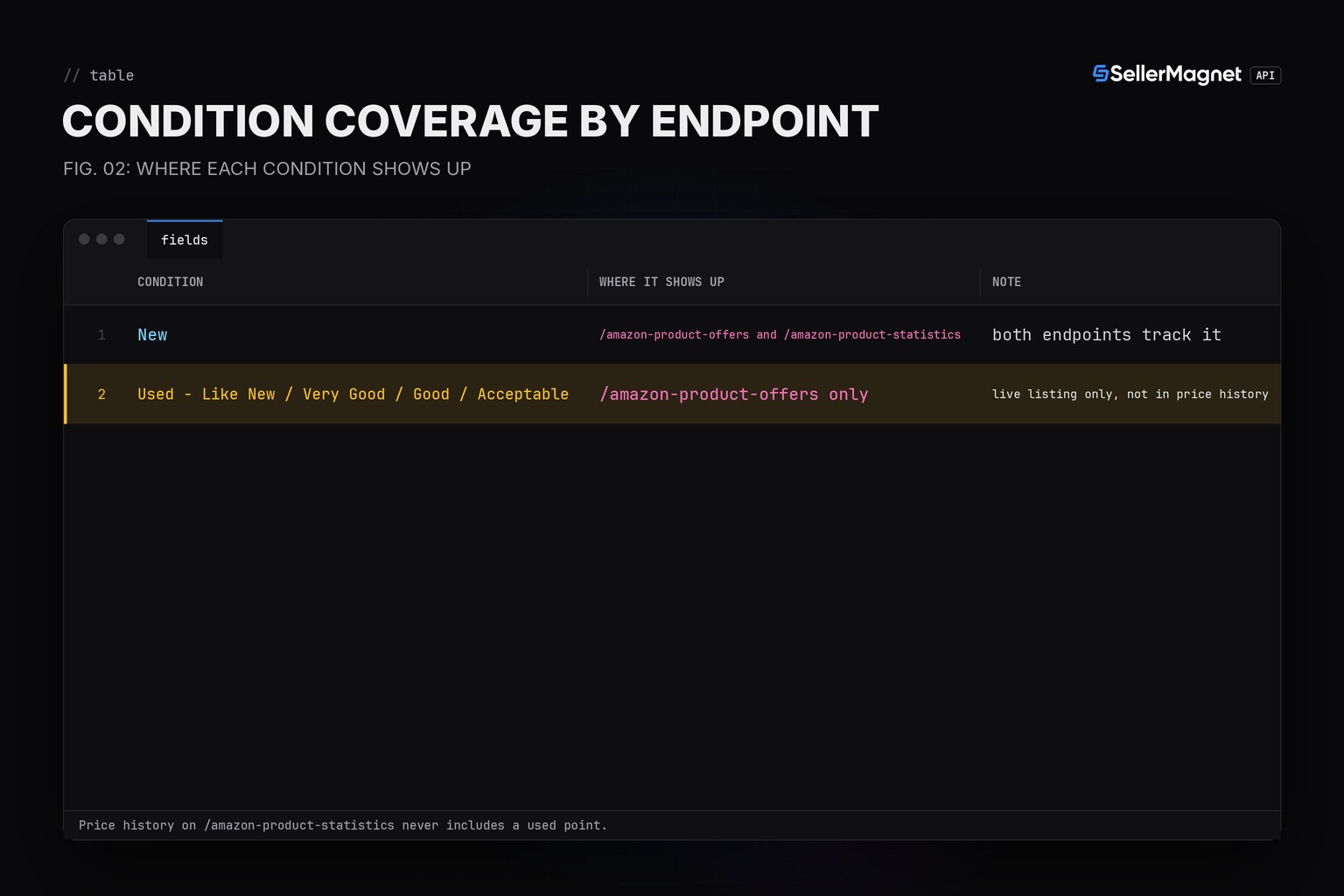
- /amazon-product-offers returns ALL live conditions; /amazon-product-statistics price history tracks New only.
- Condition strings are normalized across marketplaces: 'New', 'Used - Like New/Very Good/Good/Acceptable'.
- buyBox is Amazon's featured offer ({} when none) - check its condition before assuming it is New.
- offers: [] usually means no used seller is live right now, not an error.
- An unknown or delisted ASIN is a billed 404 'Invalid product', distinct from an empty offers list.
Which endpoint actually has used prices?
| Condition | Where it shows up | Note |
|---|---|---|
| New | /amazon-product-offers and /amazon-product-statistics | both endpoints track it |
| Used - Like New / Very Good / Good / Acceptable | /amazon-product-offers only | live listing only, not in price history |
How do I pull the cheapest used offer for an ASIN?
used_offers() filters the live offer list to anything that is not condition == 'New'. lowest_used_price() reuses it and returns None when nothing used is currently live, so callers never read a missing offer as a $0 price. get() and new_session() come from the Python quickstart; the offer fields themselves are documented in the Offer Listing API guide.
used_price.py - used offers and the cheapest one
from sellermagnet import get, new_session


def used_offers(session, asin: str, marketplace_id: str) -> list[dict]:
    """Every non-New offer on the live listing: /amazon-product-offers returns ALL
    conditions (unlike /amazon-product-statistics, which keeps condition New only),
    so this is the one endpoint that can answer a used price question."""
    data = get(session, "amazon-product-offers", asin=asin, marketplaceId=marketplace_id)
    return [
        {
            "condition": o["condition"],
            "seller": o["sellerName"],
            "fulfillment": o["fulfillmentType"],
            "total_price": o["totalPrice"],
            "seller_rating": o["positivePercentage"],
        }
        for o in data["offers"]
        if o["condition"] != "New"
    ]


def lowest_used_price(session, asin: str, marketplace_id: str) -> dict | None:
    """The cheapest used offer, or None if every live offer is New / there
    are no offers at all (buyBoxSuppressed or a stock-out)."""
    used = used_offers(session, asin, marketplace_id)
    if not used:
        return None
    return min(used, key=lambda o: o["total_price"])


if __name__ == "__main__":
    session = new_session()
    print(used_offers(session, "B0CL61F39H", "ATVPDKIKX0DER"))
    print(lowest_used_price(session, "B0CL61F39H", "ATVPDKIKX0DER"))
    print(lowest_used_price(session, "B0ALLNEW00", "ATVPDKIKX0DER"))
Example output (illustrative ASIN and sellers)
[{'condition': 'Used - Very Good', 'seller': 'BookWorldTraders', 'fulfillment': 'FBA', 'total_price': 32.5, 'seller_rating': 95}, {'condition': 'Used - Acceptable', 'seller': 'GoodwillOutlet', 'fulfillment': 'FBA', 'total_price': 24.1, 'seller_rating': 95}, {'condition': 'Used - Like New', 'seller': 'CertifiedRenew', 'fulfillment': 'FBM', 'total_price': 39.0, 'seller_rating': 95}]
{'condition': 'Used - Acceptable', 'seller': 'GoodwillOutlet', 'fulfillment': 'FBA', 'total_price': 24.1, 'seller_rating': 95}
None
Trimmed offers[] entry (example values)
{
  "sellerName": "BookWorldTraders",
  "condition": "Used - Very Good",
  "fulfillmentType": "FBA",
  "totalPrice": 32.5,
  "positivePercentage": 95
}
Why isn't a used price showing up in my price history charts?
Because /amazon-product-statistics' per-seller offer price history (data.offers) keeps condition New only when it selects which live offers to track, so a used price never appears there even when it was live on the listing at the time. Track used prices by polling /amazon-product-offers yourself on your own schedule and keeping your own series; the Price History API guide covers what the built-in history does track.
Frequently Asked Questions
Does /amazon-product-statistics track used prices too?
No. The statistics endpoint keeps only condition New offers for its price history, so a used price trend is not available there; use /amazon-product-offers for a live used price.
Why would used_offers() return an empty list?
Either the listing currently has no used sellers at all, or buyBoxSuppressed is set and only the New offer is live; both are normal, not an error.
Is a lower used price always the Buy Box price?
No. buyBox is Amazon's featured offer (or {} when there is none); check its condition before assuming it is New, and compare used prices separately.
Are used condition strings consistent across marketplaces?
The API normalizes localized condition terms into the same English strings ('Used - Like New' etc.), so filtering on the exact string works the same on every covered marketplace.
What happens on an unknown or delisted ASIN?
A billed 404 'Invalid product', not an empty offers list - check the status code before reading used_offers as 'nothing used available'.
Bottom line: pull used prices from the live offer listing, not from price history, treat an empty result as 'nothing live right now' rather than an error, and always check the status code on a missing ASIN before trusting an empty list.


