
To see how long an Amazon competitor's offer was actually out of stock, read the stockHistory series for that seller inside /amazon-product-statistics, keyed by seller ID under data.offers. A single live check only tells you the state right now; the history series records a unit count at every past check, so a run of zero (or missing) entries marks the real start and end of an outage.
Key Takeaways
- data.offers is keyed by sellerId, each with its own stockHistory and priceHistory series.
- stockHistory entries are [timestamp, units]; 0 or a missing record means out of stock at that check.
- A live offers check only shows the current state; history shows how long a gap actually lasted.
- An ongoing outage shows as a run with no recovery point yet, worth flagging separately from a closed one.
- priceHistory shares the same timestamps, so you can see whether price moved right after a restock.
Where does per-seller stock history come from?
/amazon-product-statistics keeps data.offers as a dictionary keyed by seller ID rather than a flat list, because each seller's offer has its own independent price and stock timeline. stockHistory is the unit count at each recorded check for that one seller; a former Buy Box holder who stopped selling can simply be missing from later checks rather than showing an explicit zero, so treat an absence after a seller's last entry the same as a continuing outage.
| Field | Shape | Meaning |
|---|---|---|
| data.offers | keyed by sellerId | every seller the API has recorded live offers for |
| offers[sellerId].isFBA | bool | fulfillment method at the time of the latest record |
| offers[sellerId].stockHistory | [[timestamp, units], ...] | unit count at each recorded check; 0 or missing = out of stock |
| offers[sellerId].priceHistory | [[timestamp, price, shipping], ...] | landed price alongside stock, same timestamps |
How do I find the longest outage per seller?
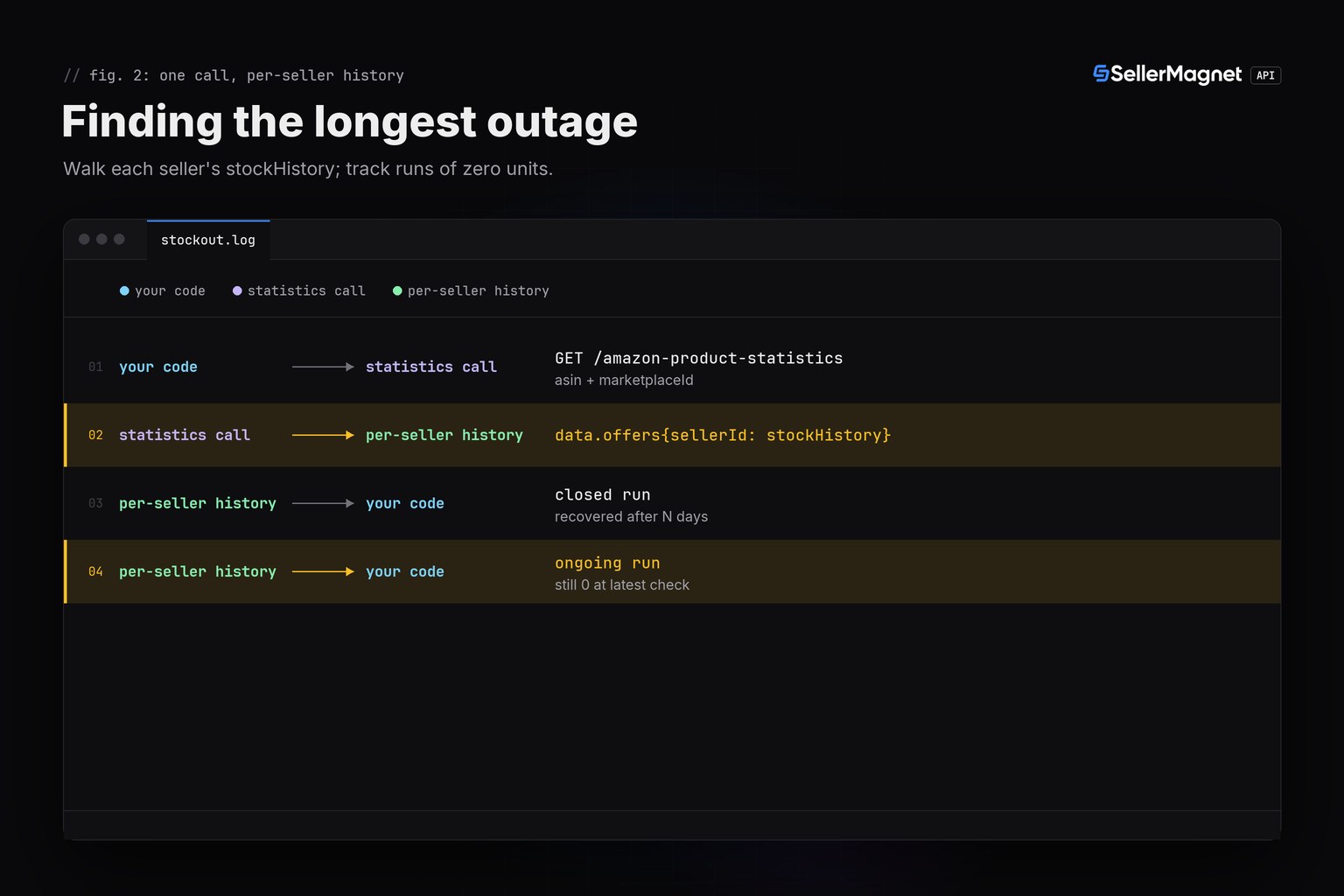
Walk each seller's stockHistory in order and track runs of zero-or-missing units; a run that is still zero at the last recorded point is an ongoing outage and worth flagging separately from one that already recovered. Keeping the longest closed run per seller is usually more useful than the total time out of stock, since it shows the worst gap a buyer actually experienced.
stockout_history.py - longest out-of-stock run per seller
"""How long has a competitor's offer been out of stock? Read it from history.

/amazon-product-statistics returns data.offers keyed by seller ID, each with
a stockHistory series ([[timestamp, units], ...]). A run of 0 (or missing)
entries is a stock-out window; this finds the longest one per seller.
"""
import os

import requests

BASE = "https://sellermagnet-api.com/api"
SESSION = requests.Session()
SESSION.headers["X-Api-Key"] = os.environ["SELLERMAGNET_API_KEY"]


def longest_stockout(stock_history: list) -> dict | None:
    """stock_history: [[timestamp, units], ...]. Longest consecutive run of units <= 0."""
    best = None
    run_start = None
    prev_ts = None
    for ts, units in stock_history:
        if units <= 0:
            if run_start is None:
                run_start = ts
            prev_ts = ts
        else:
            if run_start is not None:
                candidate = {"from": run_start, "to": prev_ts}
                if best is None or candidate["to"] > best["to"]:
                    best = candidate
            run_start = None
    if run_start is not None:
        candidate = {"from": run_start, "to": prev_ts, "ongoing": True}
        best = candidate
    return best


def competitor_stockouts(asin: str, marketplace_id: str) -> dict:
    resp = SESSION.get(f"{BASE}/amazon-product-statistics",
                        params={"asin": asin, "marketplaceId": marketplace_id}, timeout=120)
    body = resp.json()
    if resp.status_code != 200 or not body.get("success"):
        raise RuntimeError(f"{asin}: {resp.status_code} {body.get('message')}")
    offers = body["data"].get("offers") or {}
    results = {}
    for seller_id, offer in offers.items():
        stockout = longest_stockout(offer.get("stockHistory") or [])
        if stockout:
            results[seller_id] = stockout
    return results


if __name__ == "__main__":
    for seller, window in competitor_stockouts("B0CLTBHXWQ", "APJ6JRA9NG5V4").items():
        print(seller, window)
One closed outage, one still ongoing
A1SELLER {'from': '2026-09-10', 'to': '2026-09-20'}
A2SELLER {'from': '2026-10-13', 'to': '2026-10-13', 'ongoing': True}
The offers field this reads (trimmed)
{
  "success": true,
  "data": {
    "offers": {
      "A1SELLER": {"isFBA": true, "stockHistory": [["2026-09-01", 12], ["2026-09-10", 0], ["2026-09-20", 0], ["2026-09-25", 9]]},
      "A2SELLER": {"isFBA": false, "stockHistory": [["2026-09-01", 3], ["2026-10-13", 0]]}
    }
  }
}
A missing entry is not always a zero
A seller absent from later stockHistory entries can mean they stopped selling the listing entirely, not necessarily that they still hold a (now empty) offer. Cross-check with the live /amazon-product-offers call before reporting a seller as currently out of stock.
How is this different from a live out-of-stock alert?
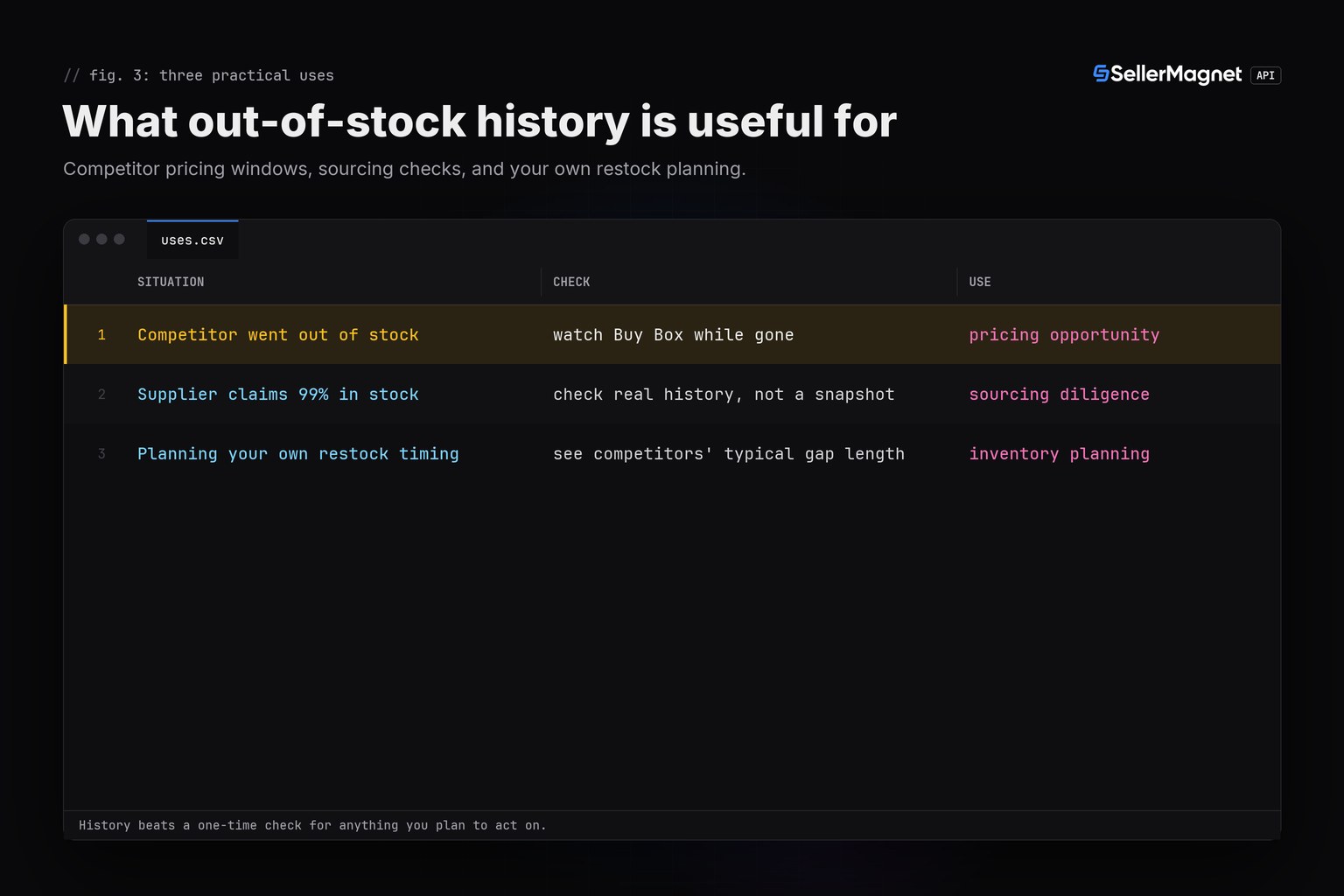
A live alert workflow polls /amazon-product-offers on a schedule and confirms a gap on a second check before notifying anyone, which answers 'is it out of stock right now'. This history read answers a different question, 'how long was it out and when', using data already recorded in stockHistory rather than a fresh check. Use the alert for real-time monitoring and this history for retrospective analysis or sourcing due diligence.
Frequently Asked Questions
How do I check how long an Amazon seller was out of stock?
Read offers[sellerId].stockHistory from /amazon-product-statistics: a run of consecutive zero or missing entries marks an out-of-stock window, with its start and end timestamps.
Does one live check show stock history?
No. /amazon-product-offers only shows the current state. /amazon-product-statistics carries the recorded stockHistory series per seller for the full tracked period.
What does a missing stockHistory entry mean?
No recorded units at that check, treated as out of stock for that point. It can also mean the seller stopped offering the listing entirely rather than holding an empty offer.
Can I see price alongside stock history?
Yes. offers[sellerId].priceHistory shares the same timestamps as stockHistory, so you can see whether price changed right before or after a restock.
Is this the same as the stockout alert workflow?
No. A stockout alert checks the live offers endpoint repeatedly and confirms a gap on a second check before alerting; this reads the already-recorded history for a seller's past out-of-stock windows in one call.
Bottom line: /amazon-product-statistics carries per-seller stock history, not just a live state, so one call answers how long a gap actually lasted. For ongoing monitoring instead of history, see the out-of-stock alert guide, and check current call costs on the pricing guide.


