
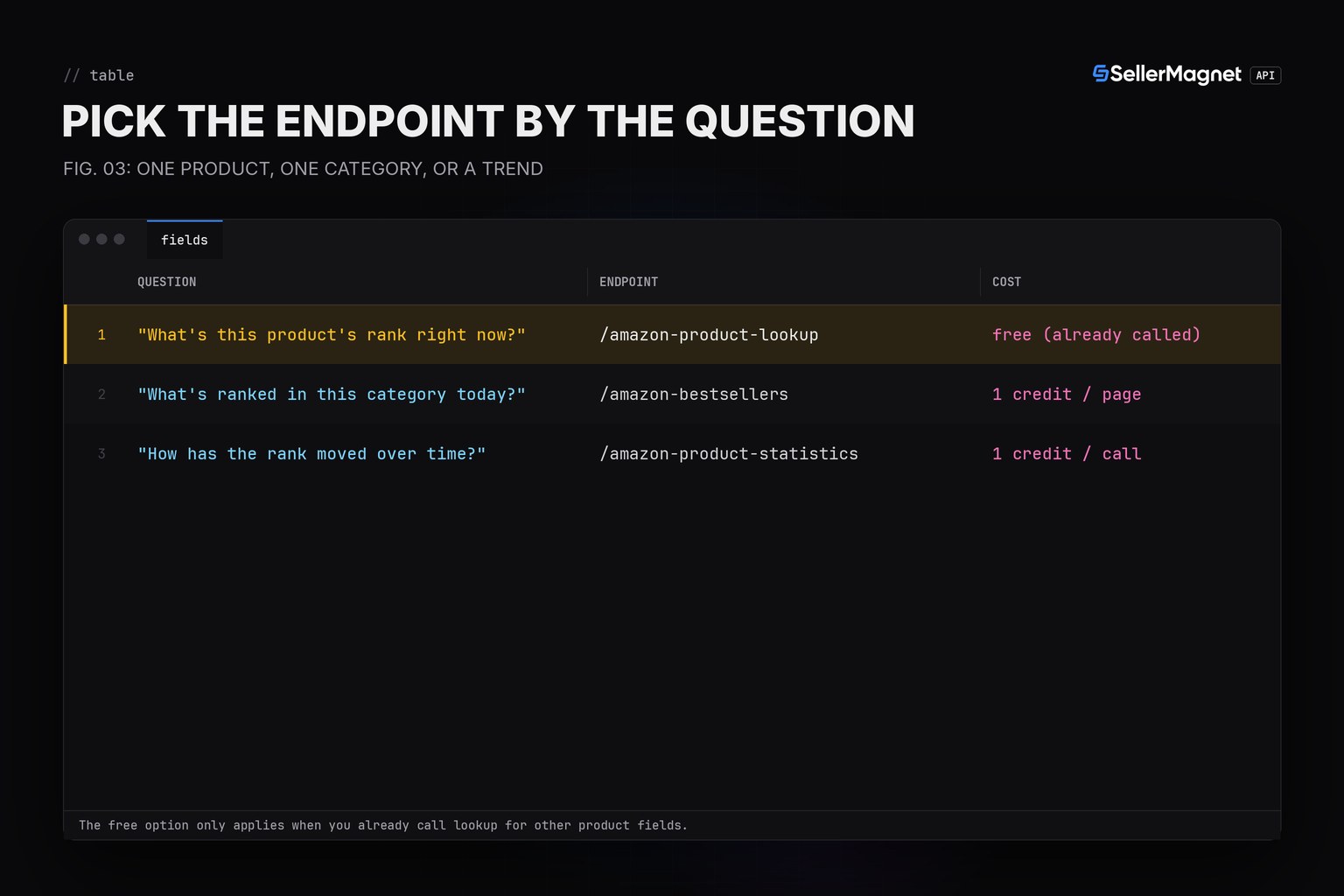
To get Amazon's Best Sellers Rank by category via API, read bestsellerRanks straight off a /amazon-product-lookup call for a single product's current rank at no extra credit, call /amazon-bestsellers with a category_id for the ranked list itself, or /amazon-product-statistics for root-category rank history over time. Each answers a different question, and mixing them up wastes credits on the wrong endpoint.
Key Takeaways
- A product's current main/subcategory rank is already inside /amazon-product-lookup - no extra call needed.
- /amazon-bestsellers returns the ranked list for one category_id, up to 50 products per page, 1 credit per page.
- /amazon-product-statistics salesRankHistory tracks the root category's rank over time, not the live list.
- An unknown category_id is a billed 400 ('Invalid CategoryId') - validate against the category tree JSON first.
- count above 50 on /amazon-bestsellers is also a billed 400; cap it client-side.
Where does each rank number come from?
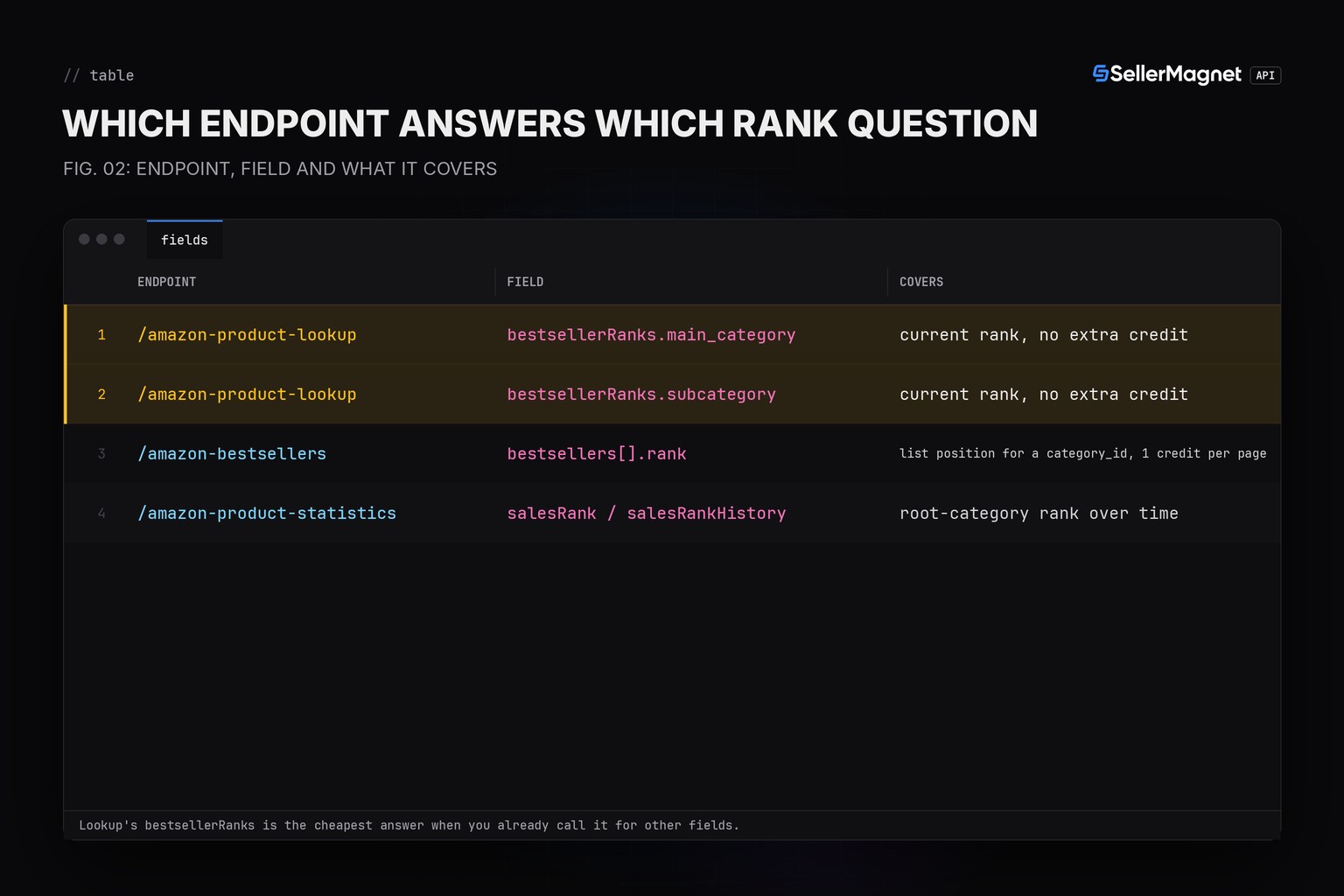
| Endpoint | Field | What it gives you |
|---|---|---|
| /amazon-product-lookup | bestsellerRanks.main_category | current rank, no extra credit |
| /amazon-product-lookup | bestsellerRanks.subcategory | current rank, no extra credit |
| /amazon-bestsellers | bestsellers[].rank | list position for a category_id, 1 credit per page |
| /amazon-product-statistics | salesRank / salesRankHistory | root-category rank over time |
How do I check a product's current BSR, and pull a category's bestseller list?
current_rank reads the free field from a lookup you likely already call. category_page validates count client-side before it can turn into a billed 400, and still lets a genuinely invalid category_id raise its billed error rather than hiding it; its count=50 default is this helper's own choice, not the API's - /amazon-bestsellers itself defaults to 30 when count is omitted. get() and new_session() come from the Python quickstart; category IDs come from Amazon's own Best Sellers URLs, as in the category ID guide.
bsr_category.py - current rank and a category list
from sellermagnet import get, new_session


def current_rank(session, asin: str, marketplace_id: str) -> dict:
    """Current BSR straight from a lookup: main category and subcategory rank,
    no extra credit over the lookup you already pay for. Either rank can be
    missing when the product carries no bestseller rank on that marketplace."""
    p = get(session, "amazon-product-lookup", asin=asin, marketplaceId=marketplace_id)["productInfo"]
    ranks = p.get("bestsellerRanks") or {}
    main = ranks.get("main_category") or {}
    sub = ranks.get("subcategory") or {}
    return {
        "asin": p["asin"],
        "main_category": main.get("name"), "main_rank": main.get("rank"),
        "subcategory": sub.get("name"), "sub_rank": sub.get("rank"),
    }


def category_page(session, category_id: str, marketplace_id: str, count: int = 50) -> list[dict]:
    """One /amazon-bestsellers page (max 50 - a higher count is a billed 400,
    so validate client-side). An unknown category_id is also billed (400
    'Invalid CategoryId'), so check it against the category tree first in a
    real integration."""
    if not 1 <= count <= 50:
        raise ValueError("count must be 1-50 (50+ is a billed 400 on the API)")
    data = get(session, "amazon-bestsellers", category_id=category_id, marketplaceId=marketplace_id, count=count)
    return [{"rank": b.get("rank"), "asin": b.get("asin"), "title": b.get("productTitle")}
            for b in data["bestsellers"]]


if __name__ == "__main__":
    session = new_session()
    print(current_rank(session, "B0CL61F39H", "ATVPDKIKX0DER"))
    print(current_rank(session, "B0NORANK", "ATVPDKIKX0DER"))
    print(category_page(session, "281407", "ATVPDKIKX0DER", count=5)[:3])
Example output (illustrative ASIN and category)
{'asin': 'B0CL61F39H', 'main_category': 'Video Games', 'main_rank': 31, 'subcategory': 'PlayStation', 'sub_rank': 1}
{'asin': 'B0NORANK', 'main_category': None, 'main_rank': None, 'subcategory': None, 'sub_rank': None}
[{'rank': 1, 'asin': 'B000000001', 'title': 'Item 1'}, {'rank': 2, 'asin': 'B000000002', 'title': 'Item 2'}, {'rank': 3, 'asin': 'B000000003', 'title': 'Item 3'}]
Trimmed bestsellerRanks (example values)
{
  "productInfo": {
    "bestsellerRanks": {
      "main_category": {"name": "Video Games", "rank": 31},
      "subcategory": {"name": "PlayStation", "rank": 1}
    }
  }
}
Why does my category's rank list not match the live Amazon page?
Bestseller lists update on Amazon's own schedule, not on your polling interval, so a page fetched minutes apart can show small rank shuffles even for a near-static category. Treat the list as a snapshot and compare successive snapshots rather than expecting it to match a page you refresh in a browser at the same instant. The Movers and Shakers guide covers tracking rank gains across snapshots.
Frequently Asked Questions
Which number should I use: lookup rank, bestsellers rank or statistics salesRank?
Lookup gives the current main/subcategory rank for free with any product call; bestsellers gives list position for a specific category_id; statistics gives root-category history over time.
Does checking the BSR cost extra credits?
Reading bestsellerRanks from a lookup costs nothing extra since it is already in that response; calling /amazon-bestsellers separately is its own 1-credit-per-page call.
What happens if I send an unknown category_id?
The API returns a billed 400 'Invalid CategoryId' raised inside the view, so validate the ID against the category tree JSON first to avoid paying for a bad call.
Can count be higher than 50 on /amazon-bestsellers?
No, count above 50 is a billed 400 ('Count Max: 50'); cap it client-side before the request.
Why does a product have no bestsellerRanks at all?
Some listings carry no rank on a given marketplace; both main_category and subcategory are then absent from the response, not zero.
Bottom line: use the lookup's free rank field for a single product, the bestsellers endpoint for a category list, and statistics history for a trend - and validate category_id and count before paying for a mistake.


