
A raw scraper API and a managed product data API both fetch Amazon pages on your behalf, but a scraper API returns rendered HTML (or close to it) and leaves you to parse fields out of it, while a managed product data API returns typed JSON directly: price, rank, offers and reviews as fields, not markup. The practical difference shows up the first time Amazon changes a class name and one of the two breaks your pipeline.
Key Takeaways
- A scraper API still leaves HTML parsing, and re-parsing after layout changes, to you.
- A managed product data API returns typed fields, so a layout change is the provider's problem, not yours.
- Scraper APIs usually price by request/bandwidth; managed APIs price by credit, one per logical call.
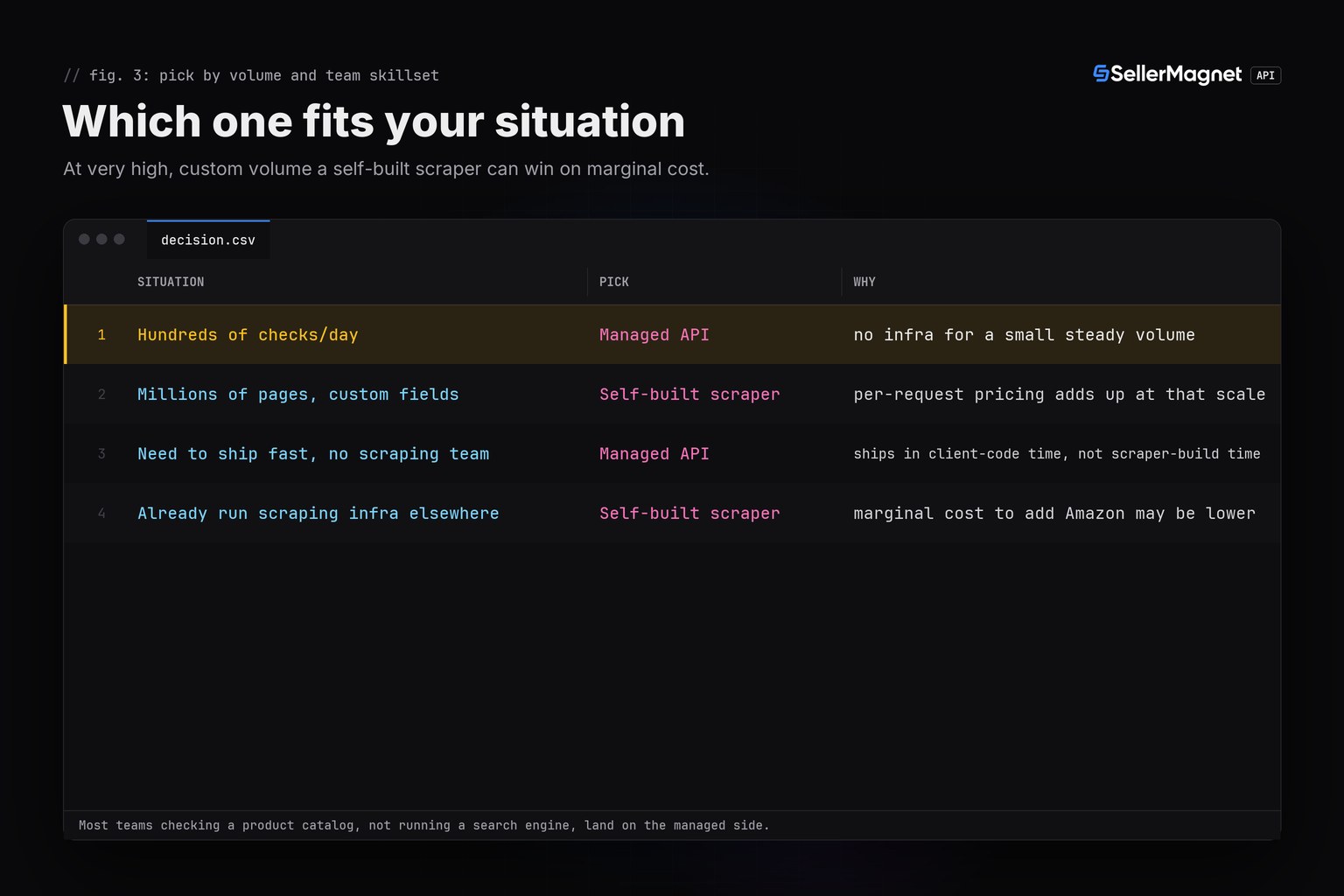
- At very high, highly custom volume, running your own scraper can undercut a managed API's per-request cost.
- For a handful of fields on a modest volume, a managed API is live in minutes with nothing to maintain.
What is the actual difference between the two?
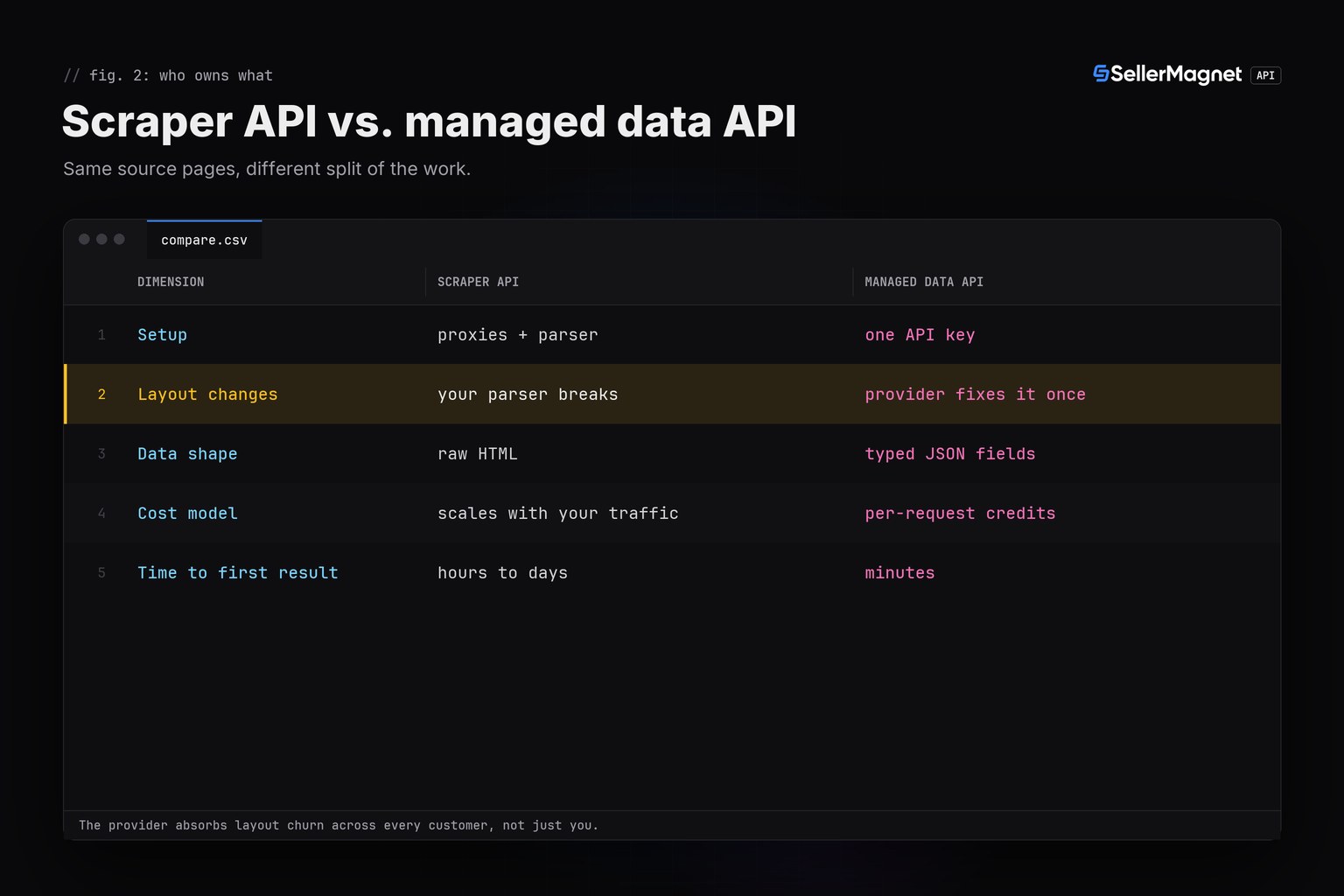
Both approaches solve the same underlying problem, getting data off a page Amazon didn't build an API for, but they split the work differently. A scraper API (proxy rotation, rendering, CAPTCHA handling) still ends with you owning a parser; a managed product data API ends with a field. That shifts where the maintenance burden lands when Amazon's markup changes, which happens often enough to matter.
| Dimension | Scraper API (raw HTML) | Managed product data API |
|---|---|---|
| Setup | proxies, headless browser, CAPTCHA handling, layout parsing | one API key, no infrastructure |
| When Amazon changes its HTML | your parser breaks until you fix it | the provider's parser is fixed for every customer at once |
| Blocking / CAPTCHAs | your problem: IP rotation, delays, retries | the provider's problem; you get a clean JSON or a clear error |
| Cost model | server + proxy costs, scales with your own traffic | per-request credits, scales with usage, no idle cost |
| Data shape | raw HTML, you parse it | typed JSON fields, same shape call to call |
| Time to first result | hours to days (build the scraper first) | minutes (first call after signup) |
How much parsing work does each one actually save?
The code below is the same data point, a product's price, fetched two ways: a toy HTML parser stands in for what a scraper API still requires, and a managed API call returns the number directly. The parser is a simplified single pattern; a real one needs to handle several markup variants and re-test itself whenever Amazon ships a redesign.
compare.py - same price, two different amounts of parsing
"""What a scraper has to handle vs. what one API call returns.

Illustrative: parse_price_from_html() stands in for the brittle part of a
self-built scraper (HTML can and does change); lookup_price() is the same
piece of data from the managed API, with no parsing to maintain.
"""
import os
import re

import requests

BASE = "https://sellermagnet-api.com/api"
SESSION = requests.Session()
SESSION.headers["X-Api-Key"] = os.environ["SELLERMAGNET_API_KEY"]


def parse_price_from_html(html: str) -> float:
    """Toy version of what a scraper's price parser looks like: one of several
    possible markup patterns, liable to break the day Amazon changes the class
    name or splits the price across more spans."""
    match = re.search(r'class="a-price-whole">([\d,]+)<.*?class="a-price-fraction">(\d+)<', html, re.S)
    if not match:
        raise ValueError("price markup not found - likely a layout change")
    whole, frac = match.groups()
    return float(whole.replace(",", "") + "." + frac)


def lookup_price(asin: str, marketplace_id: str) -> float:
    """Same data point, no HTML to parse, no markup to track over time."""
    resp = SESSION.get(f"{BASE}/amazon-product-lookup",
                        params={"asin": asin, "marketplaceId": marketplace_id}, timeout=120)
    body = resp.json()
    if resp.status_code != 200 or not body.get("success"):
        raise RuntimeError(f"{asin}: {resp.status_code} {body.get('message')}")
    return body["data"]["buyBoxInfo"]["price"]


if __name__ == "__main__":
    sample_html = (
        '<span class="a-price-whole">444,<span class="a-price-fraction">99<')
    print("scraped:", parse_price_from_html(sample_html))
    print("api:    ", lookup_price("B0CLTBHXWQ", "APJ6JRA9NG5V4"))
Same answer, different amount of code to maintain
scraped: 444.99
api:     444.99
What the managed API gives you directly
{
  "success": true,
  "data": {
    "buyBoxInfo": {"price": 444.99, "currencyCode": "EUR"},
    "bestsellerRanks": {"main_category": {"rank": 12}},
    "reviews": {"averageRating": 4.7, "totalReviews": 3129}
  }
}
The crossover is volume, not preference
The honest answer is rarely "always API" or "always scrape yourself": a managed API wins up to a meaningful volume by avoiding the parser and proxy maintenance, and a self-built scraper can undercut it only once your own traffic is large enough to amortize that maintenance cost.
Can I start with one and move to the other later?
Yes, and it is usually a smaller change than it sounds. Both approaches end at the same typed data your application code consumes, so moving from a scraper's parser output to a managed API's response (or the other way around) means rewriting one data-access function, not the rest of the application. Starting on a managed API keeps that first version simple, and the option to build a custom scraper later stays open once real volume justifies the maintenance cost.
Frequently Asked Questions
Is a managed Amazon API better than scraping it myself?
For most teams, yes, because it removes parser maintenance and proxy/CAPTCHA handling; at very high, highly customized volume a self-built scraper can become cheaper per request.
Does a scraper API also need a parser?
Usually yes. A scraper API solves fetching (proxies, rendering, blocking) but still returns HTML or near-HTML; extracting specific fields from that page is left to you.
What breaks first when Amazon changes its page layout?
A hand-written HTML parser breaks immediately. A managed product data API's parser is the provider's responsibility and typically gets fixed for every customer at once, often before you'd notice.
Which is cheaper at scale?
It depends on volume and how custom the data need is. Per-request credit pricing is predictable and infrastructure-free; running your own scraper at very high volume can have a lower marginal cost once the parser and proxy pool are already built and maintained.
Can I switch from scraping to a managed API later?
Yes, since both approaches end at the same underlying page; swapping a parser call for an API call is usually a smaller change than building either path from scratch.
Bottom line: a managed API such as /amazon-product-lookup replaces the parsing half of a scraper setup with typed fields, which is worth it for most catalogs under heavy custom-scraping volume. See current pricing and the no-SP-API-approval guide for the fastest path to a first working call.


