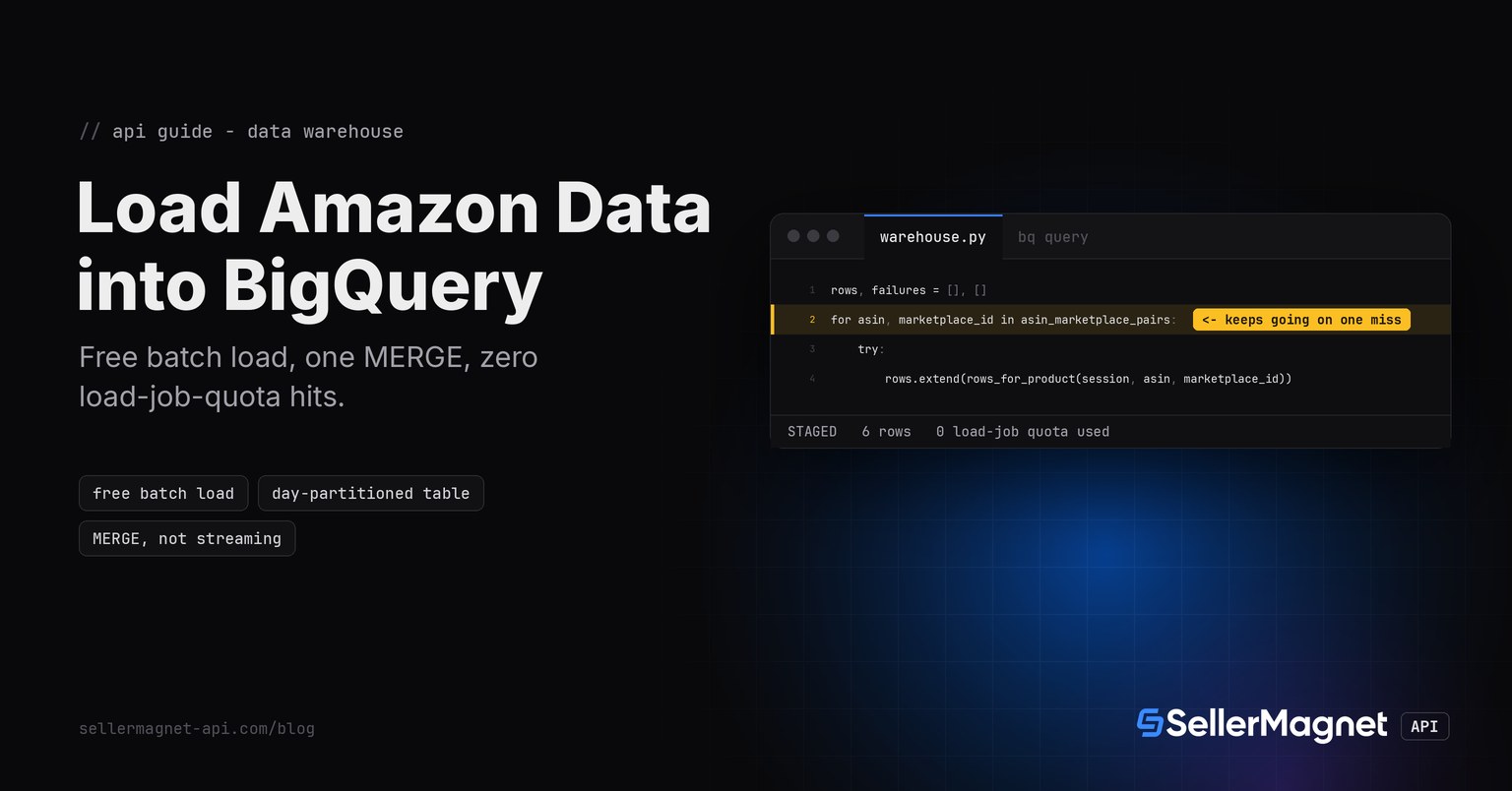
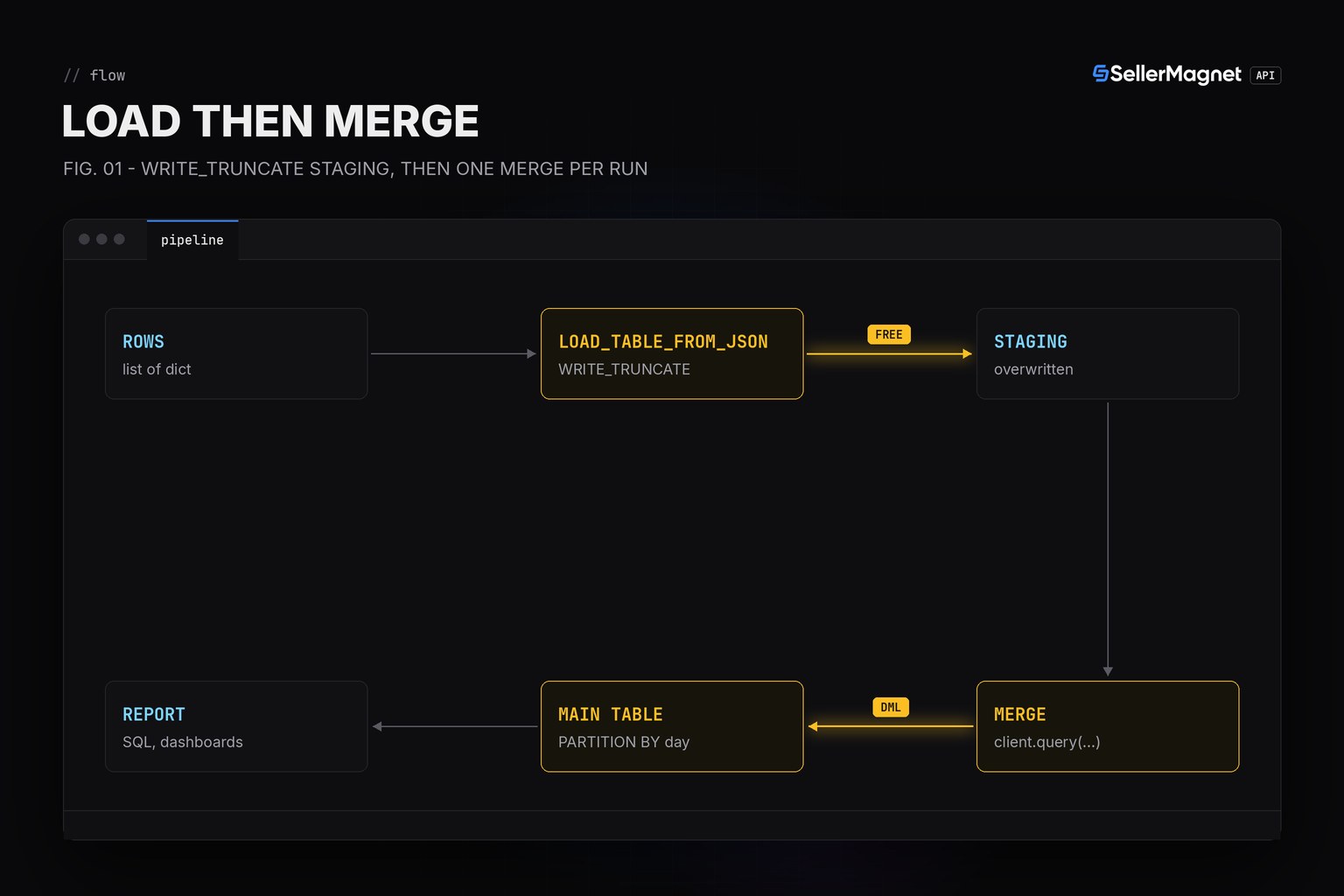
To load Amazon product data into BigQuery, batch-load the day's rows into a staging table with load_table_from_json (free, no project quota hit) and MERGE them into a day-partitioned main table (a DML statement, which does not count against the daily load-job limit either). Skip streaming inserts entirely for a scheduled job like this: they cost money per megabyte and exist for sub-second latency a daily or hourly refresh does not need.
Key Takeaways
- Batch loading (load_table_from_json/load_table_from_file) is free via BigQuery's shared slot pool; streaming inserts cost $0.01 per 200 MiB.
- A MERGE statement is DML, not a load job, so a scheduled upsert never touches the 1,500-loads-per-table-per-day quota.
- Partition the main table by day so a query with a date filter scans only the partitions it needs, not the whole table.
- Always WRITE_TRUNCATE the staging table before loading: a crash-and-rerun then overwrites, it never doubles the staged rows.
- The first 1 TiB of on-demand query bytes scanned per month is free; after that you pay per TiB, so partition pruning is not just speed, it is cost.
Why not stream rows into BigQuery one at a time?
A scheduled job - once a day or once an hour - has no reason to pay for sub-second latency. BigQuery's batch load path (load_table_from_json, or load_table_from_uri/load_table_from_file for files already in Cloud Storage) runs through a free shared slot pool; only the Storage Write API's streaming modes are billed per megabyte, and they exist for a pipeline that needs a row queryable within seconds of arriving. For a nightly or hourly Amazon price pull, batch loading is both the cheaper and the simpler mechanism.
| Operation | Cost | Why it matters here |
|---|---|---|
| Batch load (NDJSON/CSV/Avro/Parquet) via the shared slot pool | Free | The staging table's write path for this post. |
| Streaming inserts (Storage Write API REST) | $0.01 / 200 MiB | Never used here: a daily batch needs no sub-second latency. |
| Storage Write API (gRPC streaming) | $0.025 / GiB after 2 TiB/month free | Same reasoning as above. |
| On-demand query (bytes scanned) | First 1 TiB/month free, billed per TiB after | A day partition filter shrinks the bytes scanned per query. |
| MERGE / UPDATE / DELETE (DML) | Billed as a query, but NOT a load-job-quota hit | This is what keeps a daily MERGE off the 1,500-loads-per-table-per-day limit. |
What schema keeps a daily refresh under the load-job quota?
Load jobs, copy jobs and overwrite/append query jobs all count against a fixed daily limit per table (1,500 a day, with a rolling 24-hour refill); a partitioned table gets its own, much higher per-partition limit instead of sharing the table-wide one. DML statements - UPDATE, DELETE, and the MERGE used below - are excluded from that count entirely, which is the whole reason this pipeline loads into a disposable staging table and only ever MERGEs into the real one.
schema.sql - a day-partitioned, asin-clustered main table plus its staging table
CREATE TABLE IF NOT EXISTS `sm_warehouse.amazon.price_points` (
    asin            STRING NOT NULL,
    marketplace_id  STRING NOT NULL,
    series          STRING NOT NULL,   -- buybox | fba | fbm | amazon
    day             DATE NOT NULL,
    price_minor     INT64 NOT NULL     -- cents, pence, whole yen (same convention as the statistics endpoint)
)
PARTITION BY day
CLUSTER BY asin, marketplace_id;

-- recreated by WRITE_TRUNCATE on every load; never queried directly by a report
CREATE TABLE IF NOT EXISTS `sm_warehouse.amazon.price_points_staging` (
    asin STRING, marketplace_id STRING, series STRING, day DATE, price_minor INT64
);
Pulling the rows and loading them
get_with_retry() and ApiError are the Python quickstart's helpers, unchanged. collect_batch fetches /amazon-product-statistics for a list of (ASIN, marketplace) pairs and keeps going when one of them answers a free gate 400 - every marketplace outside the 11 history-enabled marketplaces answers statistics that way - or a billed 404; only the rows from the products that did answer get staged.
warehouse.py - pull price history, batch-load it, MERGE into the partitioned table
"""warehouse.py - pull Amazon price history and load it into BigQuery via a batch load job + MERGE.

Needs only `sellermagnet.py` / `retry.py` (the Python quickstart helpers) and the
`google-cloud-bigquery` client library in production. Tests here fake the BigQuery
client only (no project, no billing account, no real network call); the Amazon API
side is faked the same way every other post in this series fakes it, via fakehttp.py.
"""
import json
from datetime import datetime, timezone

from retry import get_with_retry
from sellermagnet import ApiError

SERIES = {"buybox": "buyBoxPriceHistory", "fba": "lowestFBAPriceHistory",
          "fbm": "lowestFBMPriceHistory", "amazon": "amazonAsSellerPriceHistory"}

MERGE_SQL = """MERGE `{full}` T
USING `{staging}` S
ON T.asin = S.asin AND T.marketplace_id = S.marketplace_id AND T.series = S.series AND T.day = S.day
WHEN MATCHED THEN UPDATE SET price_minor = S.price_minor
WHEN NOT MATCHED THEN INSERT (asin, marketplace_id, series, day, price_minor)
VALUES (S.asin, S.marketplace_id, S.series, S.day, S.price_minor)"""


def rows_for_product(session, asin: str, marketplace_id: str) -> list[dict]:
    """One row per (series, day) point, minor units already - never 0 for a day with no offer."""
    data = get_with_retry(session, "amazon-product-statistics", asin=asin, marketplaceId=marketplace_id)
    stats = data.get("stats") or {}
    return [{"asin": asin, "marketplace_id": marketplace_id, "series": series, "day": day,
              "price_minor": int(price)}
            for series, key in SERIES.items()
            for day, price in (stats.get(key) or [])]


def collect_batch(session, asin_marketplace_pairs: list[tuple[str, str]]) -> tuple[list[dict], list[dict]]:
    """Pull rows for every (asin, marketplace_id) pair; one bad ASIN never loses the rest of the batch."""
    rows, failures = [], []
    for asin, marketplace_id in asin_marketplace_pairs:
        try:
            rows.extend(rows_for_product(session, asin, marketplace_id))
        except ApiError as err:                              # free 400 (no history on this marketplace), 404, ...
            failures.append({"asin": asin, "marketplace_id": marketplace_id,
                              "status": err.status, "message": str(err)})
    return rows, failures


def load_and_merge(bq, client, project: str, dataset: str, table: str, rows: list[dict]) -> int:
    """Batch-load `rows` into a staging table (free), then MERGE into the partitioned main table.

    `load_table_from_json` sets source_format to NEWLINE_DELIMITED_JSON on its own; passing
    WRITE_TRUNCATE on the staging table means a re-run after a crash just overwrites staging,
    never appends on top of a half-finished previous run. The MERGE (a DML statement) does not
    count against the daily load-job quota per table, unlike a load job would if run directly
    against the partitioned table on every refresh.
    """
    staging = f"{project}.{dataset}.{table}_staging"
    full = f"{project}.{dataset}.{table}"
    job_config = bq.LoadJobConfig(write_disposition=bq.WriteDisposition.WRITE_TRUNCATE)
    load_job = client.load_table_from_json(rows, staging, job_config=job_config)
    load_job.result()                                         # waits; raises on a real failure
    merge_job = client.query(MERGE_SQL.format(full=full, staging=staging))
    merge_job.result()
    return merge_job.num_dml_affected_rows


def simulate_merge(target: dict, source: list[dict]) -> dict:
    """Pure-Python port of the MERGE's ON/UPDATE/INSERT logic, run standalone to prove the join
    key and the update-vs-insert branch match the SQL above, without needing a live warehouse."""
    out = dict(target)
    for row in source:
        key = (row["asin"], row["marketplace_id"], row["series"], row["day"])
        out[key] = {**out.get(key, {}), **row} if key in out else row
        out[key]["price_minor"] = row["price_minor"]
    return out
Why load_table_from_json instead of writing an NDJSON file
load_table_from_json(json_rows, destination, job_config=...) accepts a plain iterable of dicts directly and sets source_format to NEWLINE_DELIMITED_JSON on its own - there is no need to write a .jsonl file to disk first unless the rows are already being produced into Cloud Storage by another step. load_table_from_uri/load_table_from_file are for exactly that case.
How does the MERGE avoid duplicating a re-run?
MERGE ... USING staging ON (asin, marketplace_id, series, day) WHEN MATCHED THEN UPDATE ... WHEN NOT MATCHED THEN INSERT is the same upsert idea as ON CONFLICT DO UPDATE in Postgres/SQLite (see the database guide), just running server-side on the warehouse instead of client-side against a row store. Because the join key matches the table's own natural key, running the loader twice with the same day's prices changes nothing, and running it with an updated price for a day already stored just updates that one row.
test_warehouse.py - the ported join logic verified standalone, no warehouse required
def test_simulate_merge_matches_sql_semantics(self):
    target = {("B0CL61F39H", "ATVPDKIKX0DER", "buybox", "2026-11-18"):
               {"asin": "B0CL61F39H", "marketplace_id": "ATVPDKIKX0DER", "series": "buybox",
                "day": "2026-11-18", "price_minor": 41800}}
    source = [{"asin": "B0CL61F39H", "marketplace_id": "ATVPDKIKX0DER", "series": "buybox",
                "day": "2026-11-18", "price_minor": 40000},           # UPDATE branch
               {"asin": "B0CL61F39H", "marketplace_id": "ATVPDKIKX0DER", "series": "buybox",
                "day": "2026-11-19", "price_minor": 41800}]           # INSERT branch
    merged = simulate_merge(target, source)
    self.assertEqual(len(merged), 2)
    self.assertEqual(merged[("B0CL61F39H", "ATVPDKIKX0DER", "buybox", "2026-11-18")]["price_minor"], 40000)
    self.assertEqual(merged[("B0CL61F39H", "ATVPDKIKX0DER", "buybox", "2026-11-19")]["price_minor"], 41800)
Overwriting a table has its own storage cost
WRITE_TRUNCATE keeps old staging rows alive for BigQuery's time-travel window, so a table that is truncated and reloaded very frequently can carry extra storage charges for that history. It only matters here because the staging table is small and short-lived by design; never WRITE_TRUNCATE the partitioned main table itself - that would discard everything the MERGE built over time.
What does the example run output?
main.py - a short batch of two ASINs, one skipped with a free gate error
"""main.py - batch-load a day's worth of Amazon price history into BigQuery for a short ASIN list.
Run after: pip install google-cloud-bigquery; gcloud auth application-default login.
"""
from google.cloud import bigquery

from sellermagnet import new_session
from warehouse import collect_batch, load_and_merge

ASINS = [("B0CL61F39H", "ATVPDKIKX0DER"), ("B0D1XD1ZV3", "ATVPDKIKX0DER")]

session = new_session()
client = bigquery.Client(project="sm-warehouse")

rows, failures = collect_batch(session, ASINS)
affected = load_and_merge(bigquery, client, "sm-warehouse", "amazon", "price_points", rows)

print(f"staged {len(rows)} rows from {len(ASINS)} products, {len(failures)} failed")
print(f"MERGE affected {affected} rows in sm-warehouse.amazon.price_points")
for f in failures:
    print(f"  skipped {f['asin']} / {f['marketplace_id']}: HTTP {f['status']} - {f['message']}")
Output (illustrative fixture data, not a live account)
staged 6 rows from 2 products, 1 failed
MERGE affected 6 rows in sm-warehouse.amazon.price_points
  skipped B0D1XD1ZV3 / ATVPDKIKX0DER: HTTP 400 - 400: marketplace not supported for this ASIN in this demo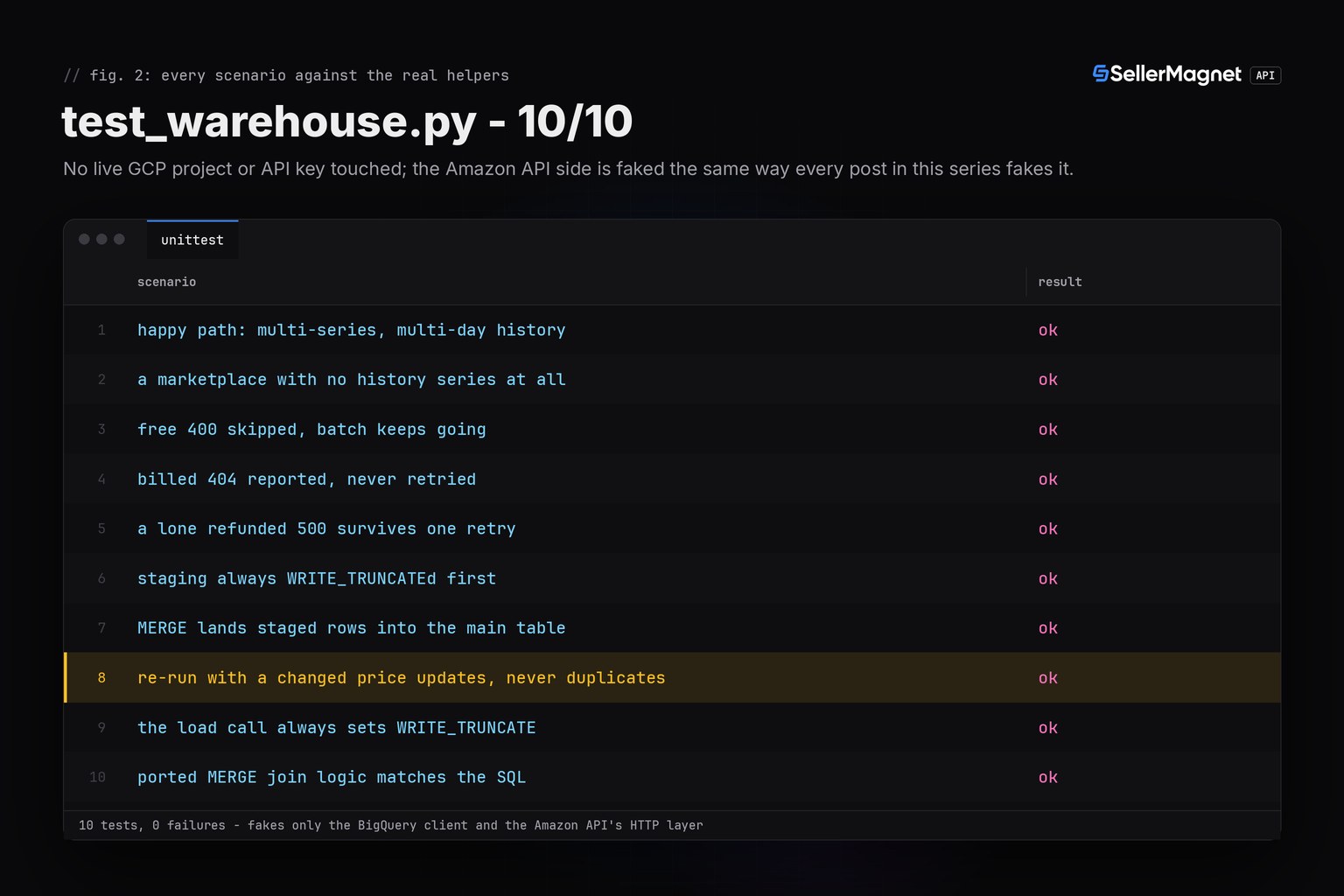
Frequently Asked Questions
Do I need Cloud Storage to load Amazon data into BigQuery?
No. load_table_from_json loads a Python list of dicts directly through the free batch path; Cloud Storage only matters if another step already writes the rows there first.
Does MERGE count against BigQuery's load-job quota?
No. MERGE, UPDATE and DELETE are DML statements, billed as queries, and excluded from the per-table load-job limit (1,500 loads per table per day) entirely.
Why partition the table by day instead of by marketplace?
Reports almost always filter by a date range (last 30 days, this month); partitioning by day lets BigQuery skip every partition outside that range before it scans a single byte.
Is streaming ever worth it for Amazon price data?
Only if a downstream consumer needs a price change queryable within seconds. A daily or hourly refresh has no such requirement, so the free batch-load path is strictly cheaper.
What happens to marketplaces outside the 11 history-enabled marketplaces?
The statistics endpoint answers them with a free gate 400 before any credit is charged; collect_batch records that as a skipped product and keeps loading the rest of the batch.
Bottom line: treat BigQuery as a warehouse, not a row store - batch-load into a disposable staging table for free, MERGE into a partitioned main table with a DML statement the load-job quota never sees, and let partition pruning keep every later query's bytes-scanned bill small. Try the pull side on the 150 credits a free account gets after e-mail verification.