To call an Amazon product API from a Render Cron Job, write a plain Node.js script that reuses the TypeScript quickstart's own client.js and retry.js completely unchanged, then let Render start it on a schedule. Unlike every FaaS platform earlier in this series, there is no execution-time anxiety here - Render stops a run only after 12 hours - but the platform's own concurrency and failure model hides two traps a price-watch has to design around on purpose.
Key Takeaways
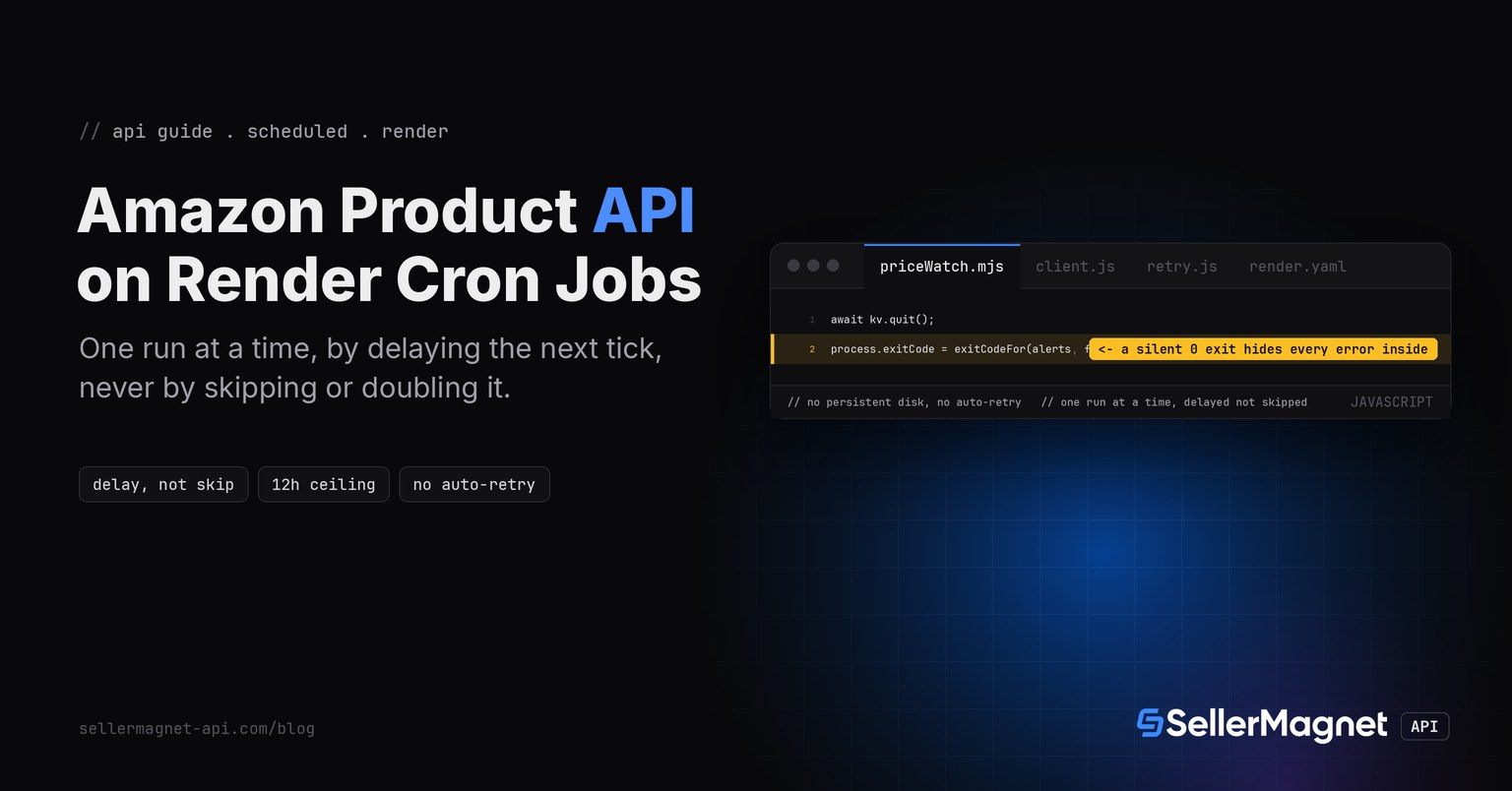
- Render guarantees at most one run of a cron job is active at a time. If the previous run is still going when the next tick arrives, Render DELAYS the next run until the active one finishes - it never skips a tick and never runs two copies at once, so a script that slowly gets slower drifts later and later from its own schedule with no error anywhere.
- Render does not auto-retry a failed cron run; retry logic has to live inside the script. Failure itself is tracked only by the process exit code - zero means success, non-zero means failure - so a script that always exits 0 is invisible to Render's own failure alerting no matter what it logged.
- Render stops an active run after 12 hours, the most generous ceiling of any scheduled-trigger platform in this series, so a price-watch batch has essentially no execution-time pressure to design around here.
- Cron jobs can't provision or access a persistent disk at all - the container is torn down the instant the process exits. The price baseline lives in Render's own managed Key Value service (a Redis-compatible instance), read over a REDIS_URL-style environment variable.
- A Render Cron Job runs a plain Node.js start command, so client.js and retry.js are unmodified from the TypeScript quickstart, the same as the Vercel and Netlify entries earlier in this series.
Why does a slow run push the whole schedule later instead of catching up?
Render's own article on scheduled tasks states the concurrency rule plainly: "Render guarantees that at most one run of a given cron job is active at a time. If a previous run is still going when the next interval arrives, Render delays the next run until the active one finishes." That is a DELAY, not a skip and not a parallel run. A price-watch whose ASIN list grows over months, or that gets slower when the API is briefly degraded, never drops a scheduled check and never races itself - but it also never catches back up to its original cadence on its own. Render's guidance is to pick an interval with real headroom, or split a large batch into more than one job.
| Platform | Execution time cap |
|---|---|
| Netlify Scheduled Functions (series) | 30 seconds, fixed on every plan |
| Vercel Cron Jobs (series) | 300s default, up to 800s/1800s on paid plans |
| Azure Functions Timer (series) | up to 30 min on the Consumption plan |
| Render Cron Jobs (this post) | 12 hours - essentially no time pressure for a batch |
client.js - unmodified from the TypeScript quickstart
// client.js - one fetch-based client, X-Api-Key header, 120 s timeout.

// Overridable only for pointing the client at a local test server; a real
// program never needs to set SELLERMAGNET_API_BASE.
const API_BASE = process.env.SELLERMAGNET_API_BASE ?? "https://sellermagnet-api.com/api/";

/**
 * @typedef {Object} ApiErrorShape
 * @property {number} status
 * @property {string} message
 * @property {number} retryAfter - seconds, 0 when the header was absent.
 */

/** Thrown for any non-2xx response or a failed JSON decode. */
export class ApiError extends Error {
  /** @param {ApiErrorShape} shape */
  constructor({ status, message, retryAfter }) {
    super(`${status}: ${message}`);
    this.name = "ApiError";
    this.status = status;
    this.retryAfter = retryAfter;
  }
}

/**
 * Send one GET to the API and return the decoded `data` field.
 * @template T
 * @param {string} endpoint - e.g. "amazon-product-lookup"
 * @param {Record<string, string>} params
 * @returns {Promise<T>}
 */
export async function get(endpoint, params) {
  const url = new URL(API_BASE + endpoint);
  for (const [key, value] of Object.entries(params)) url.searchParams.set(key, value);

  const controller = new AbortController();
  const timeout = setTimeout(() => controller.abort(), 120_000); // server allows up to ~120 s
  let response;
  try {
    response = await fetch(url, {
      headers: { "X-Api-Key": process.env.SELLERMAGNET_API_KEY ?? "" },
      signal: controller.signal,
    });
  } finally {
    clearTimeout(timeout);
  }

  const retryAfter = Number.parseInt(response.headers.get("retry-after") ?? "0", 10) || 0;
  let body;
  try {
    body = await response.json(); // a proxy's error page is HTML, not JSON
  } catch {
    throw new ApiError({ status: response.status, message: response.statusText, retryAfter });
  }
  if (response.ok && body.success) return body.data;
  throw new ApiError({ status: response.status, message: body.message ?? response.statusText, retryAfter });
}
retry.js - unmodified from the TypeScript quickstart
// retry.js - retries that respect billing: 429/500(once)/502/503 only.

import { ApiError } from "./client.js";

const RETRYABLE = new Set([429, 500, 502, 503]);

/**
 * @template T
 * @param {() => Promise<T>} call
 * @param {number} [attempts]
 * @returns {Promise<T>}
 */
export async function withRetry(call, attempts = 4) {
  let seen500 = false;
  for (let attempt = 1; ; attempt++) {
    try {
      return await call();
    } catch (err) {
      if (!(err instanceof ApiError)) throw err;
      const give500Twice = err.status === 500 && seen500;
      if (!RETRYABLE.has(err.status) || give500Twice || attempt === attempts) throw err;
      seen500 = seen500 || err.status === 500;
      const backoff = 2 ** attempt * 100; // ms, small for the test harness
      const wait = Math.max(backoff, err.retryAfter * 1000);
      await new Promise((resolve) => setTimeout(resolve, wait));
    }
  }
}
Why the exit code is the whole conversation with Render
A Render Cron Job never returns an HTTP response and is never read by a caller the way a FaaS function is. The only thing Render itself inspects afterward is the process exit code: zero means success, any other value means failure, and Render can alert over email or Slack when a run fails. exitCodeFor() below turns a batch run into that single signal - if any per-ASIN lookup exhausted its retries, the whole run reports failure, even though checkBatch() still finished every other ASIN in the list.
priceWatch.mjs - checkOne(), checkBatch(), exitCodeFor(), and main()
// priceWatch.mjs - Render Cron Job: a plain Node.js script, started by the Render platform,
// that checks a Buy Box price against the last value stored in Render's own Key Value service.
import { get } from "./client.js";
import { withRetry } from "./retry.js";
import { createRedis } from "./kv.js"; // thin wrapper around a REDIS_URL-style connection

const MARKETPLACE = "ATVPDKIKX0DER"; // amazon.com
const DROP_THRESHOLD_PCT = 3; // ignore float noise, only a real drop

function round2(n) {
  return Math.round(n * 100) / 100;
}

/** Check one ASIN against its last stored Buy Box price. Returns an alert object or null. */
export async function checkOne(asin, kv) {
  const key = `price-watch:${MARKETPLACE}:${asin}`;
  const data = await withRetry(() => get("amazon-product-lookup", { asin, marketplace: MARKETPLACE }));
  const buyBox = data?.productInfo?.buyBoxInfo?.price;
  const current = typeof buyBox === "number" ? round2(buyBox) : null; // "N/A" buy box -> null, never 0

  const lastRaw = await kv.get(key);
  const last = typeof lastRaw === "number" && lastRaw > 0 ? lastRaw : null; // corrupt/<=0 = no baseline

  let alert = null;
  if (current !== null) {
    if (last !== null) {
      const dropPct = round2(((last - current) / last) * 100);
      if (dropPct >= DROP_THRESHOLD_PCT) {
        alert = { asin, title: data.productInfo?.title ?? asin, from: last, to: current, dropPct };
      }
    }
    await kv.set(key, current);
  }
  return alert;
}

/** Check every ASIN; one failure never stops the batch or crashes the process. */
export async function checkBatch(asins, kv) {
  const alerts = [];
  for (const asin of asins) {
    try {
      const alert = await checkOne(asin, kv);
      if (alert) alerts.push(alert);
    } catch (err) {
      console.error(`err: ${asin}: ${err.message}`);
    }
  }
  return alerts;
}

/** The exit code IS the success/failure signal Render tracks - a script that always exits 0
 *  is invisible to Render's own failure alerting, no matter what happened inside it. */
export function exitCodeFor(alerts, failures) {
  return failures > 0 ? 1 : 0;
}

async function main() {
  const kv = createRedis(process.env.REDIS_URL);
  const asins = (process.env.WATCH_ASINS ?? "").split(",").map((s) => s.trim()).filter(Boolean);
  let failures = 0;
  const alerts = [];
  for (const asin of asins) {
    try {
      const alert = await checkOne(asin, kv);
      if (alert) alerts.push(alert);
    } catch (err) {
      failures++;
      console.error(`err: ${asin}: ${err.message}`);
    }
  }
  for (const alert of alerts) {
    console.log(`ALERT ${alert.asin} ${alert.from} -> ${alert.to} (${alert.dropPct}%)`);
  }
  console.log(`checked=${asins.length} alerts=${alerts.length} failures=${failures}`);
  await kv.quit();
  process.exitCode = exitCodeFor(alerts, failures); // Render's ONLY success/failure signal
}

if (import.meta.url === `file://${process.argv[1]}`) {
  main(); // Render starts this script directly as the job's start command: `node priceWatch.mjs`
}

export { main };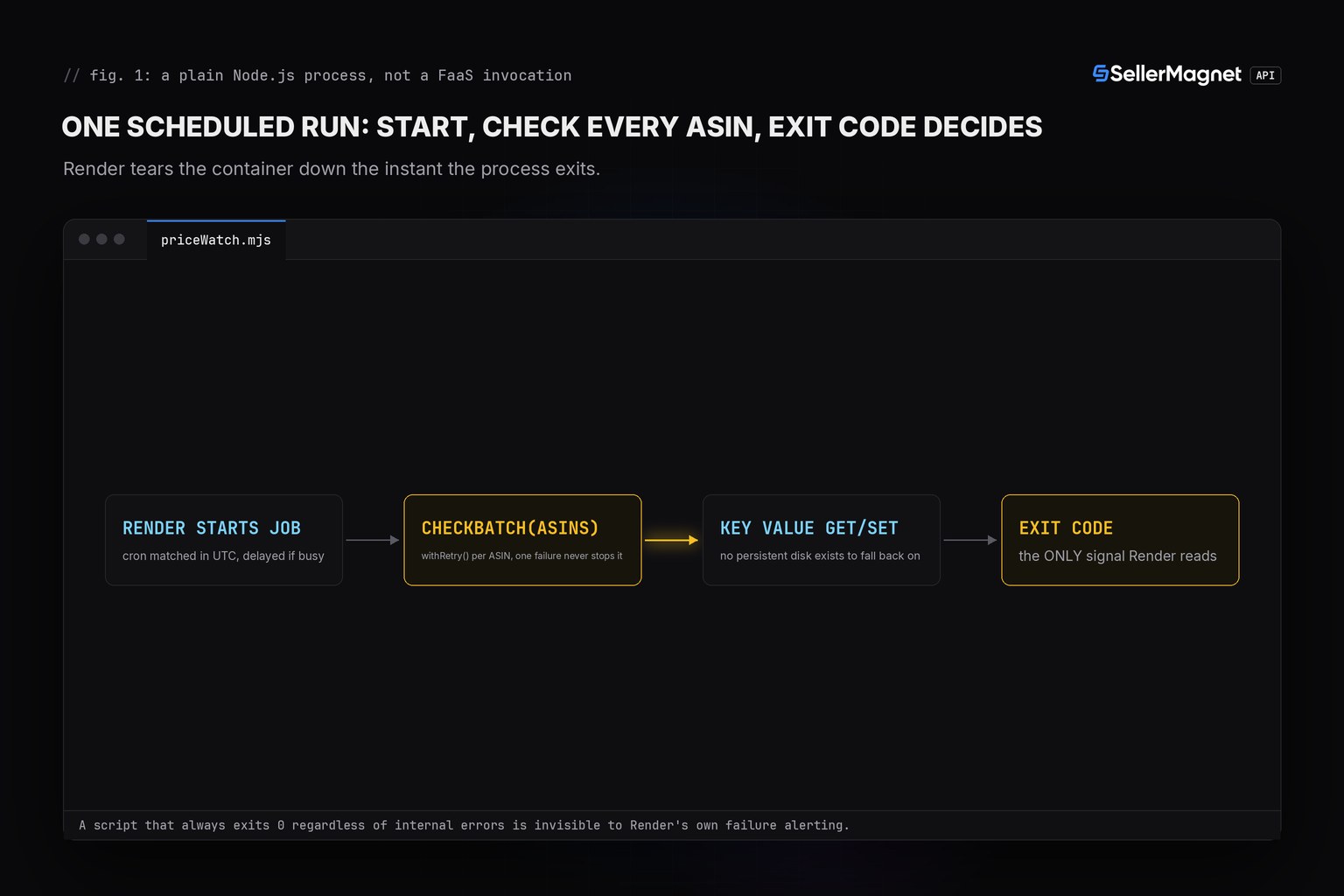
exitCodeFor() sets.| Status | Meaning | Billed | Reaction |
|---|---|---|---|
200 | Success | Yes | Use data |
401 / 403 | Key or credits | No | Stop |
404 | Not on this marketplace | Yes | Absorbed, logged, never re-thrown |
429 | Concurrency cap | No | Wait Retry-After, retried |
500 | Internal error | No, refunded | Retry once |
502 / 503 | Upstream / breaker | Yes | Wait, then retry, capped at 4, then absorbed |
Wiring it up: render.yaml and the Key Value connection
A Render Cron Job is defined as its own service type (type: cron), with a schedule cron expression evaluated in UTC and a startCommand that runs the script directly. The price baseline needs Render's own managed Key Value service, connected the same "create it in the dashboard, read it via process.env" way as the SellerMagnet API key itself.
render.yaml - the cron job definition (illustrative wiring, not separately tested)
services:
  - type: cron
    name: price-watch
    runtime: node
    schedule: "0 */6 * * *"
    buildCommand: npm install
    startCommand: node priceWatch.mjs
    envVars:
      - key: SELLERMAGNET_API_KEY
        sync: false
      - key: REDIS_URL
        fromService:
          type: keyvalue
          name: price-watch-kv
          property: connectionString
      - key: WATCH_ASINS
        value: B0CL61F39H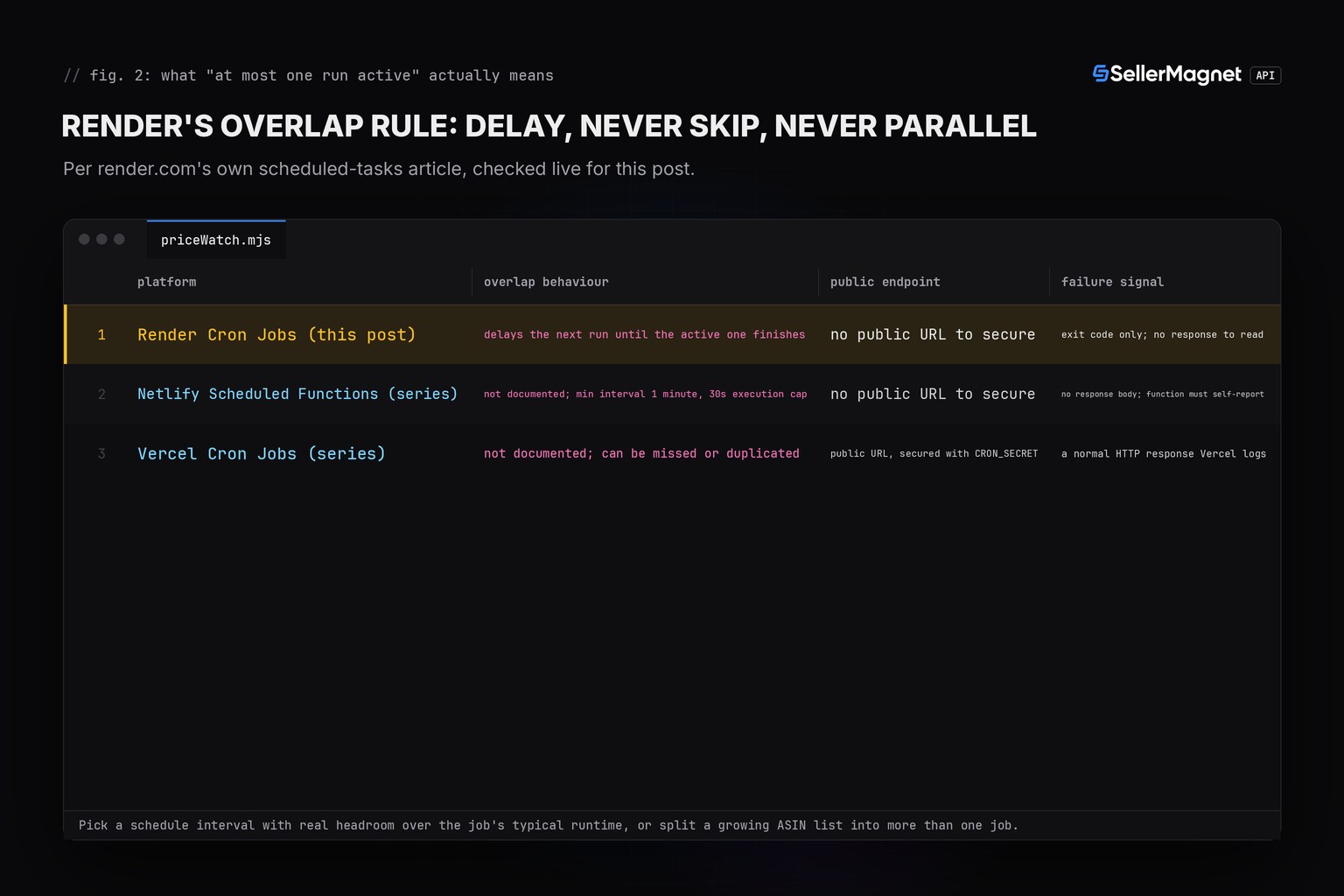
Real output from the tested harness (fakefetch.mjs faking globalThis.fetch and a fake Key Value store only, illustrative data)
first-run-no-baseline: calls=1 alert=null stored=444.99
first-run-no-baseline: PASS
unchanged-no-alert: PASS
real-drop-fires-alert: {"asin":"B0CL61F39H","title":"PS5 console","from":444.99,"to":399,"dropPct":10.34}
real-drop-fires-alert: PASS
small-drop-under-threshold-no-alert: PASS
price-rose-no-alert-baseline-updates: PASS
no-buybox-na-no-alert-baseline-kept: PASS
corrupt-baseline-treated-as-no-baseline: PASS
non-positive-baseline-treated-as-no-baseline: PASS
err: B0UNKNOWN1: 404: Product not found
404-absorbed-not-retried: PASS
429-free-retried-then-ok: PASS
500-refunded-retried-once: PASS
err: B0RETRY502: 503: breaker open
502-503-capped-at-4-absorbed: PASS
err: B0NOKEY001: 401: Invalid or inactive API key.
401-not-retried: PASS
exit-code-zero-on-success: PASS
exit-code-zero-with-alerts-no-failures: PASS
exit-code-nonzero-on-any-failure: PASS
---
PASS=16 FAIL=0
ALL 16/16 SCENARIOS PASS
Frequently Asked Questions
What happens if a Render Cron Job is still running when its next scheduled tick arrives?
Render delays the next run until the active one finishes - it never skips a tick and never runs two instances at once. A job that gradually gets slower does not lose data, it silently drifts later and later from its configured schedule.
Does Render retry a cron job that fails?
No. Render's own guidance states plainly that it does not auto-retry failed cron runs; retry logic has to live inside the script itself, which this post's withRetry() already provides for the SellerMagnet API calls specifically.
How does Render know a cron job run failed?
Only by its exit code: zero means success, non-zero means failure, and Render can alert over email or Slack on a failed run. A script that always exits 0 regardless of what happened inside it is invisible to that tracking, no matter how many errors it logged.
Can a Render Cron Job write a price baseline to disk?
No. Cron jobs can't provision or access a persistent disk at all - the container is torn down the instant the process exits. Any state has to live in an external store, here Render's own managed Key Value service.
Do client.js and retry.js need any change to run as a Render Cron Job?
No. A Render Cron Job runs a start command as a plain Node.js process with normal process.env access, so client.js and retry.js are unmodified from the TypeScript quickstart, the same as the Vercel and Netlify entries earlier in this series.
Bottom line: Render Cron Jobs run this price-watch with zero changes to the TypeScript quickstart's client.js and retry.js, and the 12-hour run ceiling means execution time is the one thing not worth worrying about here. What does need deliberate handling is Render's own concurrency guarantee (a slow run delays, never skips, the next tick), the complete absence of auto-retry and of any persistent disk, and the fact that the process exit code is the only thing Render itself ever reads back from a run. That combination is different in shape from the Netlify Scheduled Functions version of the same price-watch earlier in this series. Every endpoint is documented on the API documentation page, more runnable snippets are on the code examples page, and a free account includes 150 credits to try it.