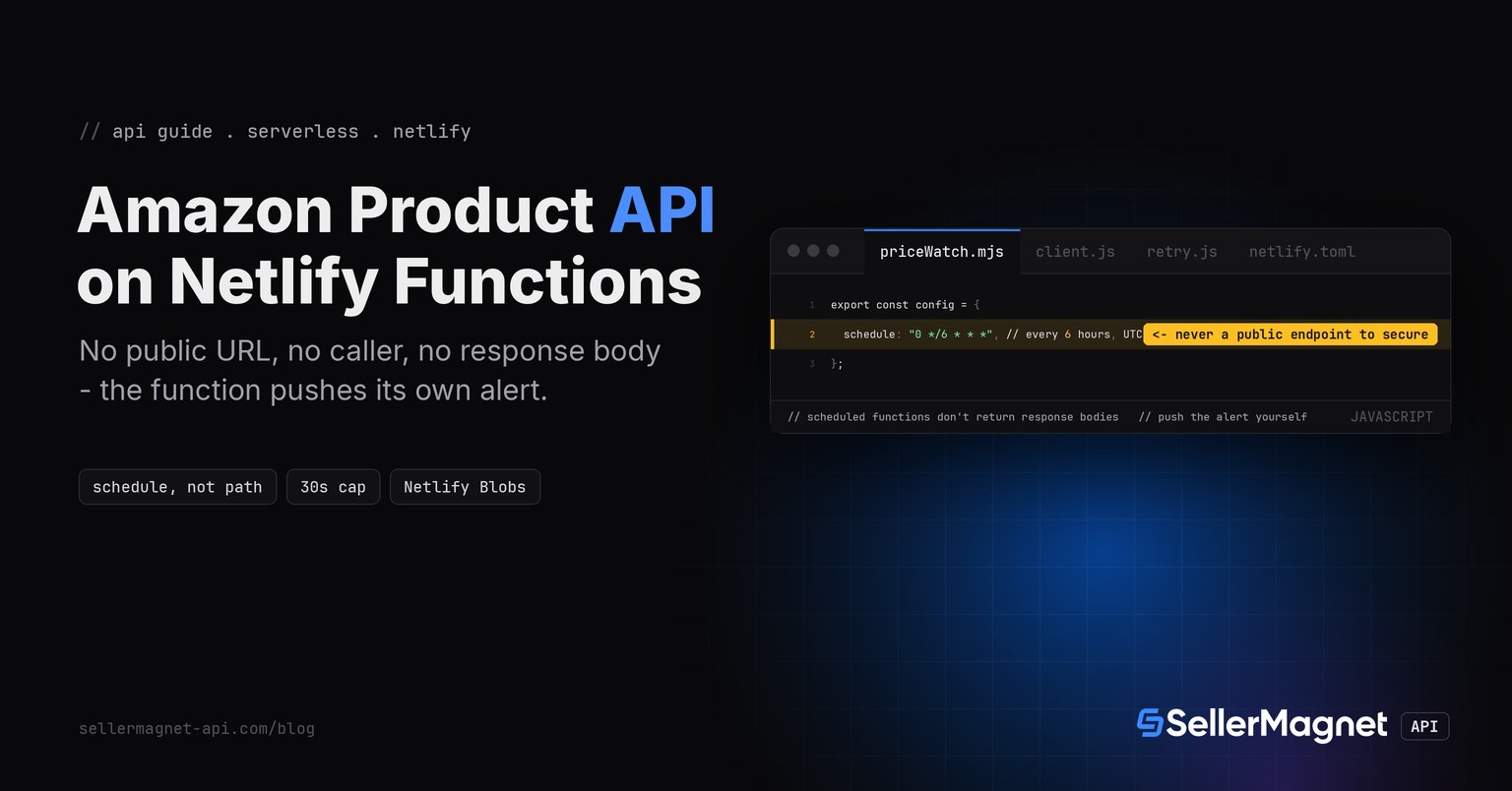
To call an Amazon product API from a Netlify Function, write a scheduled function that reuses the TypeScript quickstart's own client.js and retry.js completely unchanged, trigger it with a config.schedule cron expression, and push any alert itself. Netlify's own docs make schedule mutually exclusive with path - the function never gets a public URL at all, so there is no CRON_SECRET-style header to check. The traps here are different in shape: the function only ever runs on a published production deploy, it returns no response body to anyone, and an environment variable change needs a fresh deploy before a scheduled run ever sees it.
Key Takeaways
- A scheduled function's config.schedule is mutually exclusive with path: Netlify never issues a public URL for it, so unlike Vercel's Cron Job route or GCP's Cloud Scheduler target, there is no caller-authentication header to check at all.
- Scheduled functions "ONLY run on published deploys. They don't run on Deploy Previews or branch deploys" - a function tested only against a preview URL will simply never fire there, with no error to find. Use
netlify functions:invoke <name>or the dashboard's Run now button instead. - They carry fixed limits on every plan: a 30-second execution cap, a 1-minute minimum interval, no payload in, and no response body out - the only thing Netlify hands the function is a next_run timestamp, so a price-watch has to push its own alert (here, a webhook) since nothing reads a return value.
- Environment variable values are captured at deploy time: "To apply updated environment variable values, create a new deploy." Rotating the SellerMagnet API key in the Netlify UI does nothing to an already-published scheduled function until the next deploy runs.
- Netlify Functions use the Node.js runtime, so client.js and retry.js run unmodified, the same as the Vercel entry in this series. The price baseline lives in Netlify Blobs, a storage layer built into the platform with no external database or Marketplace add-on required.
Why doesn't a scheduled function need a secret header check?
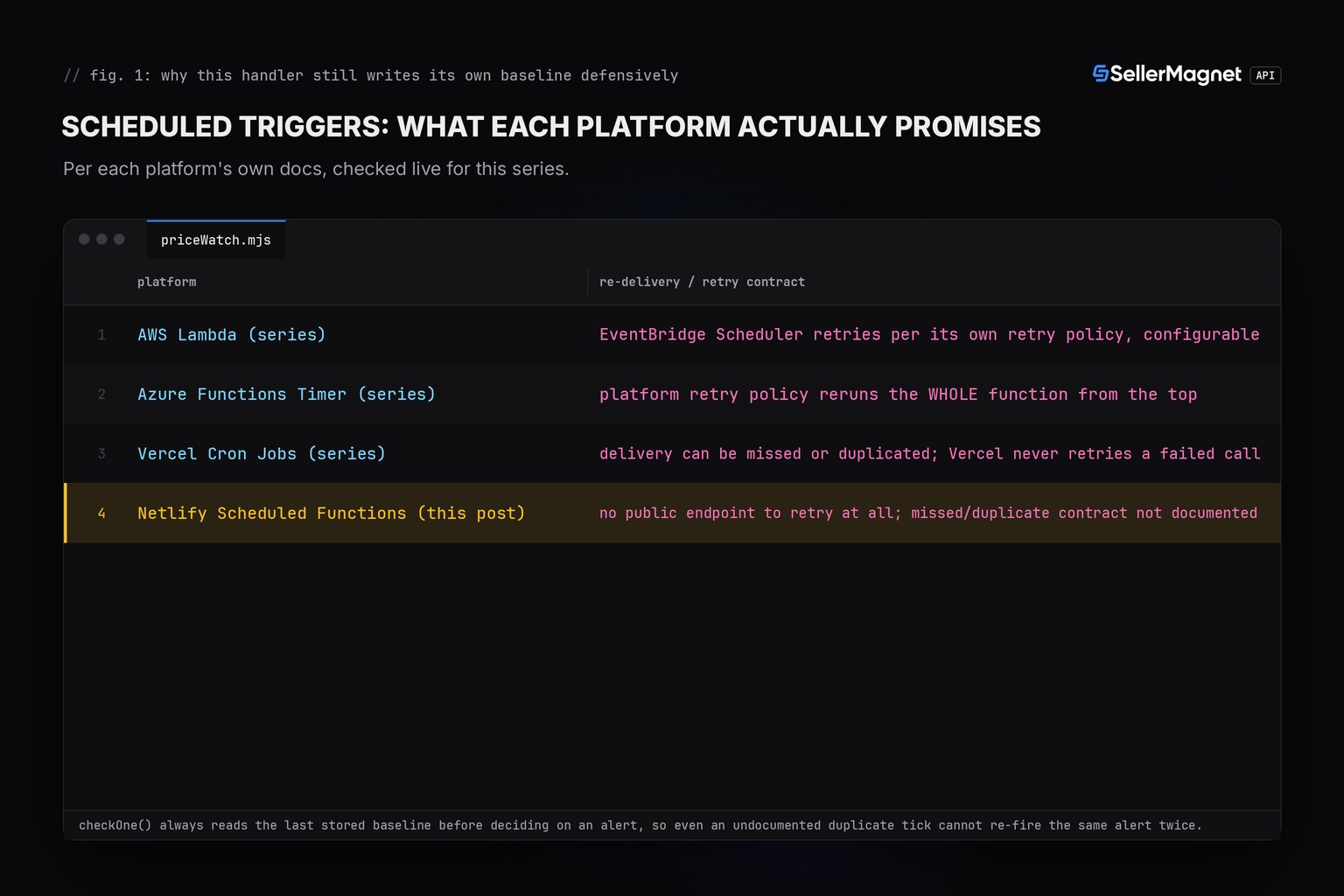
Every prior scheduled-trigger platform in this series hands the function a real, callable URL: Vercel's Cron Job hits a plain public route the handler itself must secure with a CRON_SECRET bearer check, and GCP's Cloud Scheduler POSTs to a Cloud Function URL with an OIDC token to verify. Netlify's Functions API reference states the opposite design plainly: the schedule config option is "mutually exclusive with path" - setting one means the function is never reachable at a path at all, so there is nothing for an outside caller to hit and nothing to authenticate.
| Limit | Netlify Scheduled Functions | Vercel Cron Jobs |
|---|---|---|
| Public URL for the scheduled trigger | none - mutually exclusive with path | a public URL, secured with CRON_SECRET |
| Execution time cap | 30 seconds, fixed on every plan | 300s default, up to 800s/1800s on paid plans |
| Minimum interval | 1 minute | 1 minute (Pro/Enterprise); Hobby capped at once/day |
| Response body | none - fire-and-forget | yes, a normal HTTP response |
| Runs on a Deploy Preview / branch deploy | no, production published deploys only | no, production deployments only |
client.js - unmodified from the TypeScript quickstart
// client.js - one fetch-based client, X-Api-Key header, 120 s timeout.

// Overridable only for pointing the client at a local test server; a real
// program never needs to set SELLERMAGNET_API_BASE.
const API_BASE = process.env.SELLERMAGNET_API_BASE ?? "https://sellermagnet-api.com/api/";

/**
 * @typedef {Object} ApiErrorShape
 * @property {number} status
 * @property {string} message
 * @property {number} retryAfter - seconds, 0 when the header was absent.
 */

/** Thrown for any non-2xx response or a failed JSON decode. */
export class ApiError extends Error {
  /** @param {ApiErrorShape} shape */
  constructor({ status, message, retryAfter }) {
    super(`${status}: ${message}`);
    this.name = "ApiError";
    this.status = status;
    this.retryAfter = retryAfter;
  }
}

/**
 * Send one GET to the API and return the decoded `data` field.
 * @template T
 * @param {string} endpoint - e.g. "amazon-product-lookup"
 * @param {Record<string, string>} params
 * @returns {Promise<T>}
 */
export async function get(endpoint, params) {
  const url = new URL(API_BASE + endpoint);
  for (const [key, value] of Object.entries(params)) url.searchParams.set(key, value);

  const controller = new AbortController();
  const timeout = setTimeout(() => controller.abort(), 120_000); // server allows up to ~120 s
  let response;
  try {
    response = await fetch(url, {
      headers: { "X-Api-Key": process.env.SELLERMAGNET_API_KEY ?? "" },
      signal: controller.signal,
    });
  } finally {
    clearTimeout(timeout);
  }

  const retryAfter = Number.parseInt(response.headers.get("retry-after") ?? "0", 10) || 0;
  let body;
  try {
    body = await response.json(); // a proxy's error page is HTML, not JSON
  } catch {
    throw new ApiError({ status: response.status, message: response.statusText, retryAfter });
  }
  if (response.ok && body.success) return body.data;
  throw new ApiError({ status: response.status, message: body.message ?? response.statusText, retryAfter });
}
retry.js - unmodified from the TypeScript quickstart
// retry.js - retries that respect billing: 429/500(once)/502/503 only.

import { ApiError } from "./client.js";

const RETRYABLE = new Set([429, 500, 502, 503]);

/**
 * @template T
 * @param {() => Promise<T>} call
 * @param {number} [attempts]
 * @returns {Promise<T>}
 */
export async function withRetry(call, attempts = 4) {
  let seen500 = false;
  for (let attempt = 1; ; attempt++) {
    try {
      return await call();
    } catch (err) {
      if (!(err instanceof ApiError)) throw err;
      const give500Twice = err.status === 500 && seen500;
      if (!RETRYABLE.has(err.status) || give500Twice || attempt === attempts) throw err;
      seen500 = seen500 || err.status === 500;
      const backoff = 2 ** attempt * 100; // ms, small for the test harness
      const wait = Math.max(backoff, err.retryAfter * 1000);
      await new Promise((resolve) => setTimeout(resolve, wait));
    }
  }
}
checkOne(), checkBatch() and pushing the alert yourself
Because a scheduled function returns no response body, nothing downstream ever reads a return value from it. checkOne() compares the current Buy Box price against the last value stored in Netlify Blobs and returns an alert object or null; checkBatch() runs that for every ASIN without letting one failure stop the batch; pushAlerts() is the part every prior platform in this series didn't need in the same way - it POSTs any real alerts to a webhook URL, because the scheduled trigger itself has nobody waiting on the other end of an HTTP response.
priceWatch.mjs - checkOne(), checkBatch(), pushAlerts() and the scheduled entry point
// priceWatch.mjs - Netlify Scheduled Function: checks a Buy Box price, pushes a drop alert itself.
import { get } from "./client.js";
import { withRetry } from "./retry.js";
import { getStore } from "@netlify/blobs";

const MARKETPLACE = "ATVPDKIKX0DER"; // amazon.com
const DROP_THRESHOLD_PCT = 3; // ignore float noise, only a real drop
const WEBHOOK_URL = process.env.ALERT_WEBHOOK_URL ?? "";

function round2(n) {
  return Math.round(n * 100) / 100;
}

/** Check one ASIN against its last stored Buy Box price. Returns an alert object or null. */
export async function checkOne(asin, store) {
  const key = `price-watch:${MARKETPLACE}:${asin}`;
  const data = await withRetry(() => get("amazon-product-lookup", { asin, marketplace: MARKETPLACE }));
  const buyBox = data?.productInfo?.buyBoxInfo?.price;
  const current = typeof buyBox === "number" ? round2(buyBox) : null; // "N/A" buy box -> null, never 0

  const lastRaw = await store.get(key, { type: "json" });
  const last = typeof lastRaw === "number" && lastRaw > 0 ? lastRaw : null; // corrupt/<=0 stored value = no baseline

  let alert = null;
  if (current !== null) {
    if (last !== null) {
      const dropPct = round2(((last - current) / last) * 100);
      if (dropPct >= DROP_THRESHOLD_PCT) {
        alert = { asin, title: data.productInfo?.title ?? asin, from: last, to: current, dropPct };
      }
    }
    await store.setJSON(key, current); // write the new baseline even when no alert fired
  }
  return alert;
}

/** Check every ASIN; one failure never stops the batch. */
export async function checkBatch(asins, store) {
  const alerts = [];
  for (const asin of asins) {
    try {
      const alert = await checkOne(asin, store);
      if (alert) alerts.push(alert);
    } catch (err) {
      console.error(`err: ${asin}: ${err.message}`);
    }
  }
  return alerts;
}

/** A scheduled function has no caller to hand results back to, so it pushes the alert itself. */
export async function pushAlerts(alerts) {
  if (alerts.length === 0 || !WEBHOOK_URL) return;
  await fetch(WEBHOOK_URL, {
    method: "POST",
    headers: { "content-type": "application/json" },
    body: JSON.stringify({
      text: alerts.map((a) => `${a.asin} ${a.from} -> ${a.to} (${a.dropPct}%)`).join("\n"),
    }),
  });
}

/** The Netlify Scheduled Function entry point. config.schedule and path are mutually exclusive:
 *  Netlify never issues a public URL for this handler at all. */
export default async (req) => {
  const body = await req.json().catch(() => ({ next_run: null }));
  const store = getStore("price-watch");
  const asins = (process.env.WATCH_ASINS ?? "").split(",").map((s) => s.trim()).filter(Boolean);
  const alerts = await checkBatch(asins, store);
  await pushAlerts(alerts);
  // Scheduled functions don't return response bodies; this log is the only trace of a run.
  console.log(`checked=${asins.length} alerts=${alerts.length} next_run=${body.next_run}`);
};

export const config = {
  schedule: "0 */6 * * *", // every 6 hours, UTC; minimum interval Netlify allows is 1 minute
};
Why did the function never run after it deployed cleanly?
Netlify's own guidance is explicit: scheduled functions "ONLY run on published deploys. They don't run on Deploy Previews or branch deploys." A function wired up and deployed successfully to a branch deploy or a pull-request preview will sit there forever with its schedule config intact and simply never fire, with no error logged anywhere, because that deploy is never the one Netlify treats as published. Confirming the schedule works before relying on it means either waiting for a real production deploy or running netlify functions:invoke priceWatch / clicking Run now in the dashboard - both bypass the schedule and call the function directly. Vercel's Cron Jobs share this exact restriction ("Vercel invokes cron jobs only for production deployments and not for preview deployments"), so it is not a gap Netlify leaves open that Vercel closes - both require a real production deploy before a schedule does anything at all.
netlify.toml - the cron schedule (also settable inline in the function's own config export)
[functions."priceWatch"]
  schedule = "0 */6 * * *"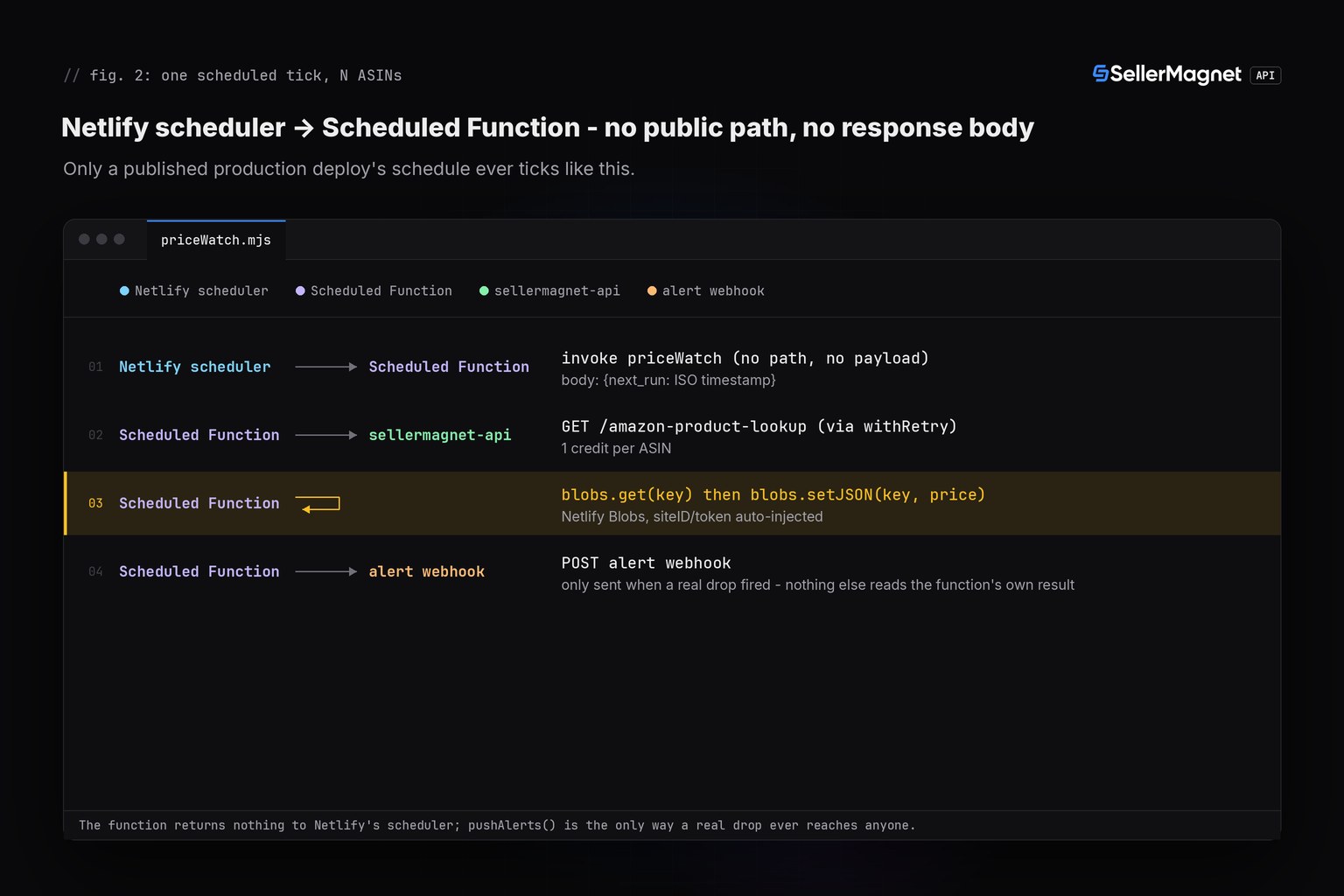
| Status | Meaning | Billed | Reaction |
|---|---|---|---|
200 | Success | Yes | Use data |
401 / 403 | Key or credits | No | Absorbed, logged, never re-thrown |
404 | Not on this marketplace | Yes | Absorbed, logged, never re-thrown |
429 | Concurrency cap | No | Wait Retry-After, retried |
500 | Internal error | No, refunded | Retry once |
502 / 503 | Upstream / breaker | Yes | Wait, then retry, capped at 4, then absorbed |
Real output from the tested harness (fakefetch.mjs faking globalThis.fetch and Netlify Blobs only, illustrative data)
first-run-no-baseline: calls=1 alert=null stored={"price-watch:ATVPDKIKX0DER:B0CL61F39H":444.99}
first-run-no-baseline: PASS
unchanged-no-alert: alert=null
unchanged-no-alert: PASS
real-drop-fires-alert: {"asin":"B0CL61F39H","title":"PS5 console","from":444.99,"to":399,"dropPct":10.34}
real-drop-fires-alert: PASS
small-drop-under-threshold-no-alert: PASS
price-rose-no-alert-baseline-updates: PASS
no-buybox-na-no-alert-baseline-kept: PASS
corrupt-baseline-treated-as-no-baseline: PASS
non-positive-baseline-treated-as-no-baseline: PASS
err: B0UNKNOWN1: 404: Product not found
404-absorbed-not-retried: PASS
429-free-retried-then-ok: PASS
500-refunded-retried-once: PASS
err: B0RETRY502: 503: breaker open
502-503-capped-at-4-absorbed: PASS
err: B0NOKEY001: 401: Invalid or inactive API key.
401-not-retried: PASS
push-alerts-empty-no-webhook-call: PASS
push-alerts-one-alert-reaches-webhook: PASS
---
PASS=15 FAIL=0
ALL 15/15 SCENARIOS PASS
Frequently Asked Questions
Does a Netlify Scheduled Function have a public URL I need to secure?
No. The schedule config option is mutually exclusive with path, so Netlify never issues a public URL for a scheduled function. There is no caller to authenticate, unlike Vercel's Cron Job route or GCP's Cloud Scheduler-invoked function.
Why did my scheduled function never run after I deployed it?
Scheduled functions only run on published production deploys, never on Deploy Previews or branch deploys. Testing happens with netlify functions:invoke <name> or the dashboard's Run now button, not by visiting a preview URL.
Can a Netlify Scheduled Function return the alerts it finds to a caller?
No. Scheduled functions don't return response bodies and accept no payload - the only thing Netlify hands the function is a next_run timestamp. A price-watch has to push its own alert, for example a webhook call, since nothing reads a return value.
If I rotate the SellerMagnet API key in the Netlify UI, does the next scheduled run see it?
Not until a new deploy happens. Environment variable values are captured at deploy time; a function already published keeps using the old value on every tick until the site is redeployed.
Where does the price baseline live between scheduled runs?
In Netlify Blobs, a storage layer built into the platform: getStore(name) returns a store with get/setJSON methods, with the site and deploy identifiers filled in automatically inside a function - no external database or Marketplace add-on needed.
Bottom line: Netlify Scheduled Functions run this price-watch with zero changes to the TypeScript quickstart's client.js and retry.js, and the platform never hands out a public URL to secure in the first place. What it does demand is deploy discipline: the schedule only ticks on a published production deploy, an environment variable change needs its own fresh deploy, and because nothing reads a response body, any real alert has to be pushed out by the function itself. That combination is different in shape from the Vercel Cron Jobs version of the same price-watch earlier in this series. Every endpoint is documented on the API documentation page, more runnable snippets are on the code examples page, and a free account includes 150 credits to try it.