
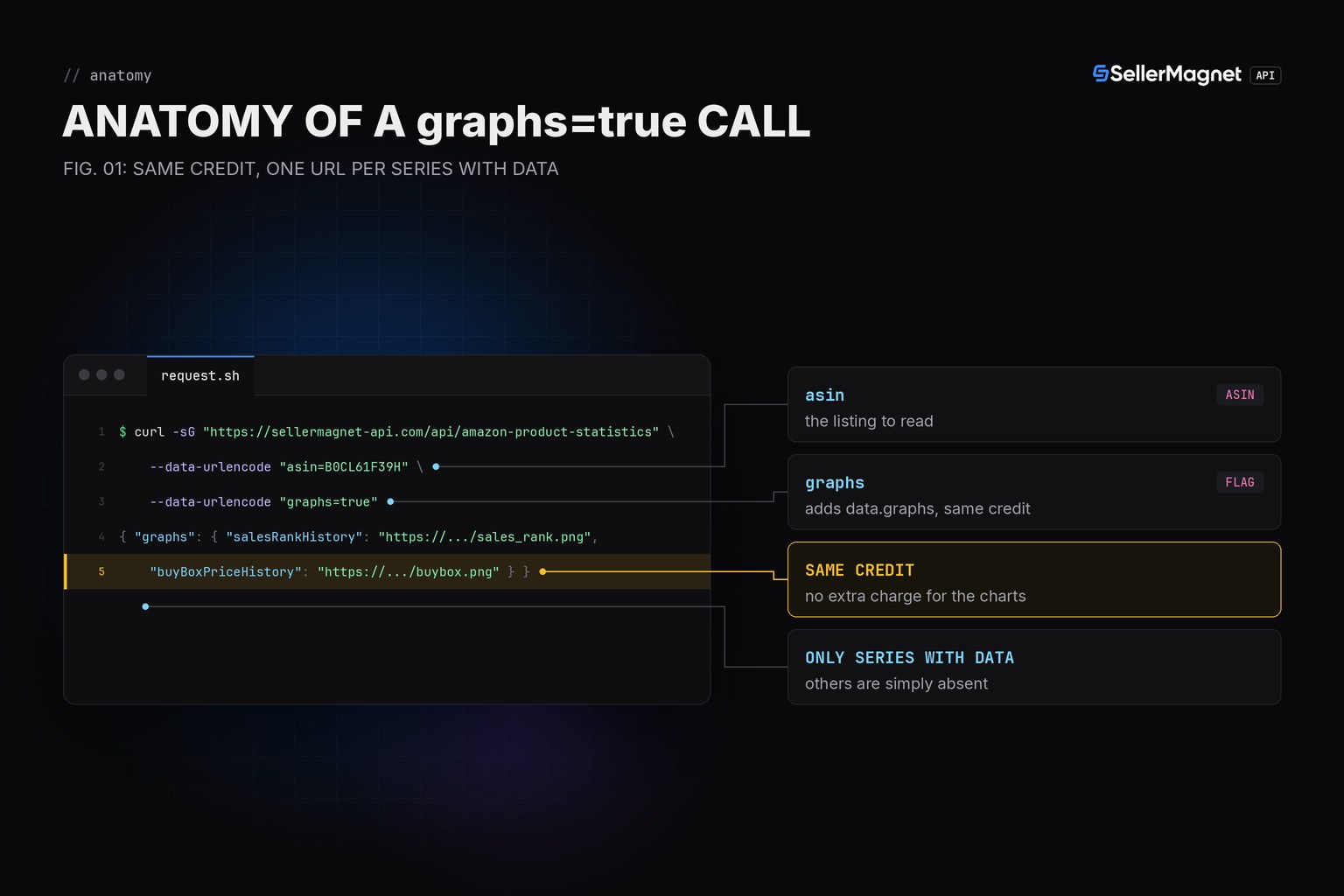
Adding graphs=true to an /amazon-product-statistics call generates a watermarked PNG chart URL for every history series that has data, for the exact same single credit as the plain call - no second request, no extra charge. The URLs land in data.graphs, keyed by series name, and a series with nothing to chart is simply absent from that dict rather than null or broken.
Key Takeaways
- graphs=true costs nothing extra - same single credit as a plain statistics call.
- Chart URLs live in data.graphs, keyed by series name (e.g. salesRankHistory).
- A series with no data is absent from data.graphs, not present as null or an empty string.
- Charts carry a SellerMagnet watermark - fine for a quick check or a shared report, not white-labeling.
- An unknown/delisted ASIN is still a billed 404, same as without graphs=true.
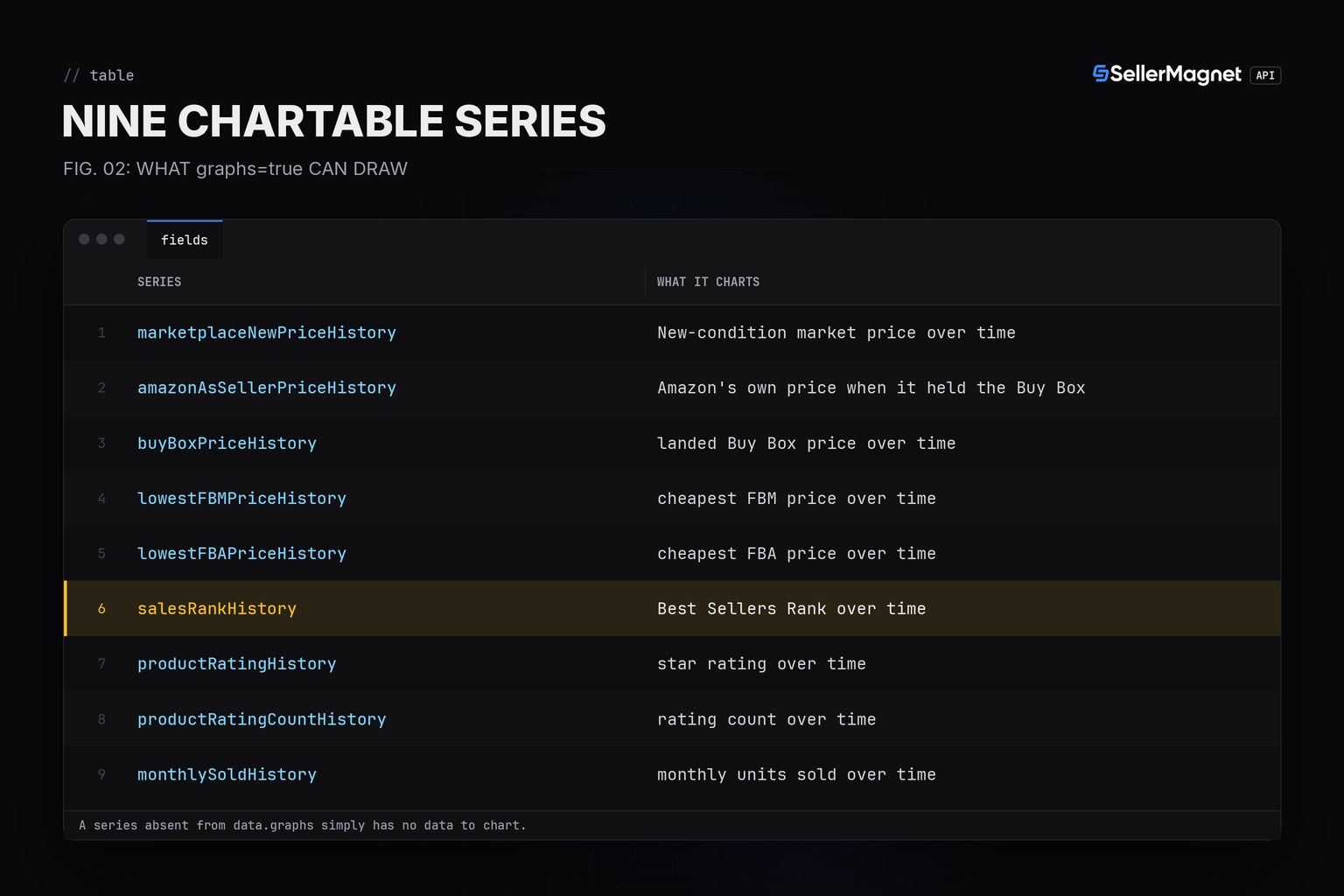
Which series can actually get a chart?
| Series | What it charts |
|---|---|
| marketplaceNewPriceHistory | New-condition market price over time |
| amazonAsSellerPriceHistory | Amazon's own price when it held the Buy Box |
| buyBoxPriceHistory | landed Buy Box price over time |
| lowestFBMPriceHistory | cheapest FBM price over time |
| lowestFBAPriceHistory | cheapest FBA price over time |
| salesRankHistory | Best Sellers Rank over time |
| productRatingHistory | star rating over time |
| productRatingCountHistory | rating count over time |
| monthlySoldHistory | monthly units sold over time |
How do I pull one chart URL, or every chart a call actually produced?
chart_url() reads one named series and returns None when that series has no chart, instead of raising. all_available_charts() returns whatever data.graphs actually contains, which can be an empty dict for a product with no trackable history at all. get() and new_session() come from the Python quickstart; the raw series themselves are covered in the Price History API guide.
chart_url.py - reading graphs=true chart URLs
from sellermagnet import get, new_session


def chart_url(session, asin: str, marketplace_id: str, series: str) -> str | None:
    """A watermarked PNG chart URL for one history series, for the SAME single
    credit as a plain statistics call (graphs=true adds it, no extra charge).
    Returns None when that series has no data to chart - not every series has
    a chart on every ASIN."""
    data = get(session, "amazon-product-statistics", asin=asin, marketplaceId=marketplace_id, graphs="true")
    return data.get("graphs", {}).get(series)


def all_available_charts(session, asin: str, marketplace_id: str) -> dict:
    """Every chart URL this call actually produced, keyed by series name.
    Series with no data (e.g. a product Amazon never resold) are simply
    absent from the dict, not present with a null or empty-string URL."""
    data = get(session, "amazon-product-statistics", asin=asin, marketplaceId=marketplace_id, graphs="true")
    return data.get("graphs", {})


if __name__ == "__main__":
    session = new_session()
    print(chart_url(session, "B0CL61F39H", "ATVPDKIKX0DER", "salesRankHistory"))
    print(chart_url(session, "B0CL61F39H", "ATVPDKIKX0DER", "amazonAsSellerPriceHistory"))
    print(all_available_charts(session, "B0NOCHARTS0", "ATVPDKIKX0DER"))
Example output (illustrative ASIN)
https://s3.example/charts/B0CL61F39H_sales_rank.png
None
{}
Trimmed data.graphs (example values)
{
  "graphs": {
    "salesRankHistory": "https://.../B0CL61F39H_sales_rank.png",
    "buyBoxPriceHistory": "https://.../B0CL61F39H_buybox.png"
  }
}
Is a chart URL ever a reason to skip the raw series?
No - graphs=true is a convenience, not a replacement. The raw arrays stay in the response exactly as without the flag, so you can keep reading salesRankHistory or the price series programmatically for your own logic (alerts, trend math) while using the chart only for a human-facing view. The BSR by Category guide and the pandas guide both work from the same raw series this endpoint returns.
Frequently Asked Questions
Does graphs=true cost an extra credit?
No. It is the same single credit as a plain /amazon-product-statistics call; the chart URLs ride along in data.graphs on that one response.
Why is a series missing from data.graphs?
A series with no underlying data (e.g. Amazon never held the Buy Box, or the product has no rating history) is simply absent from the dict, not present as a null or broken URL.
Can I embed the chart image directly in my own dashboard?
Yes, it is a hosted PNG URL, but it carries a SellerMagnet watermark, so it is meant for a quick visual check or a shared report, not a white-labeled chart.
Do the chart URLs expire?
Not documented by the API, so do not rely on a cached chart URL staying valid or reflecting later history; re-request graphs=true when you need an up-to-date chart.
Is plotting my own chart from the raw series ever better?
Yes, whenever you need control over styling, combined series, or an unwatermarked image - pull the raw arrays with a plain call (no graphs=true) and plot them yourself, as in the pandas guide.
Bottom line: add graphs=true for an instant watermarked chart at no extra cost, read data.graphs defensively since a series can be absent, and fall back to plotting the raw series yourself whenever you need an unwatermarked or custom chart.


