
The SellerMagnet /api/amazon-bestsellers endpoint returns up to 50 products per category, the first page of its Best Sellers chart. Pagination works with two parameters: count (default 30, maximum 50) and offset (default 0), which pick a window of that one page. offset + count can never pass 50, so a call without count returns ranks 1 to 30 and count=50 returns the whole list for 1 credit. Past rank 50, only subcategories give you more products.
Key Takeaways
- The endpoint reads only the first page of a category's Best Sellers chart, 50 products: no page parameter, no rank past 50.
- count defaults to 30, so a call without it silently stops at rank 30.
- One count=50 call costs 1 credit, the same as a call for 5 products; offset only helps to split work.
- count above 50, offset + count above 50 and non-integer values are billed 400s: check the window before you send it.
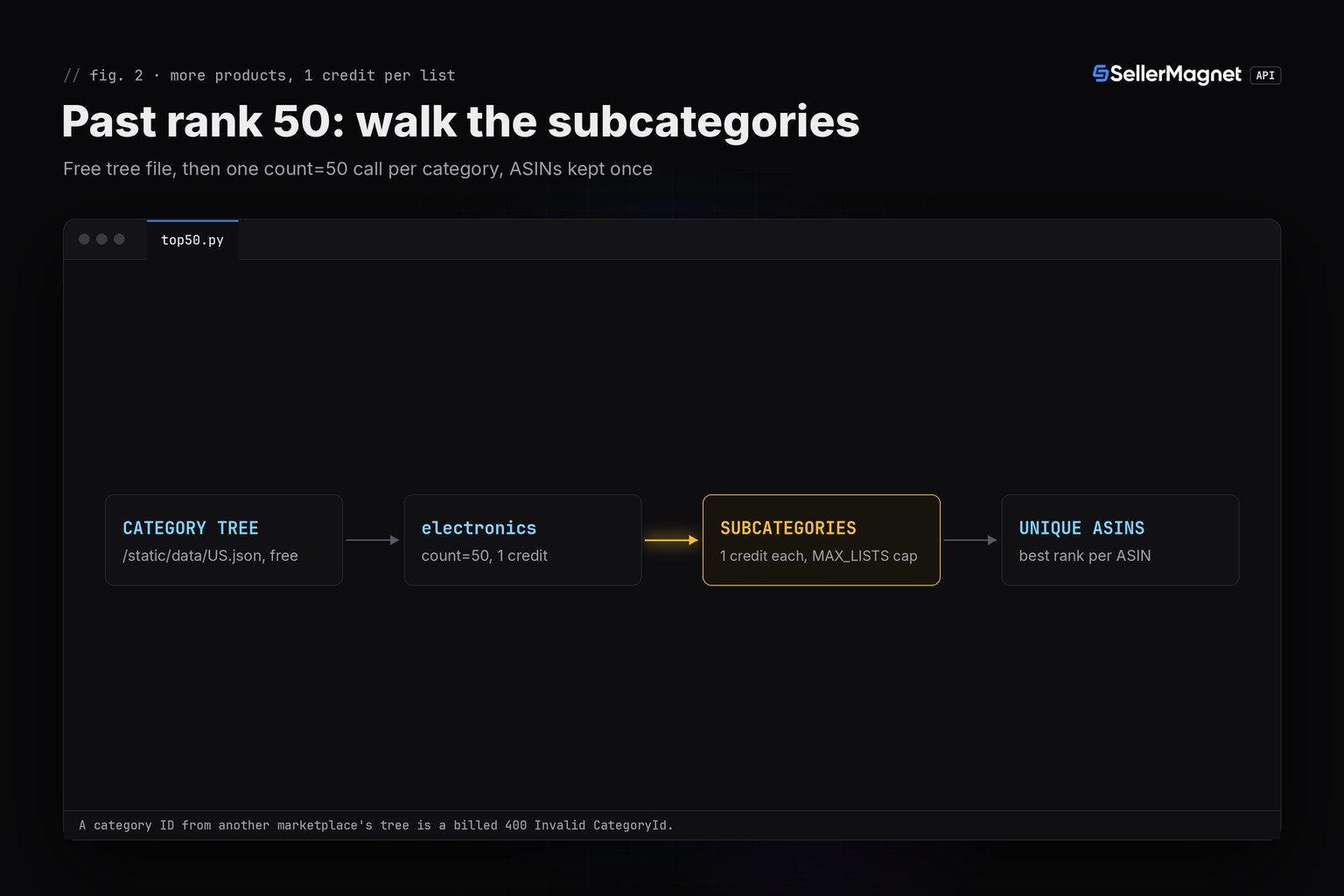
- For more than 50 products, walk the category's subcategories from the free category tree and deduplicate ASINs across the lists.
How many products does the Best Sellers API return?
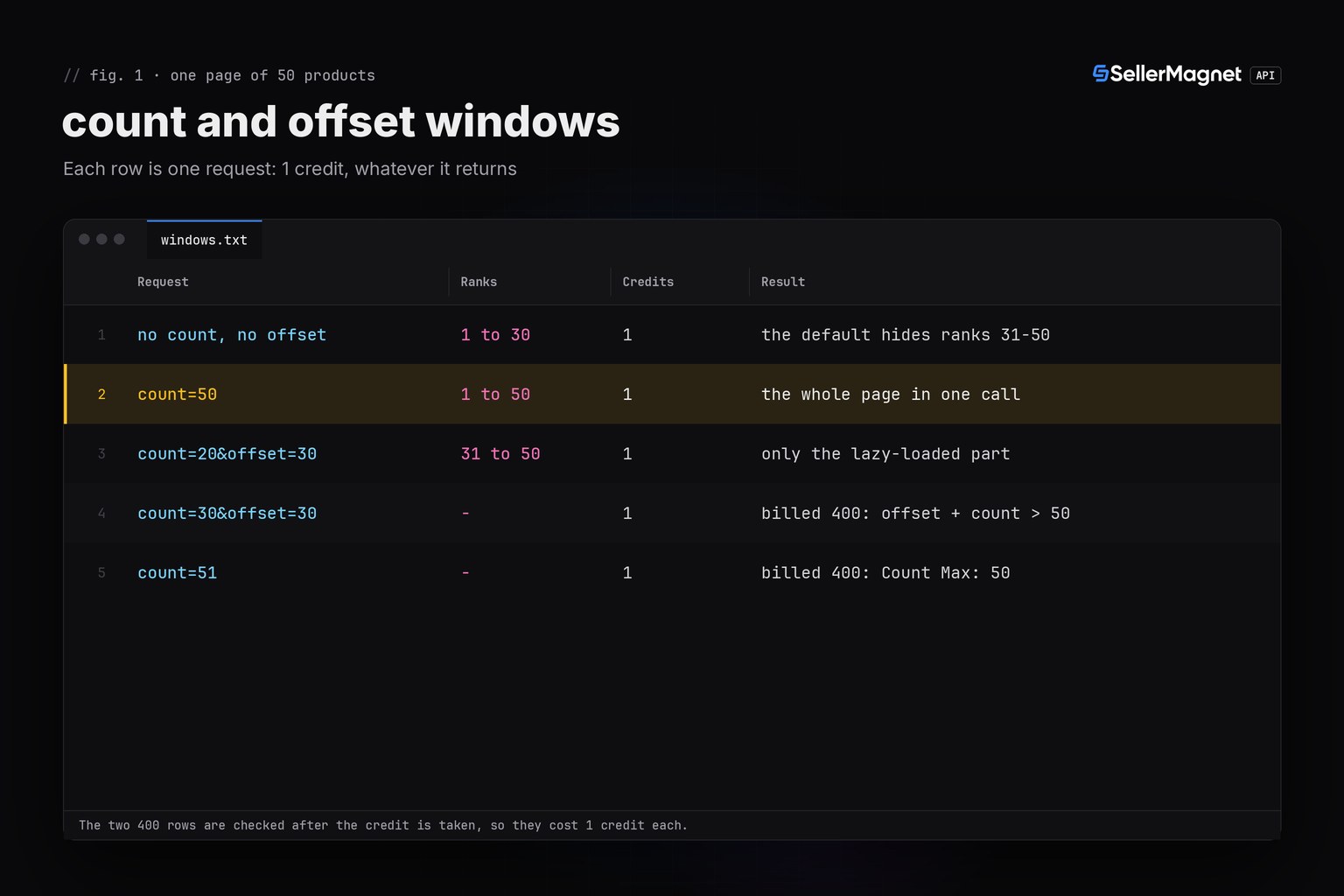
Each call reads the first page of one category's Best Sellers chart (the URL the API builds ends in ?pg=1), and that page holds 50 products: 30 that Amazon renders straight away and 20 more it loads as you scroll. The API fetches the second part only when your window reaches past rank 30, then hands back the slice you asked for. The table shows what common parameter combinations return and what they cost.
| Parameters | Ranks returned | Credits | Note |
|---|---|---|---|
| no count, no offset | 1 to 30 | 1 | the default hides ranks 31-50 |
| count=50 | 1 to 50 | 1 | the whole page in one call |
| count=20&offset=30 | 31 to 50 | 1 | only the lazy-loaded part |
| count=30&offset=30 | - | 1 | billed 400: offset + count > 50 |
| count=51 | - | 1 | billed 400: Count Max: 50 |
Shape of a count=50 response (trimmed, illustrative values)
{
  "success": true,
  "data": {
    "categoryId": "electronics",
    "link": "https://www.amazon.com/gp/bestsellers/electronics?pg=1",
    "bestsellers": [
      {
        "rank": 1,
        "asin": "B0ELEC0001",
        "productTitle": "Illustrative product",
        "price": {"currency_symbol": "$", "currency_code": "USD", "currency_name": "United States Dollar", "price": 19.99},
        "reviewRating": 4.6,
        "reviewAmount": 48211
      }
    ]
  }
}
Why does my bestsellers call return only 30 products?
Because count defaults to 30. A request with just category_id and marketplaceId gets ranks 1 to 30 and says nothing about the other 20. Nothing in the response marks the list as cut short: the bestsellers array simply has 30 entries. Send count=50 whenever you want the full list. It costs the same single credit.
How do count and offset work together?
offset skips that many ranks and count takes the next ones, always within the same 50. count=20&offset=30 returns ranks 31 to 50, count=10&offset=40 ranks 41 to 50. The server rejects count above 50 with "Count Max: 50", a window past rank 50 with "offset + count must be at most 50", and anything that is not a whole number (count at least 1, offset at least 0) with "count must be a whole number of at least 1" or the same message for offset. All of these come after the credit is taken. Before 19 Sep 2026, offset was accepted and ignored, so lists stored by older code always started at rank 1.
How do I get more than the top 50 Amazon best sellers?
Go down the category tree. Every subcategory has its own Best Sellers page with its own top 50, and the category IDs come from a free JSON file per marketplace (/static/data/<CC>.json, the same data the category explorer uses). The script below checks four windows without sending them, then fetches the full list of Electronics on amazon.com and of its first subcategories, stops at a credit cap and keeps each ASIN once. It reuses sellermagnet.py (ApiError, new_session) and retry.py (get_with_retry) from the Python quickstart.
top50.py - full lists for a category and its subcategories, with a credit cap
"""Amazon Best Sellers API pagination: the full top 50 of a category in one call, then more products from its
subcategories.

/amazon-bestsellers reads the first Best Sellers page of a category, and that page holds 50 products. count (default
30, max 50) and offset (default 0) pick a window of it: offset + count must stay at or under 50, so there is no rank
51, and a call without count returns ranks 1 to 30 only. Each request costs 1 credit, and the count/offset 400s come
after the credit is taken, so the window is checked here before anything is sent.
Helpers: sellermagnet.py and retry.py from https://sellermagnet-api.com/blog/amazon-product-api-python
"""
import json

import requests

from retry import get_with_retry
from sellermagnet import ApiError, new_session

MARKETPLACE = "ATVPDKIKX0DER"   # amazon.com
TREE_FILE = "US.json"           # the free category tree: https://sellermagnet-api.com/static/data/US.json
PARENT = "electronics"          # the list to start from; its direct subcategories follow
MAX_LISTS = 5                   # credit cap: each list is 1 credit, plus every billed 502/503 retry
MAX_FAILED = 2                  # stop after this many lists that keep failing
PAGE = 50                       # products on one Best Sellers page


def window_ok(count, offset=0):
    """The window rule the endpoint enforces with a billed 400."""
    return (isinstance(count, int) and isinstance(offset, int)
            and count >= 1 and offset >= 0 and offset + count <= PAGE)


def bestsellers(session, category_id, count=PAGE, offset=0):
    if not window_ok(count, offset):
        raise ValueError(f"count={count} offset={offset}: offset + count must stay within 1 to {PAGE}")
    data = get_with_retry(session, "amazon-bestsellers", category_id=category_id, marketplaceId=MARKETPLACE,
                          count=count, offset=offset)
    return data.get("bestsellers") or []


def find(nodes, category_id):
    """A node anywhere in the tree, matched case-insensitively like the endpoint does."""
    for node in nodes:
        if str(node.get("CategoryId")).lower() == category_id.lower():
            return node
        hit = find(node.get("Subcategories") or [], category_id)
        if hit:
            return hit
    return None


def gaps(items, count, offset):
    """Ranks the window should hold but no card carries, and cards without an ASIN (both are only set when found)."""
    ranks = {i["rank"] for i in items if isinstance(i.get("rank"), int)}
    missing = sorted(set(range(offset + 1, offset + count + 1)) - ranks)
    return missing, sum(1 for i in items if not i.get("asin"))


def main():
    for count, offset in ((50, 0), (20, 30), (30, 30), (51, 0)):
        print(f"window count={count:<2} offset={offset:<2} -> {'ok' if window_ok(count, offset) else 'not sent'}")

    with open(TREE_FILE, encoding="utf-8") as fh:
        tree = json.load(fh)
    parent = find(tree, PARENT)
    if parent is None:
        print(f"{PARENT}: not in {TREE_FILE}, not sent (the endpoint would answer a billed 400 Invalid CategoryId)")
        return
    lists = [(PARENT, parent["CategoryName"])]
    lists += [(c["CategoryId"], c["CategoryName"]) for c in parent.get("Subcategories") or []]

    session = new_session()
    best = {}                   # asin -> (best rank, list it came from)
    fetched = failed = 0
    print(f"\n{'category_id':<11}  {'list':<26}  {'items':>5}  {'new':>4}  note")
    for category_id, name in lists[:MAX_LISTS]:
        if failed >= MAX_FAILED:
            print(f"stopped after {MAX_FAILED} failed lists")
            break
        try:
            items = bestsellers(session, category_id)
        except ApiError as err:
            print(f"{category_id:<11}  {name[:26]:<26}  error {err}")
            if err.status in (401, 403):   # key or credits: every other list fails the same way
                break
            failed += err.status >= 500
            continue
        except (requests.ConnectionError, requests.Timeout) as err:
            print(f"{category_id:<11}  {name[:26]:<26}  error {type(err).__name__}")
            failed += 1
            continue
        fetched += 1
        missing, no_asin = gaps(items, PAGE, 0)
        new = 0
        for item in items:
            asin, rank = item.get("asin"), item.get("rank")
            if not asin:
                continue
            new += asin not in best
            if asin not in best or (rank or PAGE + 1) < (best[asin][0] or PAGE + 1):
                best[asin] = (rank, name)
        notes = [f"no card for rank {', '.join(map(str, missing[:3]))}{' ...' if len(missing) > 3 else ''}"
                 if missing else "", f"{no_asin} card(s) without ASIN" if no_asin else ""]
        note = "; ".join(n for n in notes if n)
        print(f"{category_id:<11}  {name[:26]:<26}  {len(items):>5}  {new:>4}  {note}".rstrip())

    left = max(0, len(lists) - MAX_LISTS)
    print(f"\n{len(best)} unique ASINs from {fetched} lists: {fetched} credits plus any billed retries"
          f"{f'; {left} more subcategories left out by MAX_LISTS' if left else ''}")


if __name__ == "__main__":
    main()
Output (illustrative data: 4 lists, a retried 502, a 500 and two incomplete lists)
window count=50 offset=0  -> ok
window count=20 offset=30 -> ok
window count=30 offset=30 -> not sent
window count=51 offset=0  -> not sent

category_id  list                        items   new  note
electronics  Electronics                    50    49  no card for rank 17; 1 card(s) without ASIN
281407       Accessories & Supplies         50    38
502394       Camera & Photo                 50    45
1077068      Car Electronics                48    48  no card for rank 21, 42
2811119011   Cell Phones & Accessories   error 500: An internal error occurred. Please try again shortly.

180 unique ASINs from 4 lists: 4 credits plus any billed retries; 14 more subcategories left out by MAX_LISTS
Reading the output
- new counts ASINs not seen in an earlier list. Products from the Electronics top 50 show up again in their subcategory, so the unique total is below 50 per list.
- no card for rank lists ranks the window should hold but no card carries. The API sets
rankandasinonly when it finds them on the card, and keeps identical cards once, so a list can come back short. - error 500 is an internal error: refunded, retried once by
get_with_retry, then reported. Camera & Photo answered a 502 first; that attempt was billed and retried.
What does paging through best sellers cost?
1 credit per request. A full list is one count=50 call, so a category plus N subcategories costs N + 1 credits. Add every billed retry: 502 and 503 answers are charged on each attempt, while a 500 without Retry-After is refunded. The window errors and an unknown category_id ("Invalid CategoryId") are billed 400s, which is why the script validates both before sending; a missing category_id or marketplaceId is a free 400. The category tree file costs nothing. The example run above used 5 credits: four lists plus the billed 502.
What a Best Sellers list cannot tell you
A list is a snapshot of one page at fetch time; per Amazon, Best Sellers lists update hourly. The price on a card is the price shown on that page (a range resolves to its low end), not the Buy Box of every variation, and price.price can be null. Category IDs are marketplace-specific: a numeric ID from the US tree is unknown on amazon.de. To find IDs, see Amazon category IDs for the bestsellers API; to spot newcomers between snapshots, see finding new products on bestseller lists.
Frequently Asked Questions
How many products does the Amazon Best Sellers API return?
Up to 50 per category. The endpoint reads the category's first Best Sellers page, which holds 50 products. Without a count parameter it returns 30; send count=50 to get all of them in one call.
Can I get rank 51 to 100 from the Best Sellers API?
Not from this endpoint. It reads only the first page of the chart (pg=1), offset + count must stay at or under 50, and there is no page parameter. For more products, request subcategories.
Is offset useful if count=50 already returns everything?
Mostly for splitting work: count=20&offset=30 returns ranks 31 to 50 only. Every call costs 1 credit whatever its size, so one count=50 call is cheaper than two smaller ones.
Is a count or offset error free?
No. count above 50, offset + count above 50 and values that are not whole numbers are rejected with a 400 after the credit is taken. Check the window in your code before sending.
Why do I get fewer than 50 products back?
Cards whose rank or ASIN the API could not read come back without that field, and identical cards are kept once. Count the ranks you received instead of assuming 50.
Bottom line: send count=50 for the whole list, use offset only to split a list you already planned, and walk subcategories when you need more than 50 products. The bestsellers endpoint page lists every field, and a free account includes 150 credits.


