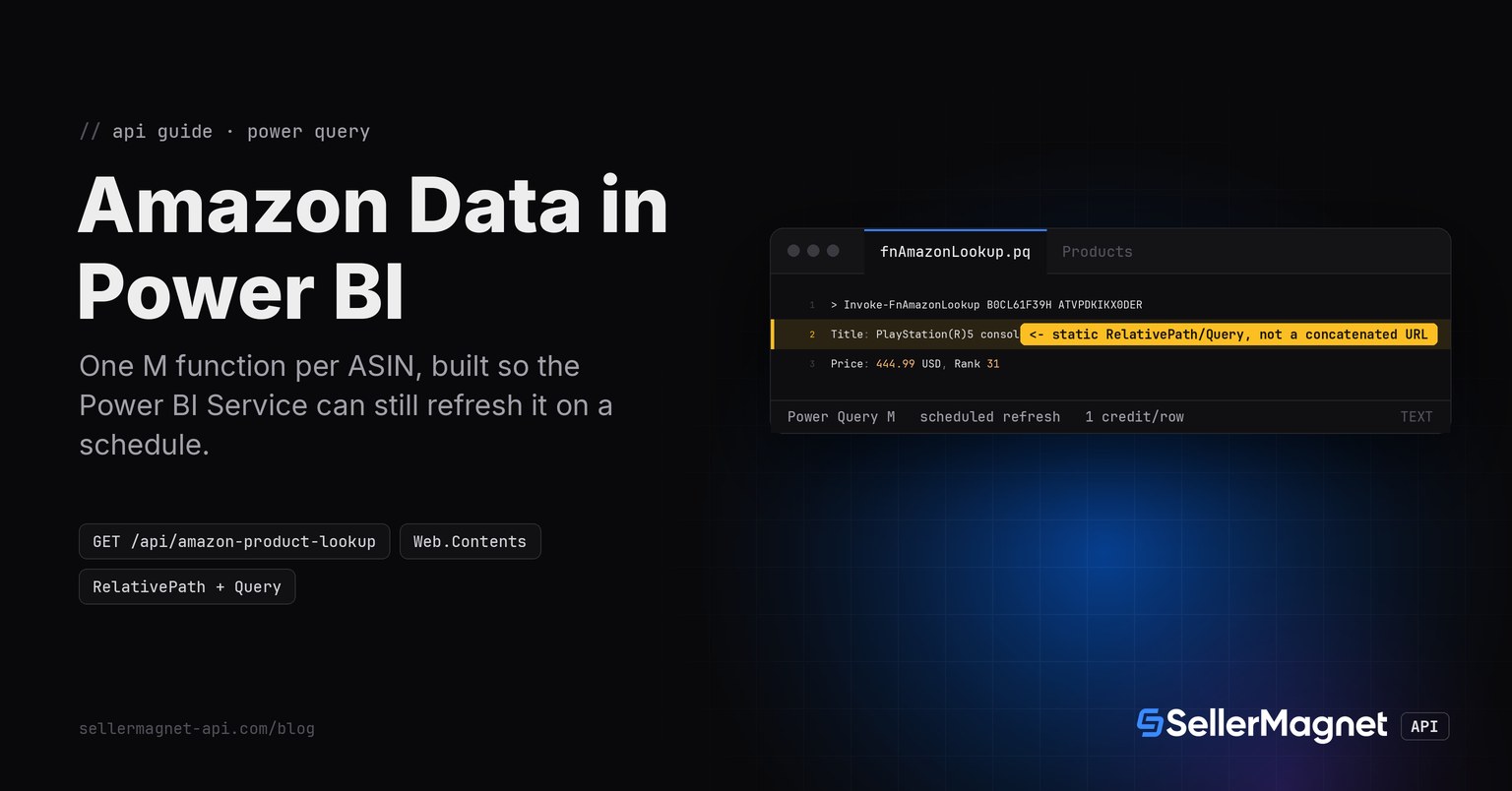
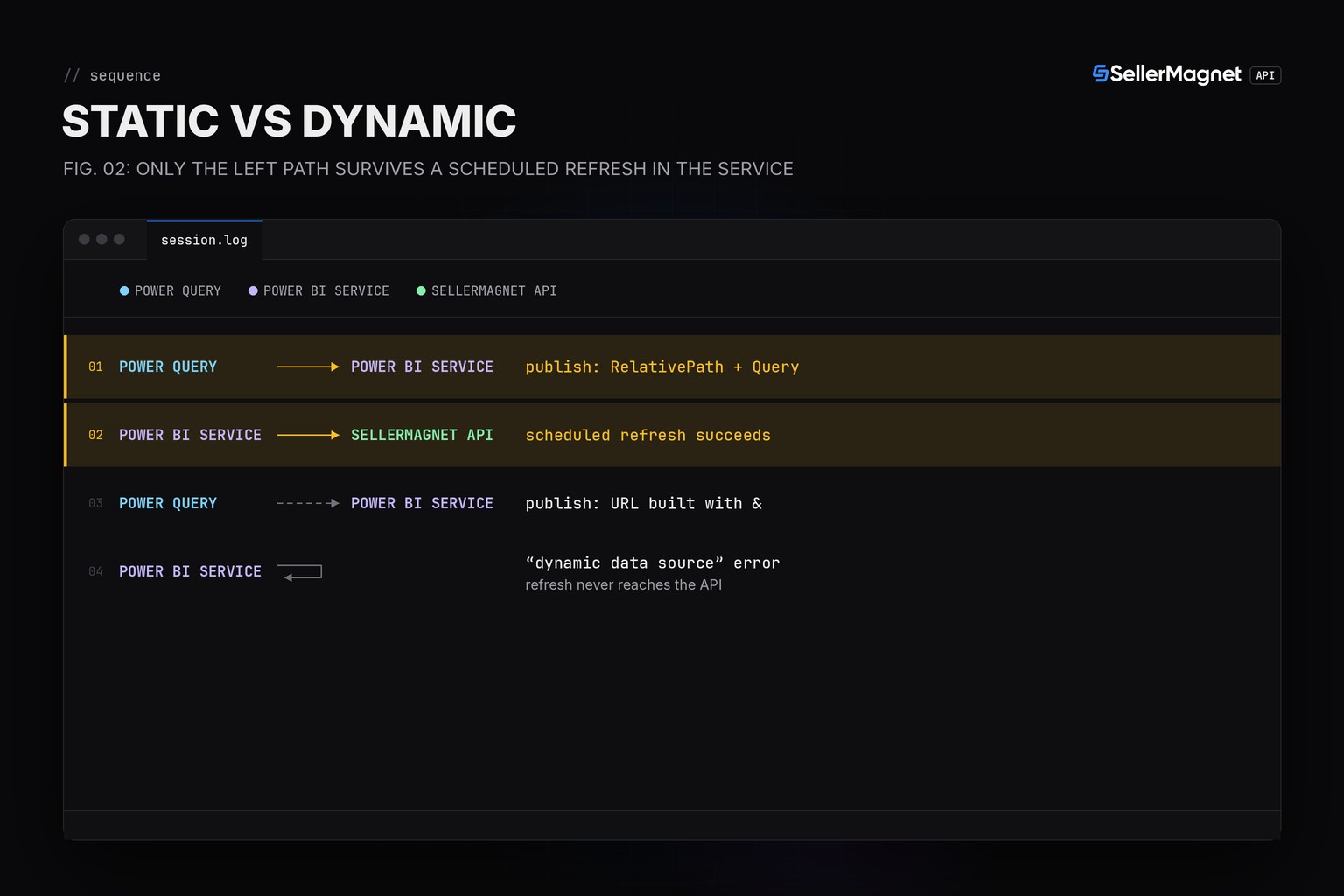
You can pull Amazon product data into Power BI with a Power Query M function that calls the SellerMagnet API once per ASIN. The function works the first time you build it in Power BI Desktop no matter how you write the URL, but only one way of writing it lets the Power BI Service refresh that dataset on a schedule without you sitting at the desktop; the other way fails with a dynamic data source error the moment you publish it.
Key Takeaways
- Build the URL with Web.Contents' RelativePath and Query record, never string concatenation - only that form lets the Power BI Service identify a static data source and refresh on a schedule.
- Store the API key as a Power BI Web API credential (ApiKeyName on Web.Contents), never inside the M query text.
- A custom HTTP header such as X-Api-Key only works on an Anonymous data source; a Web API credential can only fill in a named query parameter, which is why the key travels as api_key, not a header.
- Each invocation of the M function is one API call and one credit; a table of 500 ASINs refreshed daily is 500 credits a day, not 500 once.
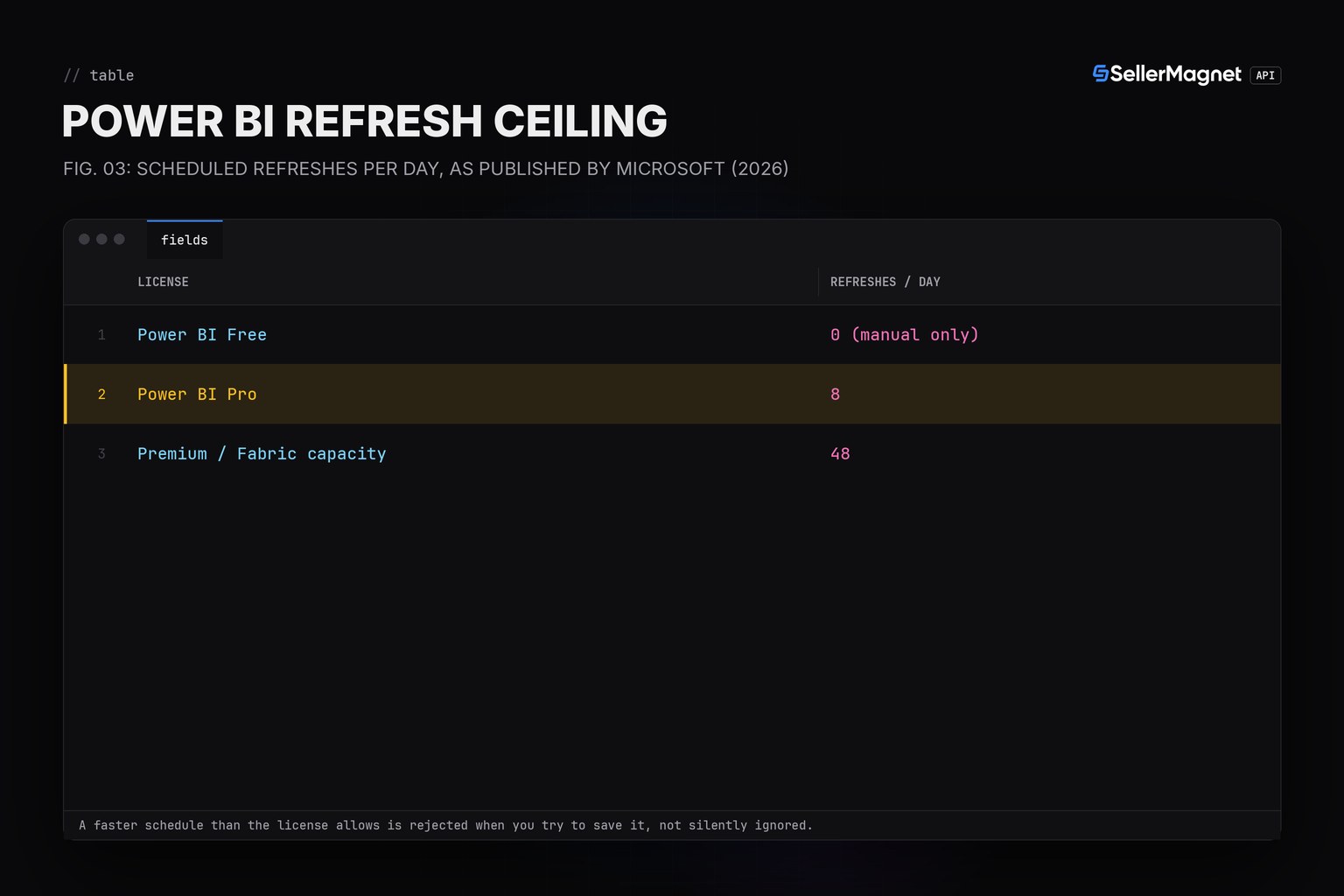
- Power BI Pro caps scheduled refresh at 8 times a day; Premium/Fabric capacities allow up to 48 - plan the polling interval around that, not around how often you would like fresher prices.
How do I connect Power BI to the SellerMagnet API?
Add a Blank Query in Power Query Editor, paste the M function below, then invoke it against a table of ASINs with Add Column → Invoke Custom Function. You need an API key - a free account includes 150 credits - and a column of 10-character ASINs plus the marketplace ID each one belongs to (the marketplace ID list covers all 23 storefronts).
- Open Power Query EditorIn Power BI Desktop, choose Home, then Transform Data.
- Add a Blank QueryNew Source → Blank Query, rename it fnAmazonLookup, paste the M code below into the Advanced Editor.
- Load your ASIN tableImport or paste a table with an Asin and MarketplaceId column.
- Invoke the functionSelect the table, Add Column → Invoke Custom Function, map Asin and MarketplaceId to the function's parameters, then expand the resulting record column.
The M function
Web.Contents takes the base URL as its first argument and an options record as its second. The RelativePath and Query fields inside that record are what keep the call a static data source: everything Power Query needs to identify the data source (the base URL) is a literal string, and only the per-row values live in Query, a record Power Query is explicitly documented to treat as part of a static source rather than code that builds the address.
fnAmazonLookup.pq - one ASIN in, one record out
let
    fnAmazonLookup = (Asin as text, MarketplaceId as text) as record =>
        let
            Asin = Text.Upper(Text.Trim(Asin)),
            Source = Web.Contents(
                "https://sellermagnet-api.com",
                [
                    RelativePath = "api/amazon-product-lookup",
                    Query = [ asin = Asin, marketplaceId = MarketplaceId ],
                    // ApiKeyName tells Power Query which query parameter the stored
                    // Web API Key credential fills in; the key itself never appears here.
                    ApiKeyName = "api_key"
                ]
            ),
            Json = Json.Document(Source),
            Info = try Json[data][productInfo] otherwise null,
            Box = try Info[buyBoxInfo] otherwise [],
            Rank = try Record.FieldOrDefault(Info[bestsellerRanks], "main_category", []) otherwise [],
            Result = [
                Title = try Info[title] otherwise null,
                Price = try Record.FieldOrDefault(Box, "price", null) otherwise null,
                CurrencyCode = try Record.FieldOrDefault(Box, "currencyCode", null) otherwise null,
                Rank = try Record.FieldOrDefault(Rank, "rank", null) otherwise null,
                Success = try Json[success] otherwise false
            ]
        in
            Result
in
    fnAmazonLookup
The four fields the function reads (trimmed lookup response)
{
  "success": true,
  "data": {
    "productInfo": {
      "title": "PlayStation®5 console (slim)",
      "buyBoxInfo": { "price": 444.99, "currencyCode": "USD" },
      "bestsellerRanks": { "main_category": { "name": "Video Games", "rank": 31 } }
    }
  }
}
The one line that breaks scheduled refresh
Web.Contents("https://sellermagnet-api.com/api/amazon-product-lookup?asin=" & Asin & "&api_key=" & key) works in Power BI Desktop and looks identical on screen. Published to the Power BI Service and set on a schedule, it fails with “This dataset includes a dynamic data source”, because the whole address was built by code instead of named in RelativePath/Query. Microsoft documents this exact exception (RelativePath + Query) as one of the few dynamic-looking patterns the Service can still refresh on its own.
Where does the API key live?
In Power Query Editor, Data Source Settings → Edit Permissions for sellermagnet-api.com, choose Web API as the authentication kind, and paste the key into the Key box. That one setting is what ApiKeyName = "api_key" in the function above points at: Power Query inserts the stored key as the named query parameter on every call, and the key itself never appears in the M code, the published report, or anyone's view of the query. A custom HTTP header such as X-Api-Key is the alternative the API also accepts, but Power Query can only attach a custom header on an Anonymous data source - the one credential type with nowhere safe to store a secret - so a header-based key would have to be typed into the M code in plain text instead.
Once the table has a Price column, a simple DAX measure tracks the change since the last refresh against a stored prior value, instead of relying on Power BI's own change-detection (which exists only for a narrower set of import-mode scenarios and is not guaranteed for a Web.Contents source).
Price change vs the prior refresh (DAX measure)
Price Change :=
VAR CurrentPrice = SELECTEDVALUE('Products'[Price])
VAR PriorPrice = SELECTEDVALUE('PriceHistory'[Price])
RETURN
    IF(
        ISBLANK(PriorPrice) || ISBLANK(CurrentPrice),
        BLANK(),
        CurrentPrice - PriorPrice
    )
How many credits does a refresh cost?
One credit per invocation of fnAmazonLookup, and the function runs once for every row of your ASIN table on every refresh - Power Query does not cache a prior result across refreshes. A 500-ASIN table refreshed once a day is 500 credits a day; refreshed on Power BI Pro's maximum of 8 scheduled refreshes a day, the same table is 4,000 credits a day. Keep the ASIN list to what you actually track, and read the Buy Box monitoring guide before picking an interval faster than daily.
| Capacity | Scheduled refreshes / day | 500 ASINs, max schedule |
|---|---|---|
| Power BI Free (own workspace only) | no scheduled refresh | manual refresh only |
| Power BI Pro | 8 | 4,000 credits/day |
| Premium / Fabric capacity | 48 | 24,000 credits/day |
Why not the generic Web connector with a pasted URL?
Get Data → Web and typing a full URL with the key already in it produces working results in Desktop too, but it is the same string-concatenation problem one layer up: the whole address, key included, is a single static text value with no RelativePath/Query split and no stored credential at all, so the key sits in the query definition in plain text and the Service still has no parameterised source to refresh safely. A custom function kept in its own query, invoked per row, is the form Microsoft's own refresh documentation calls out as able to run in the Service.
Frequently Asked Questions
Can Power BI refresh Amazon data automatically?
Yes, if the Power Query M function builds the request with Web.Contents' RelativePath and Query options rather than concatenating a URL string, and the API key is stored as a Power BI credential rather than typed into the query.
Why does my published dataset fail with a dynamic data source error?
The M query built part of the request URL from Power Query code (usually string concatenation with &). Rewrite it using RelativePath and the Query record on Web.Contents, which Power BI documents as refreshable even though it still depends on a parameter.
Can I send the API key as a header instead of a query parameter?
Only on an Anonymous data source, which then has nowhere to store the key safely and must embed it in the query. A stored Web API Key credential (ApiKeyName) keeps the key out of the query text but can only fill in a named query parameter, which is why the key travels as the api_key parameter instead of a header.
How many credits does refreshing a Power BI report cost?
One credit per ASIN per refresh. The function has no cache, so a table of 500 ASINs on an 8-times-a-day Pro schedule is 4,000 credits a day.
Bottom line: write the M function with RelativePath and Query, store the key as a credential, and size the ASIN table to the refresh schedule you can actually afford. For data you would rather not script at all, the DataPipeline scheduler delivers scheduled Amazon data to your own S3 bucket, a webhook or email, and pricing shows what each refresh costs.