
To download Amazon product images with an API, call the SellerMagnet /api/amazon-product-lookup endpoint with the ASIN and marketplace and read productInfo.images: a list of the product gallery's images, each at the highest resolution the product page offers. Download each URL with any HTTP client. The same response lists up to two product videos, and changing one segment of an image URL gives you any smaller size without re-encoding it yourself.
Key Takeaways
- One product lookup (one credit) returns every gallery image URL for an ASIN, deduplicated and hi-res.
- The image downloads themselves come from Amazon's CDN and cost no credits.
- A ._SL500_ segment in the URL returns a 500 px version; removing it returns the largest stored image.
- productInfo.videos holds up to two HLS playlists (.m3u8), which ffmpeg saves as MP4.
- Images belong to the brand or seller: use them for your own products, internal catalogues and analysis; republishing needs permission.
Which image fields does the API return?
The product lookup reads the image gallery of the product page. For every picture it keeps the highest-resolution URL on offer and drops duplicates, so each gallery image appears once, in gallery order. The gallery belongs to the ASIN you looked up; for the images of a colour or size variant, look up that variant's ASIN from productInfo.variations. Other endpoints return images too, but only as thumbnails or a single main picture.
| Endpoint | Field | What you get |
|---|---|---|
| Product lookup | productInfo.images | Every gallery image, highest resolution offered |
| Product lookup | productInfo.mainImage | One image from another part of the page, often smaller |
| Product lookup | productInfo.videos | HLS playlists (.m3u8) of up to two gallery videos |
| Product lookup | productInfo.hasAPlusContent | true for A+ content, a brand story or product documents |
| Search | searchResults[].mainImage | Result thumbnail (e.g. ._AC_UY218_) |
| Bestsellers | mainImage, productImages | Main image, plus the same image in three thumbnail sizes |
Media fields in a lookup response (trimmed)
{
  "success": true,
  "data": {
    "productInfo": {
      "asin": "B0CL61F39H",
      "images": [
        "https://m.media-amazon.com/images/I/41ECK5cY-2L._SL1000_.jpg",
        "https://m.media-amazon.com/images/I/41srF-iY93L._SL1000_.jpg",
        "https://m.media-amazon.com/images/I/61e8hPmeoYL._SL1000_.jpg"
      ],
      "videos": [
        "https://m.media-amazon.com/S/vse-vms-transcoding-artifact-us-east-1-prod/8af0ddf1-55f5-4e71-9463-39602c3edbae/default.jobtemplate.hls.m3u8"
      ],
      "hasAPlusContent": true
    }
  }
}
How do I download all images for an ASIN in Python?
Look the product up once, then fetch each URL and save it under a stable name - the ASIN plus the gallery position - so a re-run skips what is already on disk. Only the lookup costs a credit; the image files come straight from Amazon's CDN.
download_images.py - one lookup, every gallery image
import os
import pathlib

import requests

API = "https://sellermagnet-api.com/api/amazon-product-lookup"


def image_urls(asin: str, marketplace_id: str) -> list:
    resp = requests.get(API, params={"asin": asin, "marketplaceId": marketplace_id,
                                     "api_key": os.environ["SELLERMAGNET_API_KEY"]}, timeout=120)
    try:
        body = resp.json()
    except ValueError:  # e.g. an HTML error page from a proxy
        body = {}
    if resp.status_code != 200 or not body.get("success"):
        raise RuntimeError(f"{asin}: {resp.status_code} {body.get('message')}")
    return body["data"]["productInfo"].get("images") or []


def download(asin: str, marketplace_id: str, out_dir: str = "images") -> list:
    folder = pathlib.Path(out_dir) / asin
    folder.mkdir(parents=True, exist_ok=True)
    saved = []
    with requests.Session() as http:
        for i, url in enumerate(image_urls(asin, marketplace_id), start=1):
            path = folder / f"{asin}_{i:02d}.jpg"
            if not path.exists():  # re-runs skip finished files
                img = http.get(url, timeout=60)
                img.raise_for_status()
                path.write_bytes(img.content)
            saved.append(path)
    return saved


for p in download("B0CL61F39H", "ATVPDKIKX0DER"):
    print(p)
How do I get a different image size?
Amazon's image CDN reads a size modifier from the file name. In 41ECK5cY-2L._SL1000_.jpg, the ._SL1000_ segment asks for the longest side scaled to 1000 px. Swap the number for the size you need, or remove the segment to get the largest version stored - which can be bigger than the gallery URL: one search thumbnail we tested came back at 2560 x 1707 px without it. The number sets the longest side (that image at ._SL500_ is 500 x 333), and the CDN never upscales.
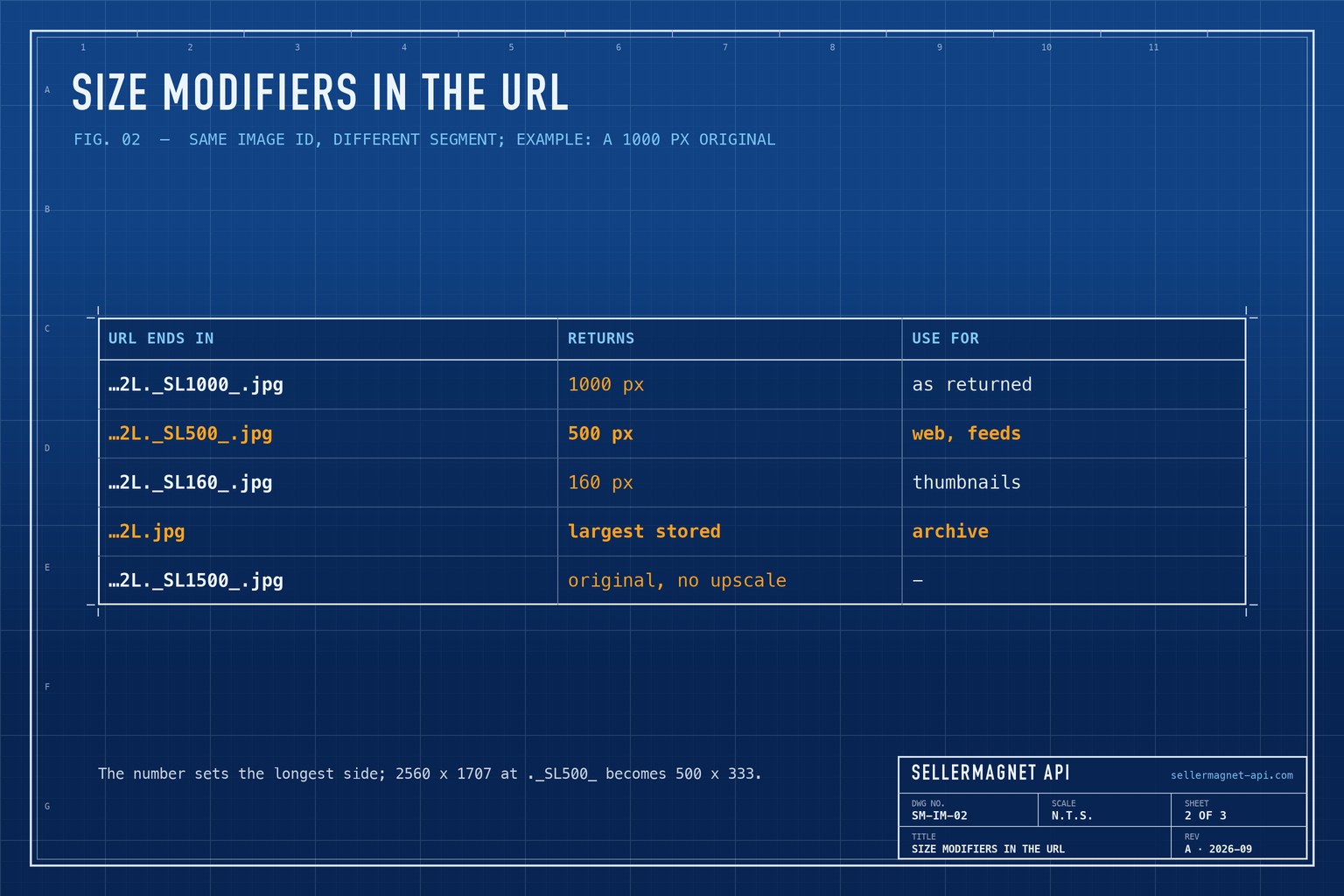
Rewrite the size modifier in an image URL
import re

SIZE_RE = re.compile(r"\._(?:AC_)?SL\d+_(?=\.jpg$)")


def sized(url: str, px: int | None) -> str:
    """px=None removes the modifier (largest stored); px=500 asks for 500 px."""
    base = SIZE_RE.sub("", url)
    return base if px is None else base[: -len(".jpg")] + f"._SL{px}_.jpg"


url = "https://m.media-amazon.com/images/I/41ECK5cY-2L._SL1000_.jpg"
print(sized(url, 500))   # ..._SL500_.jpg
print(sized(url, None))  # ...41ECK5cY-2L.jpg
Can I download Amazon product videos?
productInfo.videos lists up to two gallery videos as HLS playlists - .m3u8 files that point to short video segments rather than one MP4. A browser plays them with an HLS player; to keep a file, let ffmpeg join the segments without re-encoding.
Save an ASIN's gallery videos (up to two) as MP4
n=0
curl -sG "https://sellermagnet-api.com/api/amazon-product-lookup" \
  --data-urlencode "asin=B0CL61F39H" \
  --data-urlencode "marketplaceId=ATVPDKIKX0DER" \
  --data-urlencode "api_key=$SELLERMAGNET_API_KEY" \
  | jq -r '.data.productInfo.videos[]' \
  | while read -r url; do
      n=$((n + 1))
      ffmpeg -nostdin -loglevel error -i "$url" -c copy "B0CL61F39H_video_$n.mp4"
    done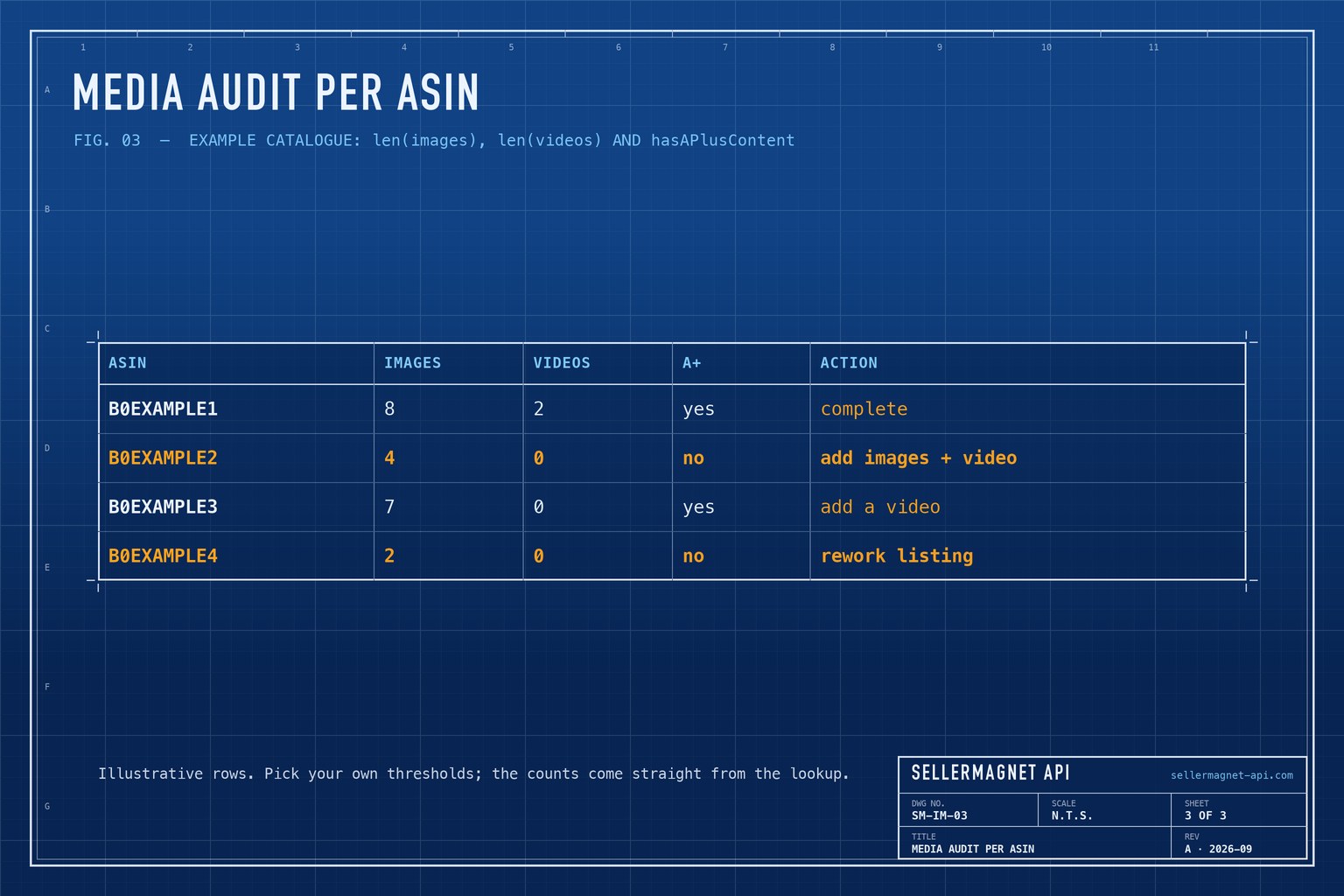
Because the counts come free with the lookup, a media audit of your own catalogue is a loop over your ASINs: flag listings with few images, no video or no A+ content. For thousands of ASINs, use the worker pool from the bulk ASIN lookup guide; for a shell version, the command-line guide pulls the same fields with curl and jq.
Who owns the images
Product images and videos are the property of the brand or seller who uploaded them. Downloading images of your own products, or for internal catalogues and analysis, is the common use; putting someone else's images on your site or listings needs their permission.
Frequently Asked Questions
How do I download all images of an Amazon product?
Call /api/amazon-product-lookup with the ASIN and marketplace, then download every URL in data.productInfo.images. Each gallery image is listed once, at the highest resolution the page offers.
Do image downloads cost credits?
No. Only the lookup request costs one credit. The image files are served by Amazon's CDN.
How do I get Amazon images in a specific size?
Change the ._SL1000_ segment in the URL to the size you need, such as ._SL500_, or remove it for the largest stored version. The CDN never upscales.
Can I download Amazon product videos?
Yes. productInfo.videos lists HLS playlists (.m3u8). ffmpeg -i <url> -c copy video.mp4 saves one as an MP4 without re-encoding.
Can I use Amazon product images on my own site?
Only with the rights holder's permission. Images of your own products are yours to use; for other products, keep downloads to internal catalogues and analysis.
Bottom line: one lookup per ASIN, download the URLs in images, size them through the URL, and save videos with ffmpeg. The product lookup page shows the full response, and a free account includes 150 credits.


